Slide Design Tools for Remote Teams: a Practical Guide
A data-driven guide to slide design tools for remote teams, with setup, step-by-step instructions, and optimization tips.
The rise of distributed and hybrid work has put a premium on how well teams design and share presentations without losing brand consistency or pace. For many organizations, the right slide design tools for remote teams are not a luxury but a productivity backbone—enabling real-time collaboration, scalable templates, and governed design systems. As remote and hybrid work models continue to mature, teams increasingly demand platforms that weave together design quality, collaboration, and data-driven workflows. This guide centers on practical, actionable steps to select, configure, and use slide design tools for remote teams to deliver consistent, polished decks at scale. By the end, you’ll have a repeatable process you can apply across departments, with clear checks for governance, accessibility, and speed. Expect a four- to six-hour onboarding horizon for a small pilot, with downstream benefits as teams adopt shared templates and automated workflows. This article leans on current platform capabilities from leaders like Google Slides, Canva, Beautiful.ai, and Gamma, and anchors its guidance in what remote teams actually need in practice.For readers seeking context on market momentum, the broader slide-design tools market continues to expand as cloud collaboration and AI-assisted design gain traction, underscoring why this guide emphasizes setup, governance, and scalable templates. (workspace.google.com)
Section 1: Prerequisites & Setup
Required Tools
- A primary slide design tool chosen for remote collaboration (for example, Google Slides for real-time edits, Canva Teams for brand-aligned design, or Gamma for AI-assisted deck generation). Each option offers real-time collaboration and cloud-based access ideal for distributed teams. Google Slides highlights live edits and real-time collaboration across devices, which is essential for remote teams. Beautiful.ai and Canva Teams also emphasize team libraries and shared templates to keep decks on-brand at scale. (workspace.google.com)
- A shared cloud workspace (Google Drive, Canva Teams workspace, or a comparable corporate drive) to store templates, brand kits, and approved decks. The ability to share assets and maintain a single source of truth is central to remote-team efficiency. (workspace.google.com)
- Screen capture and review utilities (optional but recommended) to provide feedback on slides during reviews. Tools like built-in comment threads, board notes, and markup features help teams surface design feedback asynchronously. This practice is common across modern presentation platforms with team features. (beautiful.ai)
- Access to a basic design literacy baseline (typography, color, and layout fundamentals) so teammates can contribute without constant one-on-one coaching. If your team lacks formal design training, consider short onboarding modules or a quick reference kit.
Required Knowledge
- Basic understanding of brand guidelines and how to apply them in slide decks (fonts, color palettes, logos, imagery).
- Familiarity with the chosen platform’s core collaboration model (for example, how to share, comment, and assign edits in Google Slides or how to manage teams and permissions in Canva Teams or Beautiful.ai).
- A simple data-to-deck workflow: know how to map data sources (e.g., dashboards, spreadsheets) to chart components in slides and how to refresh those visuals as the data updates.
Accounts & Access
- Ensure every user who will contribute to remote presentations has a corporate account or a shared team account on the selected platform (Google Workspace for Slides, Canva Teams, or Gamma for AI-driven decks). Real-time collaboration hinges on proper access control and version history, so configure permissions carefully. Google’s real-time editing features hinge on properly shared documents and audience permissions. (workspace.google.com)
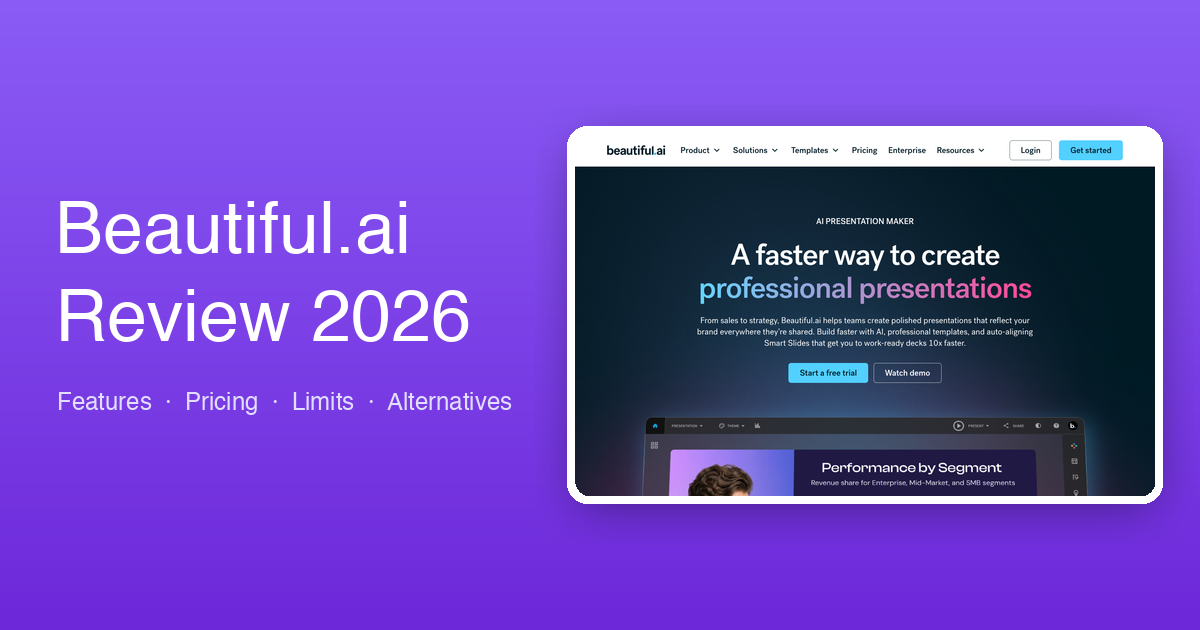
- Establish a minimal viable governance model: who can approve templates, who can publish decks to the company library, and how changes to brand assets are requested and applied. Beautiful.ai emphasizes team administration and brand controls as part of its Team features. (beautiful.ai)
- Prepare a starter template library and a branded slide library. This reduces friction for remote teams by removing repeated decisions about layout and branding.
Screenshots/visuals: Plan to capture interface states showing “Share” dialogs, brand kits in your chosen platform, and the shared library view. Visuals help readers recognize what to click and where to find governance controls.
Section 2: Step-by-Step Instructions
Step 1: Pick the Right Primary Tool for Remote Collaboration
What to do
- Evaluate the three core attributes most important to your team: real-time collaboration, brand governance, and data-to-deck workflows. Choose the platform that best aligns with your team’s needs (for example, Google Slides for fast collaboration; Canva Teams for brand-centric workflows; Gamma for AI-assisted deck creation at speed).
Why it matters
- Remote teams win when the deck-building process is synchronous where needed and asynchronous when feedback loops are long. Real-time collaboration reduces version conflicts and speeds up decision-making for updates across teams. Additionally, a platform with strong brand governance reduces design drift and maintains consistency across departments. (workspace.google.com)
Expected outcome
- You have one primary tool selected, with an initial plan for how it will serve design, review, and distribution workflows. A documented rationale is prepared for stakeholders and a pilot group is ready to test.
Common pitfalls to avoid
- Picking a platform solely because it’s popular without validating integration with data sources, brand kits, and approval workflows.
- Underestimating the time needed to onboard a remote team to a new tool.
Screenshots/visuals: Include a screenshot of the chosen tool’s collaboration view (e.g., real-time cursors in Google Slides or team library in Canva Teams) to help readers compare interfaces.
Citations: Real-time collaboration capabilities exist across Google Slides and Canva Teams; platform governance features are highlighted by Beautiful.ai. (workspace.google.com)
Step 2: Establish a Brand Library and Template System
What to do
- Create a centralized Brand Library that includes color palettes, typography tokens, logo assets, and approved image styles.
- Build a starter template set (title slide, agenda, data slides, conclusion) that enforce the brand’s look and feel.
Why it matters
- A shared library reduces design drift and speeds slide creation for remote teams. This is a core feature of Canva Teams and Beautiful.ai, which emphasize shared templates and brand consistency across teams. (canva.com)
Expected outcome
- A branded deck skeleton library that all team members can reuse, plus ready-to-use templates that align with your branding guidelines.
Common pitfalls to avoid
- Leaving the library under-maintained or inconsistent with actual branding; this creates friction and duplicate work.
- Failing to test template adaptability across different deck lengths (e.g., 10 vs. 20 slides).
Screenshots/visuals: Plan to include visuals of a brand kit interface and a sample template set.
Citations: Canva and Beautiful.ai emphasize shared templates and brand governance as part of their collaboration features. (canva.com)
Step 3: Build a Shared Slide Library and Content Library
What to do
- Populate a shared library with approved slides, charts, icons, and data-driven visuals. Include reusable data slide blocks (e.g., KPI dashboards, funnel slides, comparison charts).
- Create a policy for version control, including how to name decks, how to track updates, and how to archive outdated assets.
Why it matters
- A well-curated library accelerates deck composition, ensures fidelity to branding, and supports remote teams to assemble decks quickly with less back-and-forth. Real-time collaboration ecosystems thrive when assets are discoverable and standardized. (workspace.google.com)
Expected outcome
- A robust, searchable slide library and data-visual blocks that team members can drop into decks with confidence.
Common pitfalls to avoid
- Duplicating assets across the team library; this creates confusion and drift.
- Not setting ownership for assets; owners are needed to maintain quality and enforce standards.
Screenshots/visuals: Include a diagram of a library organization scheme (folders, tags, and ownership).
Citations: Real-time collaboration platforms enable shared libraries; brand governance features are central to Beautiful.ai and Canva. (beautiful.ai)
Step 4: Define Collaboration Workflows and Permissions
What to do
- Establish who can edit, comment, or approve decks; set up a review workflow with milestones (draft → internal review → stakeholder approval → publish).
- Configure permission levels in your chosen tool (e.g., viewers vs. editors; admin roles for brand governance; SSO integration for security).
Why it matters
- Clear workflows prevent bottlenecks and reduce the risk of publishing decks with unapproved content. Real-time collaboration is powerful, but without governance, teams risk inconsistent messaging and security gaps. This is a well-supported concern across major tools, with Google’s real-time editing and Canva’s team admin controls addressing these needs. (workspace.google.com)
Expected outcome
- A documented collaboration workflow and permission matrix, ready to be piloted with the team.
Common pitfalls to avoid
- Overly complex approval steps that slow down time-to-presentation.
- Not auditing access periodically, leading to stale or excessive permissions.
Screenshots/visuals: Include a flowchart of the approval process and sample permission matrix.
Citations: Real-time editing and team governance features exist in Google Slides and Beautiful.ai; Canva emphasizes team administration and controls. (workspace.google.com)
Step 5: Create a Starter Deck (Data-to-Deck Process)
What to do
- Produce a starter deck that demonstrates data-to-visualization workflows: import a data infographic, convert it into a slide, and apply branded visuals from the template library.
- If your platform supports AI-assisted design (as Gamma does), run a prompt-based draft to establish a baseline look and structure, then refine with human edits. Verify exports to PPTX or PDF for compatibility as needed.
Why it matters
- A tangible starter deck demonstrates the end-to-end process and gives teams a concrete example to iterate from, ensuring consistency and speed. Gamma positions itself as an AI-driven presentation tool designed for quick drafts, while Canva and Beautiful.ai provide templates and brand controls that speed up deck creation. (gamma.app)
Expected outcome
- A polished starter deck that teams can reuse as a baseline for future presentations, plus a documented export/hand-off process.
Common pitfalls to avoid
- Over-customizing the starter deck so it diverges from the brand library.
- Relying solely on AI without human oversight, which may produce decks that require manual polish.
Screenshots/visuals: Include an annotated screenshot of Step 5’s data-to-slide workflow, showing data sources, chart blocks, and branded styling applied.
Citations: Gamma demonstrates AI-generated decks; Canva and Beautiful.ai provide brand controls that guide automatic design to branding. (gamma.app)
Step 6: Pilot, Review, and Iterate
What to do
- Run a pilot with a cross-functional remote team. Collect feedback on collaboration speed, template usability, and brand consistency.
- Use a lightweight analytics approach: track average time from data ingestion to deck completion, number of edits per deck, and the rate of rework due to branding issues.
- Schedule regular retrospectives to refine templates, assets, and governance rules.
Why it matters
- The pilot validates your setup in real-world conditions and surfaces practical improvements that data alone might miss. Market momentum shows rapid growth in cloud-based collaboration tools, underscoring the value of a well-tuned remote-team deck-building process. (thebusinessresearchcompany.com)
Expected outcome
- A validated playbook for slide design tools for remote teams, plus an action plan for broader rollout and ongoing governance.
Common pitfalls to avoid
- Running the pilot without a clear success criteria; you’ll struggle to measure impact.
- Underinvesting in training; technology without practice yields slow adoption.
Screenshots/visuals: Show a pilot results dashboard and a sample retrospective notes page.
Citations: Market context supports scaling collaboration tools; the pilot approach aligns with best practices for remote-team workflows. (thebusinessresearchcompany.com)
Section 3: Troubleshooting & Tips
Common Issues and Quick Fixes
- Issue: Real-time edits lag or conflict when multiple users edit the same slide.
- Fix: Establish a “lock-free” but versioned editing practice with clear ownership per slide section; ensure team members use comments for non-destructive feedback; verify network connectivity and browser compatibility.
- Why it matters: Real-time collaboration is powerful but can degrade if concurrent edits aren’t managed. Modern platforms provide live editing but still rely on stable connectivity and compatible browsers. Google’s real-time editing features remain robust when permissions and network conditions are sound. (workspace.google.com)
- Issue: Assets or fonts do not render correctly for remote collaborators.
- Fix: Standardize font families via the brand kit and embed or host assets in the shared library; ensure all team members use the same platform’s assets from the library to avoid font substitution issues.
- Why it matters: Consistent typography and assets preserve the deck’s intended look, especially when slides cross devices and platforms.
- Issue: Approvals stall, causing delays in deck publishing.
- Fix: Use a lightweight approval checkpoint (one design owner, one reviewer) and a defined SLA (e.g., 24–48 hours). Consider automating reminders and keeping a centralized approvals log.
- Why it matters: Governance is essential for scale; timely approvals prevent bottlenecks in remote environments. Beautiful.ai and Canva emphasize team administration and approvals as part of their collaboration feature sets. (beautiful.ai)
Pro Tips for Remote Teams
- Leverage shared brand kits and libraries from day one. This is a proven accelerator for remote teams and is a core feature in Canva Teams and Beautiful.ai. (canva.com)
- Use AI-assisted design strategically: let AI draft the deck outline or content blocks, then apply human review for narrative coherence and brand alignment. Gamma is an example of AI-assisted deck creation that can speed early drafts, followed by human polish. (gamma.app)
- Schedule recurring template maintenance sessions to keep the library fresh and aligned with brand changes. This sustains quality over time and reduces drift as teams scale. (beautiful.ai)
Accessibility & Localization
- Ensure slide templates are accessible (contrast ratios, alt text for images, and readable fonts). Plan to create a universal design baseline and, where relevant, offer localized template variants to serve global teams.
- If you operate across languages, test export and font compatibility for non-Latin scripts. Some platforms provide language-aware templates or multi-language export paths; verify with your chosen tool's capabilities.
Section 4: Next Steps
Advanced Techniques
- Create data-driven slide blocks: connect dashboards or data sources to slides so that a single data update propagates through the deck. Explore BI tool integrations that feed visuals directly into slides, reducing manual re-entry and error.
- Automate deck generation from meeting notes or briefs: use AI-assisted prompts to produce draft structures or slide layouts, then iterate with human review to ensure accuracy and branding.
- Expand collaboration beyond slides: integrate with team documents, whiteboards, and project management tools to unify the entire knowledge-sharing workflow. Canva, Google Workspace, and Beautiful.ai offer ecosystem integrations that enable cross-tool workflows. (workspace.google.com)
Related Resources
- Google Slides real-time collaboration guidance and best practices (support and help resources). (workspace.google.com)
- Canva Teams collaboration, branding, and templates workflows. (canva.com)
- Beautiful.ai Team Plan and collaborative features (shared slides, themes, and governance). (beautiful.ai)
- Gamma AI presentation capabilities for rapid drafting and AI-driven design. (gamma.app)
Closing
Bringing slide design tools for remote teams into a repeatable, scalable practice changes how work gets shared, taught, and acted on across your organization. By selecting a primary tool with strong collaboration and governance features, building a branded template library, and establishing a disciplined but lightweight workflow, you create a reliable engine for visual storytelling in distributed environments. The result is not just faster slide creation, but decks that consistently reflect your brand, data, and narrative—whether your audience is in the next time zone or across the globe. If you’re ready to take the next step, start by mapping your current deck-building pains, pick one tool that aligns with your governance needs, and run a short pilot to validate your new process.
If you’d like to explore further, this guide will serve as a foundation for expanding to more advanced techniques, such as automated data-driven decks and broader ecosystem integrations. As you implement, keep a pulse on market developments in cloud collaboration and AI-assisted design to ensure your workflow remains aligned with the latest capabilities and best practices for slide design tools for remote teams. (thebusinessresearchcompany.com)
Author
2026/04/30