SlidesAI Review 2026: Ratings, Real Pricing Limits & Who Should Buy It
SlidesAI has 10M+ installs at 4/5 on the Workspace Marketplace but ~3.1/5 on Trustpilot. Verified pricing limits, the complaints that repeat across reviews, and who it's actually for.
SlidesAI answers a very specific wish: "I live in Google Slides — just write the slides for me here." As a native Google Workspace add-on with 10M+ installs and a 4/5 rating across ~1,200 Marketplace reviews, it's one of the most-installed AI presentation tools in existence. Yet the same product holds roughly 3.1/5 on Trustpilot — and that ratings gap is the single most useful fact about SlidesAI. This review explains both numbers.
Verdict up front
SlidesAI is good at exactly one job: turning text you already wrote into a structured Google Slides draft, inside the editor you already use, in about a minute. If your input is a page of prose and your bar is "a clean starting draft in my own deck," the Marketplace crowd is right — it delivers.
The Trustpilot crowd is describing the edges: output that follows a repetitive formula, advertised features that lag behind the marketing, PowerPoint support that still trails the Google Slides experience, and billing friction on the way out. If any of those edges sit in your critical path, look further down this page.
What SlidesAI is
SlidesAI (slidesai.io) is an add-on for Google Slides (with PowerPoint support that has been expanding, but Google Slides remains its real home). Paste text or describe a topic, pick a slide count and style, and it generates titled slides with structured bullet content directly inside your deck. The company also runs one of the strongest SEO content arms in the category — if you've searched "how to do X in Google Slides," you've probably read their blog.

What it does well
- Zero-friction for Google Workspace users. No new app, no export step — slides appear in the deck you already have open, inheriting your sharing and permissions. This is the core reason for those 10M+ installs.
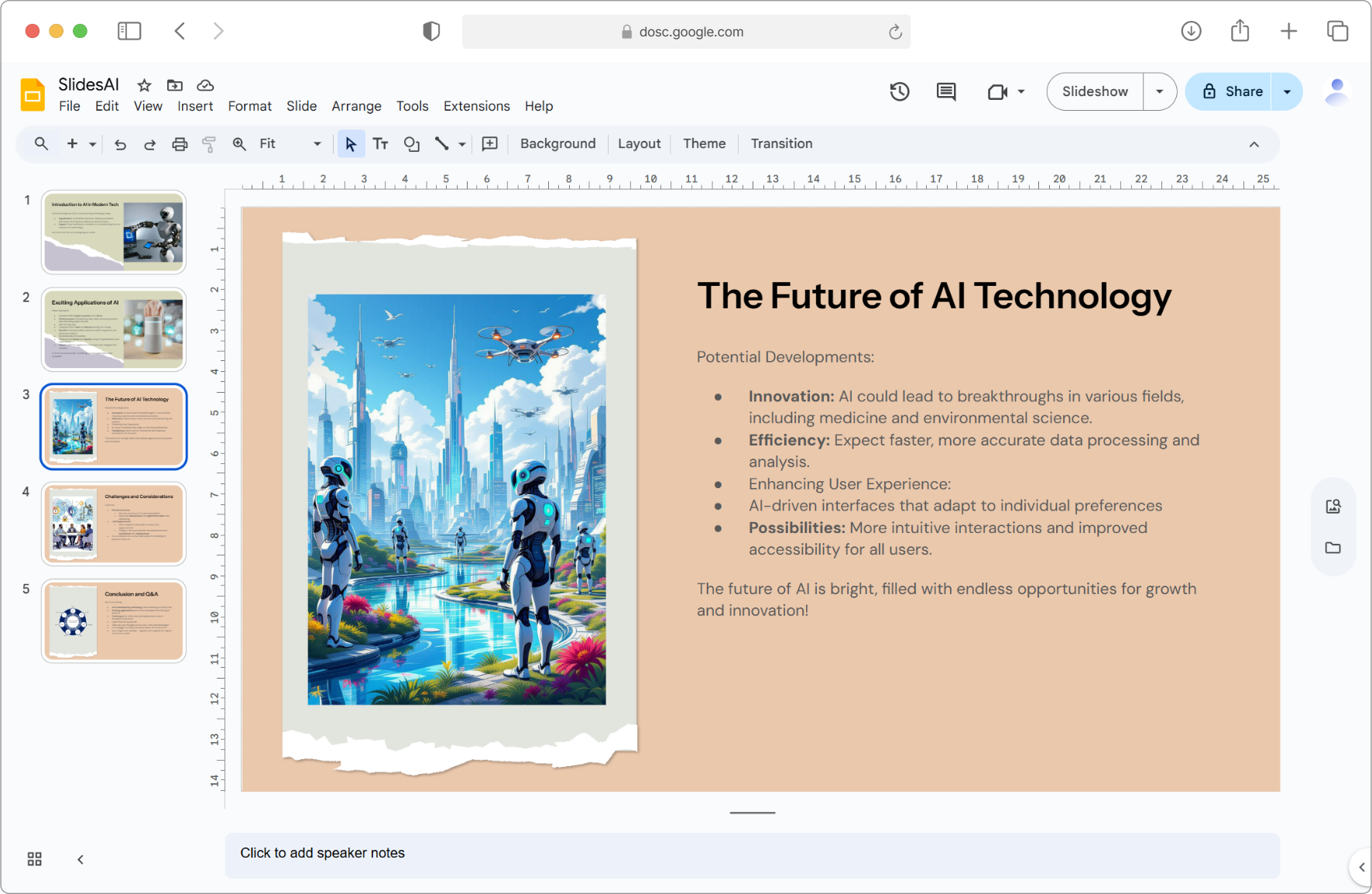
- Text-to-outline competence. For turning a chunk of prose into a sensible slide structure with titles and bullets, it works, and it works fast. Setup is genuinely two minutes: Extensions → Add-ons → Get add-ons → install SlidesAI, then Extensions → SlidesAI → Generate Slides, paste text, pick a theme.
- Real theme control inside Google Slides. Hands-on tests confirm font family, sizes, and colors are all adjustable per element through its Themes/Custom panel — you're styling native Google Slides objects, not locked images.
- 100+ languages. Input and generation work across a very wide language set — genuinely useful for multilingual teams and classrooms.
- A real free tier. Unlike Beautiful.ai (trial only), there's a permanent free plan — tight, but permanent.
What users consistently criticize
These aren't hypotheticals — they're the patterns that repeat across Trustpilot, G2, and independent reviews:
- The "four bullets and an image" formula. The most common complaint: whatever you feed it, the output gravitates to the same slide shape — title, bullets, stock-ish image. In one documented hands-on test on a generic "online shopping" topic, the add-on produced a title slide, four near-identical content slides, and a thank-you slide. The built-in fixes only partially help: a Remix button reshuffles a slide's existing content into alternative layouts (one/two/three-column), and a paraphraser rewrites lines — but reviewers still describe restructuring anything meant for an audience that matters.
- Suggested images can miss the topic. Multiple reviewers report generated/suggested images with little relevance to the content, needing manual replacement.
- Feature marketing runs ahead of the product. Reviewers have repeatedly found advertised input methods (document upload, webpage-to-slides, YouTube-link-to-slides) listed as limited or "coming soon" depending on plan and timing. Check that the specific input you need is actually live on your plan before paying.
- PowerPoint is the second-class citizen. The PowerPoint integration exists but reviewers consistently note the full experience is Google Slides-first. If PowerPoint is your primary environment, this is the wrong tool today.
- Billing and cancellation friction. A meaningful share of Trustpilot's negative reviews concern subscription cancellation and refunds. Calendar-note your renewal date if you subscribe.
Pricing (verified from their pricing page, July 2026)
| Plan | Price (annual billing) | Presentations | Input limit | AI credits | Document upload |
|---|---|---|---|---|---|
| Basic (free) | $0 | 12 / year | 2,500 chars | 120 / year | — |
| Pro | $10/mo ($120/yr) | 120 / year | 6,000 chars | 600 / year | ✓ |
| Premium | $20.83/mo ($250/yr) | Unlimited | 12,000 chars | 1,200 / year | ✓ |
Monthly billing runs higher (annual saves ~16%, marketed as "2 months free"). The numbers worth noticing: the free tier is 12 presentations per year — one a month — and even Pro caps input at 6,000 characters per presentation (roughly 2–3 pages of text). If your source material is a real document, that ceiling arrives fast.
SlidesAI vs ChatSlide, honestly
The two tools overlap on "text becomes slides" and then diverge completely:
| SlidesAI | ChatSlide | |
|---|---|---|
| Form | Google Slides add-on | Standalone web app |
| Core flow | Pasted text → slides in your deck | Documents/URLs/topics → complete deck |
| Source formats | Text, topic (doc upload on paid plans) | PDF, Word, Excel, PPTX, URLs, YouTube — 20+ formats |
| Input size | 2,500–12,000 characters by plan | Full documents, multi-file |
| Design | Google Slides templates | AI layouts + themes, fully editable |
| Charts from data | — | Auto-generated from spreadsheets |
| Outputs | Google Slides (PowerPoint developing) | Editable PPTX, PDF, MP4 video, share link |
| Narration | — | AI voice, voice cloning, avatars |
| Free tier | 12 presentations/year | 30 credits refreshed monthly |
| Paid from | $10/mo (annual) | $14.90/mo |
Choose SlidesAI when you're committed to Google Slides, your input is text you already wrote (and fits the character limits), and you want a draft to appear in place with minimal ceremony.
Choose ChatSlide when your starting point is documents or data, you need design output beyond Google Slides templates, or the deliverable extends past Google Slides — an editable PowerPoint for a client, a narrated training video, a conference deck built from a paper. Start at the AI presentation maker; if you're moving a finished deck between ecosystems, the free PowerPoint ↔ Google Slides converters handle both directions.
Who should actually buy it
- Teachers and students inside Google Workspace making frequent, low-stakes decks from prepared text: the Pro plan's 120 presentations/year at $10/mo is honest value.
- Anyone whose source is a document, spreadsheet, or recording: wrong tool — the input limits and text-only flow will fight you.
- PowerPoint-first teams: wait, or use a PPTX-native generator like the AI PowerPoint generator.
- Design-sensitive decks (pitches, keynotes): budget real editing time on top, or use a tool with an actual design engine.
Frequently asked questions
Is SlidesAI free?
There's a permanent free tier: 12 presentations per year, 2,500 characters of input each, 120 AI credits. Paid plans start at $10/mo billed annually.
How is SlidesAI rated?
Split. ~4/5 across ~1,200 Google Workspace Marketplace reviews (10M+ installs), but roughly 3.1/5 on Trustpilot, where complaints center on output genericness, feature availability, and cancellations. Both crowds are describing the same product from different expectations.
Does SlidesAI work with PowerPoint?
Partially. Support has been expanding, but reviewers consistently find Google Slides is where the full experience lives.
SlidesAI or Gamma?
Different trade-offs: SlidesAI lives inside Google Slides with plain output; Gamma is standalone with far stronger design but weaker PPTX export. Our Gamma AI review covers that side in depth.
Full market view: the 100-tool comparison for 2026.
Author
2026/07/14


