
The Board Review Preparation Problem
Medical board certification exams are some of the most demanding professional assessments in any field. Whether you're preparing for ABIM Internal Medicine, cardiology subspecialty boards, or recertification MOC exams, the volume of material is staggering.
Many physicians and fellows prepare by creating study presentations — condensing guidelines, landmark trials, and clinical algorithms into slide decks they can review repeatedly. It's an effective study method: the act of organizing information into slides reinforces learning, and the resulting decks become portable study tools.
The problem? Building these decks takes enormous time. A comprehensive lipidology board review might require 80+ slides covering dyslipidemia classification, statin therapy guidelines, PCSK9 inhibitors, familial hypercholesterolemia, and cardiovascular risk calculation. That's days of work just on formatting — before you've started actually studying.
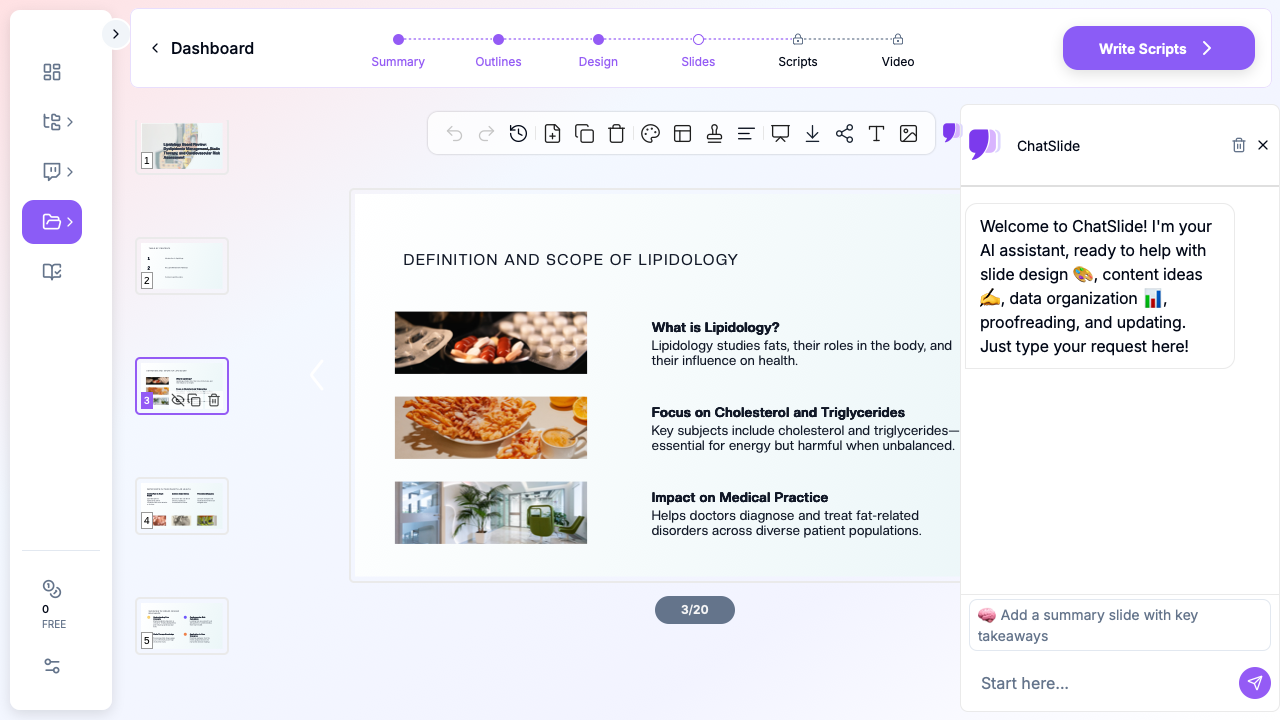
AI presentation tools are changing how physicians approach board preparation. Instead of building study decks from scratch, they generate structured review presentations in minutes — then refine the content with their own clinical knowledge and preferred study resources.
What Makes Effective Board Review Slides
High-Yield Organization
Board exams test pattern recognition and clinical decision-making, not rote memorization. Your study slides should mirror this:
- Algorithm-based layouts — Present diagnostic and treatment algorithms as visual flowcharts rather than text lists
- Comparison tables — Side-by-side comparisons of similar conditions, drug classes, or treatment approaches
- Key statistics — Number needed to treat, sensitivity/specificity of diagnostic tests, landmark trial results
- Clinical pearls — Concise, memorable takeaways that distinguish similar conditions
Evidence-Based Content
Board questions increasingly test knowledge of current guidelines and landmark trials. Your slides should reference:
- Current practice guidelines (AHA/ACC, ESC, KDIGO, etc.)
- Landmark randomized controlled trials and their key findings
- Updated treatment algorithms with evidence grades
- Recent changes to clinical practice based on new evidence
Visual Learning Aids
Medical knowledge lends itself to visual presentation:
- Diagnostic imaging examples with annotations
- Pathophysiology diagrams showing disease mechanisms
- Drug mechanism flowcharts
- ECG strips and hemodynamic tracings with teaching points
Step-by-Step: Creating Board Review Decks with ChatSlide
Choose Your Topic Focus
Board exams cover vast content areas. Break your study into focused modules rather than attempting to cover everything in one deck. For example, a cardiology board review might include separate decks for:
- Lipid management and atherosclerosis
- Heart failure and cardiomyopathies
- Arrhythmia management and electrophysiology
- Valvular heart disease
- Coronary artery disease and acute coronary syndromes
- Preventive cardiology and risk assessment
Generate Your Study Deck
Open ChatSlide and enter your specific board review topic:
"Lipidology board review for cardiology certification: dyslipidemia classification, statin therapy guidelines, PCSK9 inhibitors, familial hypercholesterolemia screening, and cardiovascular risk assessment tools"
ChatSlide generates a structured presentation organized by subtopic, with clear headings, concise bullet points, and logical flow from basic concepts to clinical application.
Enhance with High-Yield Details
The AI-generated framework provides structure. Now add your high-yield content:
- Landmark trials — Add key results from studies like FOURIER, ODYSSEY, IMPROVE-IT, and JUPITER. Include the primary endpoint results and clinical significance.
- Guideline recommendations — Reference specific ACC/AHA guideline classes (Class I, IIa, IIb, III) and levels of evidence
- Drug dosing — Add specific doses, titration schedules, and monitoring parameters
- Board-style pearls — Include the subtle distinctions that board questions test (e.g., when to use non-HDL-C vs LDL-C as a treatment target)
Organize for Spaced Repetition
Structure your deck to support repeated review:
- Place the most challenging or easily confused topics early in the deck
- Include "self-test" slides with clinical scenarios before revealing the answer on the next slide
- Add summary slides at the end of each section with the three to five must-know facts
- Create a "rapid review" section at the end with one-line summaries of all key points
Board Review Topics That Work Well with AI
Internal Medicine (ABIM)
The breadth of internal medicine boards makes AI-generated study decks particularly valuable. Generate separate decks for each subspecialty area: cardiology, pulmonology, nephrology, endocrinology, gastroenterology, hematology/oncology, infectious disease, and rheumatology. Then create cross-cutting decks for topics like acid-base disorders, electrolyte management, and preventive medicine.
Cardiology Subspecialty
Cardiology boards require deep knowledge across multiple domains. Use ChatSlide to build focused review decks for high-yield topics like:
- ACC/AHA guideline updates for heart failure management
- Anticoagulation strategies in atrial fibrillation (CHA2DS2-VASc, HAS-BLED)
- Hemodynamic assessment and invasive cardiology
- Advanced imaging interpretation
Other Medical Specialties
The same approach works across specialties:
- Gastroenterology — Hepatology algorithms, IBD management, endoscopic findings
- Nephrology — CKD staging, dialysis adequacy, transplant immunology
- Pulmonology — PFT interpretation, ILD classification, ventilator management
- Endocrinology — Thyroid nodule workup, diabetes management algorithms, adrenal disorders
Direct Research Database Access
ChatSlide's Research tab connects to the databases physicians use daily:
- PubMed: Search by keyword, PMID, or DOI. Find the landmark trials, recent publications, and clinical guidelines relevant to your case. The AI reads abstracts and incorporates key findings into your slides with citations.
- Google Scholar: When your topic spans disciplines — say, the intersection of genetics and oncology — Scholar captures the broader academic literature that PubMed alone might miss.
- Clinical Trials (NCT): Presenting on a treatment where pivotal trials are ongoing? Search by NCT number or condition to pull trial design, endpoints, and status into your slides.

Tips for Using AI-Generated Board Review Slides
Verify everything. AI generates content based on patterns in training data. Always cross-reference clinical details against current guidelines and board review resources. Drug doses, classification systems, and treatment thresholds must be accurate.
Add your own clinical experience. The best board preparation combines textbook knowledge with clinical pattern recognition. Add notes from cases you've seen, teaching points from attendings, and clinical pearls from your practice.
Share with study groups. AI-generated decks make excellent starting points for group study sessions. Each member can generate decks for different topics, then the group reviews and enhances them together. This divides the workload and exposes everyone to different organizational approaches.
Update regularly. Medical knowledge evolves rapidly. When new guidelines are published or landmark trials are released, update your study decks. The time savings from AI generation make it practical to keep your materials current.
Supplement, don't replace. AI study decks work best alongside established board review resources (question banks, review courses, and practice exams). Use the slides for active recall and spaced repetition, then test yourself with board-style questions.
Print for portability. Export your study slides as PDFs for review during downtime — between cases, during call, or during commutes. ChatSlide's clean formatting ensures slides remain readable in print.
Study Session Structure
A productive board review session using AI-generated slides might look like:
- Quick review (10 min) — Flip through last session's slides for spaced repetition
- New material (30 min) — Study the current topic's AI-generated deck, taking notes on slides that need enhancement
- Enhancement (15 min) — Add your own details, clinical pearls, and guideline references
- Self-test (20 min) — Use the clinical scenario slides to test yourself
- Question bank (30 min) — Practice board-style questions on the same topic
- Review (5 min) — Note which areas need more work for next session
Get Started
Board certification preparation doesn't have to mean weeks of slide creation. ChatSlide helps physicians and fellows build structured, comprehensive review presentations in minutes — so you can spend more time studying and less time formatting.
Start building your board review deck at chatslide.ai.
A note on patient data and HIPAA. ChatSlide's standard plans are not a HIPAA-covered service — keep PHI out of slide content, prompts, and uploads. For hospital systems, group practices, and clinics that need a Business Associate Agreement, our Enterprise plan offers HIPAA-compliant deployment options — contact us to discuss BAA terms, SSO, and private-cloud or on-prem hosting.