
Micro-learning Slide Decks for Corporate Onboarding
A practical, data-driven guide to building micro-learning slide decks for corporate onboarding that boost speed, retention, and learner engagement.
Micro-learning slide decks for corporate onboarding are increasingly popular as organizations seek to shorten time-to-productivity while maintaining comprehension and retention. These compact, focused content chunks are designed to fit into busy schedules, support just-in-time learning, and adapt to diverse roles across the organization. In practice, this means onboarding materials that emphasize clear objectives, concise messaging, strong visual storytelling, and bite-sized interactions that learners can consume on their own time or during structured sessions. As the field behind micro-learning continues to mature, teams are combining well-researched design practices with modern tooling to create decks that are not only informative but also engaging and easy to update. (articulate.com)
For organizations exploring micro-learning slide decks for corporate onboarding, the challenge is not merely creating shorter decks but ensuring that each slide drives real job readiness. Systematic reviews of microlearning literature show that effectiveness hinges on how relevant the content is to the learner’s job, how well the material is designed, and how it is integrated with broader training programs. In other words, micro-learning can deliver meaningful gains when it is purpose-built, context-aware, and supported by a sustainable content strategy. This guide walks you through a practical, data-informed approach to designing and deploying micro-learning slide decks for corporate onboarding, with step-by-step instructions, practical tips, and ready-to-use patterns. (pmc.ncbi.nlm.nih.gov)
What you’ll gain from this guide
- A principled framework for building micro-learning slide decks for corporate onboarding that align with business goals and learner needs.
- A concrete, step-by-step workflow you can adapt for multiple teams, products, or markets.
- Best practices for structuring content, visual design, accessibility, and measurement, plus concrete pitfalls to avoid.
- Realistic expectations about time, effort, and maintenance, grounded in current research and practitioner experience.
- Three ready-to-use CTAs to connect readers with ChatSlide’s onboarding capabilities (sign-in or sign-up) as you scale deployment.
The definitive guide to micro-learning is not about shrinking content, but about delivering the right content in the right unit at the right time.
This observation, echoed by industry practitioners and researchers, helps explain why micro-learning slide decks for corporate onboarding can outperform long-form materials when design is disciplined and aligned to on-the-job tasks. (articulate.com)
Prerequisites & Setup
Before you start building micro-learning slide decks for corporate onboarding, you’ll want to confirm a few foundational elements. The goal is to establish a clean, scalable setup so your onboarding decks stay current, accessible, and relevant across roles.
Define learning goals
- What to do: Draft 3–5 concise learning objectives for the onboarding program or for a specific role.
- Why it matters: Clear objectives anchor the design and help learners know what success looks like.
- Outcome: A documented objective set you can reference during slide creation and evaluation.
- Pitfalls: Vague goals like “learn everything about the product” lead to bloated decks and weak focus.
Inventory content and tooling
- What to do: Gather existing onboarding materials, including slide decks, handbooks, videos, and policy documents; assess what should be condensed into micro-learning units.
- Why it matters: A content inventory prevents duplication and enables you to map content to micro-learning modules.
- Outcome: A mapped content map showing which topics become short modules, with links to source materials for deeper dives.
- Pitfalls: Relying on raw dumps of information without a modular structure creates cognitive load and reduces retention.
Establish brand, accessibility, and measurement baselines
- What to do: Confirm brand guidelines (visuals, typography), accessibility requirements (contrast, alt text, keyboard navigation), and analytics expectations (completion rates, time-on-task, assessment results).
- Why it matters: Consistent branding improves trust; accessibility ensures inclusive learning; measurements enable data-driven improvements.
- Outcome: A design and analytics brief that guides all deck creation and evaluation.
- Pitfalls: Skipping accessibility considerations can exclude learners; poor metrics impair improvement cycles.
Tools and accounts checklist
- What to do: Ensure access to a deck authoring and distribution tool suitable for micro-learning (for example, a platform that supports slide-based storytelling, quizzes, and progress tracking). Secure any required content licenses and ensure cross-device compatibility.
- Why it matters: Proper tooling accelerates production and ensures a smooth learner experience.
- Outcome: Ready-to-use accounts, templates, and content guidelines.
- Pitfalls: Using tools that produce heavy, long-form content or lack mobile optimization undermines micro-learning goals.
Time and resource planning (non-numeric guidance)
- What to do: Set expectations for initial creation, iteration, and maintenance cycles, with owners for content refreshes.
- Why it matters: Micro-learning decks must stay current with product changes, policy updates, and new roles.
- Outcome: A living schedule for content updates and a governance plan.
- Pitfalls: Treating onboarding decks as a one-off project leads to outdated material and disengaged learners.
Scale onboarding with micro-learning decks
Standardize new-hire learning and accelerate ramp time with ChatSlide.
Get started with ChatSlide →
The literature reinforces the importance of tying onboarding content to on-the-job tasks and job relevance. When content is aligned with real responsibilities, learners can apply what they’ve learned more quickly, which is a central promise of micro-learning slide decks for corporate onboarding. (pmc.ncbi.nlm.nih.gov)
Section 2: Step-by-Step Instructions
The core of this guide is a practical, sequential workflow you can adapt. Each step includes concrete actions, the rationale, expected outcomes, and common pitfalls.
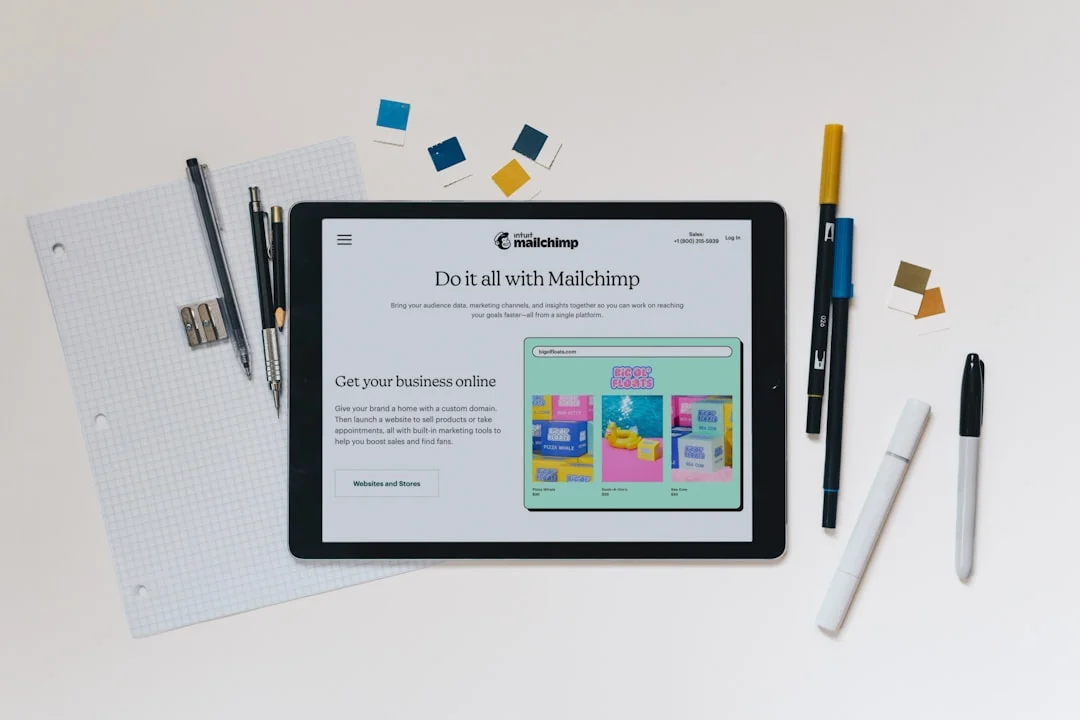
Photo by Mailchimp on Unsplash
Step 1: Define precise learning objectives
- What to do: Write 3–5 specific performance-oriented objectives for the onboarding deck or module. Tie each objective to observable outcomes (e.g., “Demonstrate how to log in and access the team’s knowledge base within 2 minutes”).
- Why it matters: Specific objectives crystallize what learners should be able to do and provide criteria for success.
- Outcome: A clear objective sheet that guides slide content and assessments.
- Pitfalls: Vague or overambitious goals that cannot be measured.
Step 2: Segment content into micro-learning units
- What to do: Break the material into short, standalone modules (2–5 minutes per unit, with 1–3 slides per unit). Create a logical flow that mirrors the user journey during onboarding.
- Why it matters: Micro-units reduce cognitive load, support just-in-time learning, and make updates easier.
- Outcome: A module map showing each unit’s objective, length, and required resources.
- Pitfalls: Overloading a unit with too many concepts or creating a sequence that requires a learner to skip ahead to comprehend later content.
Step 3: Craft a slide structure that emphasizes visuals and clarity
- What to do: Design slides with a single idea per slide, minimal text, strong visuals, and a consistent visual language (colors, typography, icons). Include one clearly stated learning objective per module slide and a quick “what you’ll learn” summary.
- Why it matters: Clear visuals reduce reading time and improve retention; consistent design supports cognitive ease.
- Outcome: A deck skeleton with standardized slide templates and example slides for the first module.
- Pitfalls: Dense slides with long paragraphs and unscannable layouts; inconsistent fonts or colors that distract learners.
Step 4: Add interactivity and checks for understanding
- What to do: Integrate quick checks (polls, micro-quizzes, or scenario-based prompts) and actionable prompts that require learners to perform a small action.
- Why it matters: Immediate practice and feedback reinforce memory and identify gaps early.
- Outcome: A deck that includes at least one interactive element per module and a simple rubric for assessing responses.
- Pitfalls: Interactive elements that feel takedown or forced, or quizzes that assess recall without application.
Step 5: Ensure accessibility and readability
- What to do: Verify contrast ratios, provide alt text for visuals, use readable font sizes, and structure content for screen readers. Include captions or transcripts for any audio portions.
- Why it matters: Accessibility broadens participation and meets compliance standards; readable content supports all learners.
- Outcome: An accessible deck design that works across devices and assistive technologies.
- Pitfalls: Small type, low-contrast visuals, or inaccessible controls that frustrate or exclude users.
Step 6: Validate, test, and publish
- What to do: Run a small pilot with a representative group of new hires or internal stakeholders; collect feedback on clarity, speed, usefulness, and engagement; refine slides accordingly; publish with tracking enabled for completion and performance.
- Why it matters: Real-user feedback ensures the deck meets objectives and identifies a path for iterative improvement.
- Outcome: A validated onboarding deck ready for broader deployment, plus an action plan for updates.
- Pitfalls: Skipping pilot testing or neglecting to close the feedback loop with concrete changes.
Step 7: Visualize the end-to-end onboarding journey
- What to do: Create a simple map that shows how micro-learning modules connect to broader onboarding activities (mentorship, hands-on tasks, and performance support).
- Why it matters: A journey map helps stakeholders see how micro-learning fits into the full onboarding ecosystem and where to anchor assessments.
- Outcome: A visual onboarding journey that aligns micro-learning modules with job tasks and milestones.
- Pitfalls: Isolating micro-learning from other onboarding activities, which can reduce perceived relevance.
Step 8: Plan for updates and maintenance
- What to do: Establish a cadence for content refresh, especially for product changes, policy updates, and role evolution; designate owners for each module.
- Why it matters: Fresh content maintains relevance and trust; ownership prevents content rot.
- Outcome: A maintenance calendar and owner assignments for ongoing quality.
- Pitfalls: Content drift over time due to ad hoc updates or unclear responsibilities.
Screenshot/visuals note: Consider including a few annotated slide visuals that show how a typical micro-learning deck is laid out (e.g., objective slide, one-idea-per-slide layout, and a quick activity slide). This helps readers grasp the practical design approach.
Design fast onboarding decks
Turn complex topics into focused micro-lessons with aligned outcomes.
Create decks with ChatSlide →
Beyond the steps, researchers and practitioners emphasize that micro-learning should be designed to reinforce on-the-job performance and be adaptable to evolving content. The approach outlined here mirrors evidence-based practice: build with intent, validate with users, and iterate based on feedback. For readers seeking practical inspiration, industry resources and templates exist that illustrate how to convert traditional slide decks into modular micro-learning experiences without losing essential context. (articulate.com)
Section 3: Troubleshooting & Tips
Micro-learning slide decks for corporate onboarding are not magic; they require careful attention to design, delivery, and continuous improvement. Here are common challenges and practical ways to address them.
Accessibility and readability challenges
- What to do: If learners report difficulty reading slides or navigating content, review color contrast, font sizes, and screen-reader compatibility; ensure all essential information is in text, not images alone.
- Why it matters: Accessibility failures undermine learning outcomes and exclude part of your audience.
- Outcome: An accessible deck that is usable by the widest possible audience.
- Pitfalls: Relying on decorative visuals at the expense of legibility.
Balancing depth and speed
- What to do: Closely inspect modules to ensure each one remains focused on a single objective; remove extraneous details and push deeper topics into optional follow-up resources.
- Why it matters: Learners should be able to complete modules quickly and retain the core takeaways, then use deeper resources as needed.
- Outcome: A lean, high-signal deck with obvious entry points for practice.
- Pitfalls: Overloading slides with information or attempting to cover too many topics at once.
Alignment with business goals and real work
- What to do: Regularly map modules to concrete job tasks, performance metrics, and user workflows; incorporate real-world scenarios and quotes from actual processes when possible.
- Why it matters: Relevance drives engagement and transfer of learning to on-the-job activities.
- Outcome: Modules that clearly connect learning to concrete performance outcomes.
- Pitfalls: Content that feels theoretical or disconnected from daily tasks.
Blockquote for expert perspective:
Micro-learning succeeds when content is job-relevant and when learners can map new knowledge to real work tasks right away.
This perspective aligns with findings that relevance and design quality drive learning outcomes in microlearning implementations. (pmc.ncbi.nlm.nih.gov)
Maintenance and version control
- What to do: Track changes to product features, policies, and processes; tag modules that require updates; use a centralized repository or content management workflow.
- Why it matters: Onboarding content must remain current to be effective and trusted.
- Outcome: A maintainable, auditable deck set with clear update history.
- Pitfalls: Letting updates accumulate in isolation, creating mismatches between decks and current practices.
Tips for optimization
- Leverage storytelling and short-case examples to anchor concepts in real-world contexts.
- Use visuals to encode information (icons for tasks, diagrams for processes) rather than relying on blocks of text.
- Keep a consistent visual grammar across modules to reduce cognitive load and improve recall.
- Build in quick checks at the end of each module to reinforce key takeaways and gather feedback.
Troubleshoot onboarding flows
Quickly diagnose design or delivery gaps with data-driven checks and templates.
Sign up for ChatSlide now →
In practice, the combination of practical design patterns, accessibility considerations, and iterative testing has been shown to improve onboarding outcomes in various settings. While research on microlearning emphasizes the importance of content relevance and structure, practitioner guides and exemplars (including templates and templates-driven tools) provide actionable pathways to translate those findings into tangible onboarding assets. (articulate.com)
Section 4: Next Steps
After you’ve built and piloted micro-learning slide decks for corporate onboarding, consider expanding your approach with advanced techniques and broader resource commitments. The goal is to turn onboarding into a living, adaptive program rather than a one-time event.

Photo by Markus Winkler on Unsplash
Advanced techniques: personalization and analytics
- What to do: Explore personalization strategies (e.g., adaptive paths, role-based modules, learner-driven picklists) and lightweight analytics to track completion, time-on-task, and quiz performance.
- Why it matters: Personalization can increase relevance and engagement, while analytics reveal where learners struggle and where content should be refined.
- Outcome: A more responsive onboarding program that evolves with learner needs and business requirements.
- Pitfalls: Over-engineering personalization without reliable data or governance.
Related resources and ongoing learning
- What to do: Build a living library of micro-learning modules, templates, and best practices; participate in communities of practice for instructional design and L&D.
- Why it matters: Continuous learning and knowledge sharing help keep onboarding current and effective.
- Outcome: A sustainable, scalable onboarding ecosystem that supports diverse roles and regions.
- Pitfalls: Fragmented resources that are hard to locate or reuse.
Real-world examples and possible future directions
- What to do: Explore case studies of onboarding programs that adopted micro-learning principles and the outcomes achieved; note opportunities for AI-assisted content generation or content curation to reduce maintenance effort.
- Why it matters: Examples provide practical benchmarks and ideas for experimentation.
- Outcome: A set of reference cases you can adapt to your context and a roadmap for future enhancements.
- Pitfalls: Assuming one-size-fits-all solutions; every organization must tailor the approach to its culture and products.
Next steps takeaway
- Retain a bias toward action: implement a small pilot with a clearly defined objective, gather learner feedback, and iterate quickly.
- Pair micro-learning with ongoing support: integrate coaching, mentorship, and hands-on tasks to reinforce what learners have practiced in decks.
CTA after Section 3 (for balance and continuity in the reader journey)
Closing
As you’ve seen, micro-learning slide decks for corporate onboarding offer a practical, scalable path to faster ramp times, better retention, and clearer alignment with business goals. By defining precise objectives, architecting modular content, prioritizing visuals and accessibility, and embedding feedback loops, you can turn onboarding into a repeatable, data-informed process that scales with your organization. The key is to treat onboarding content as a living asset—one that you refresh, measure, and improve in response to real-world use. With the right approach and the right tools, you can empower new hires to reach competence sooner and contribute meaningfully from day one.
If you’re ready to experiment with micro-learning slide decks for corporate onboarding and want a platform that supports modular design, tracking, and rapid iteration, consider starting with ChatSlide to sign up or sign in and begin building your first onboarding deck today. The path to faster onboarding and stronger performance starts with a single, well-structured module, followed by continuous improvement informed by learner feedback and business results.Thank you for exploring this guide to micro-learning slide decks for corporate onboarding; may your next onboarding initiative be sharper, faster, and more impactful.
Author
2026/07/17