Quick Answer: ChatSlide is an AI fundraising presentation maker that turns your mission, impact data, and funding ask into a compelling donor or grant deck in under 2 minutes — importing from your reports, building real impact charts from your numbers, and giving you 19 AI editing tools to make it board-, donor-, or grantor-ready.
The Fundraising Deck Problem
A fundraising deck has to move people to give: it connects a mission to real impact and a concrete ask. Nonprofits, foundations, and mission-driven teams rebuild it for every campaign, every major donor, and every grant — pulling from impact reports, program data, and budgets under deadline.
Fundraising decks have requirements generic tools miss:
- An emotional-plus-evidence arc — mission, the problem, your impact, the plan, the ask
- Real impact data — outcomes, reach, cost-per-impact charted from your numbers
- Credibility — donors and grantors scrutinize the results and the budget
- Mixed inputs — impact reports, program data, prior decks, the grant brief
- Tailoring — the same story, retold for a major donor vs. a foundation
Generic tools like Gamma, Tome, or Beautiful.ai make attractive slides but often need more manual work to chart your impact data or hold a rigorous mission-to-ask argument.
What Makes ChatSlide Work for Fundraising
Real Impact Charts from Your Data
ChatSlide renders charts with Chart.js and D3 from your actual numbers — people reached, outcomes achieved, cost-per-impact, growth over time — real evidence that builds donor trust, not decorative graphics.
3 Input Modes
- File Upload — impact reports, program data, budgets, prior decks, the grant brief (7+ file types, OCR).
- Web and URL — pull from your organization's site or a linked report.
- Text Prompt — describe the mission and campaign and let the AI draft the arc.
A Mission-to-Ask Structure
Describe your flow — mission, problem, impact, plan, budget, ask — and the AI builds to it, keeping your impact materials in a persistent knowledge base so every campaign reuses your best evidence.
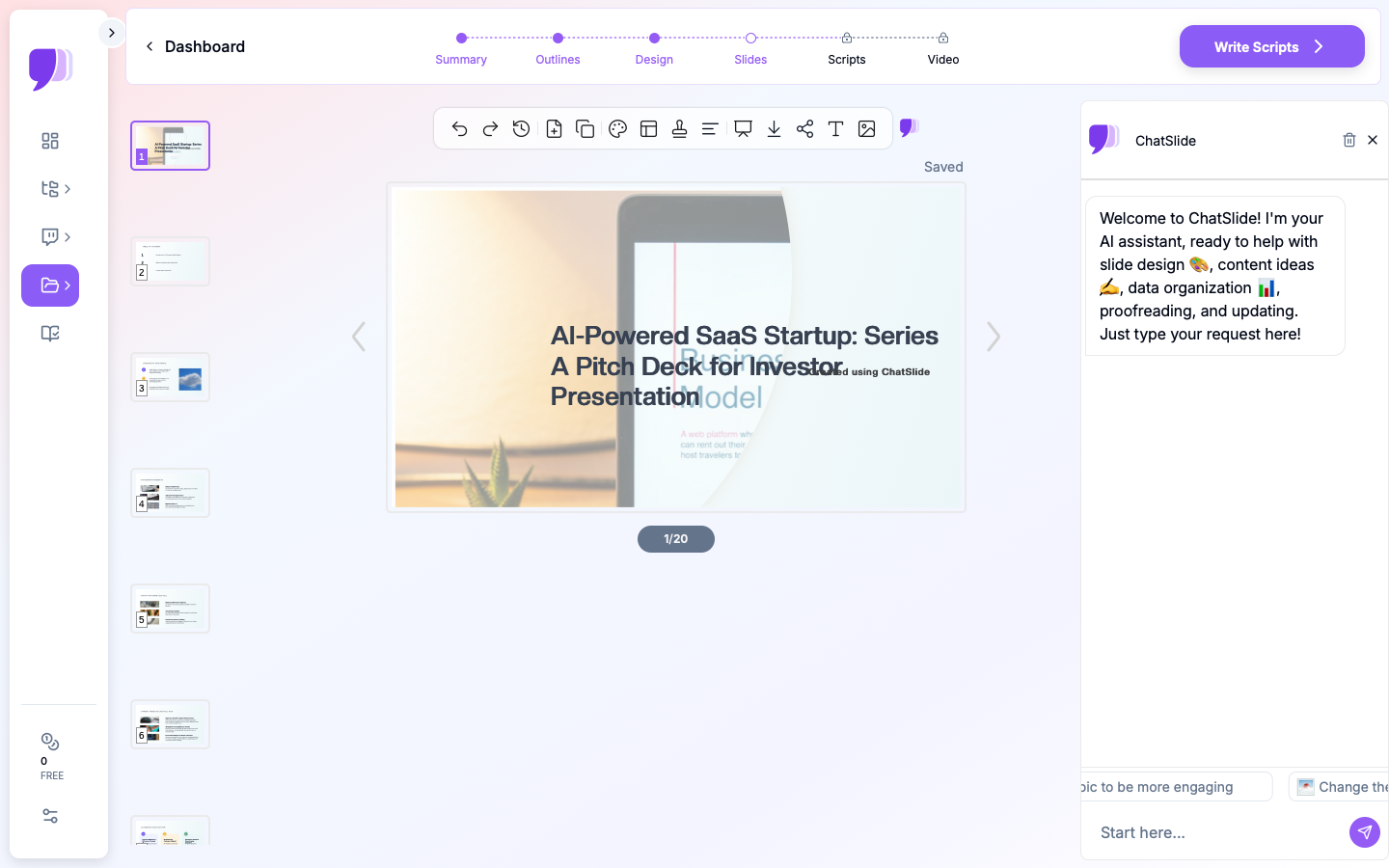
19 AI Editing Tools
"Add an impact chart from this outcomes data," "Tailor the ask for a major donor," "Turn the budget into a clear allocation chart," "Rewrite the opening to lead with a beneficiary story." Four editing modes and batch editing keep it compelling and accurate.
Share Widely
Export a narrated AI-avatar video for donors who can't attend, or to embed in a campaign page.
How ChatSlide Builds a Fundraising Deck
- Gather inputs — upload impact reports and budgets, or describe the mission and campaign.
- AI structures it — into a mission-to-ask arc with real impact charts.
- Edit with 19 tools — tailor the ask, add proof, lead with story.
- Present and share — present to donors, or export a narrated video for a campaign page.
Frequently Asked Questions
Can it chart our impact data?
Yes. Provide your outcomes and reach numbers and ChatSlide builds real charts with Chart.js and D3.
Can I tailor it for different funders?
Yes. Use the editing tools to retarget the ask for major donors, foundations, or grant reviewers.
Can I import our impact report or grant brief?
Yes — 7+ file types with OCR, structured into a fundraising arc.
Can I reuse our best evidence across campaigns?
Yes. Your impact materials persist in your knowledge base.
Can I share it with donors who can't attend?
Yes. Export a narrated avatar video or embed it in a campaign page.
The Fundraising Deck: Slide-by-Slide Outline
"Fundraising presentation" spans a few asks — pick the structure that matches yours:
Nonprofit donor deck:
- A beneficiary story (open with a person) · 2. The problem, sized · 3. Your mission & approach · 4. Impact to date (charted: people reached, outcomes) · 5. The plan · 6. Budget & where the money goes · 7. The specific ask · 8. How to give
Startup investor deck (different genre): problem · solution · market · product · traction · business model · competition · team · the raise & use of funds.
Grants are usually written submissions, not decks — but a companion presentation follows the funder's priorities: need, project design, outcomes/measurement, budget, organizational capacity.
Tip: donors often respond to a clear impact-per-dollar story — consider making the cost-per-outcome explicit.
Getting Started
Try ChatSlide for Fundraising Presentations — Bring your mission and impact data and get a compelling fundraising deck in minutes. Free to start, no credit card required.
ChatSlide is a general-purpose AI presentation platform. Multi-format import, real impact charts, a persistent knowledge base, avatar video, and 19 AI editing tools make it well-suited to nonprofit and campaign fundraising.