Quick Answer: To cancel Beautiful.ai: (1) log in at beautiful.ai, (2) click your account avatar → Account & Settings, (3) open the Plan tab → Cancel Subscription. Refunds are only honored within 24 hours of renewal per their policy. If you were just hit with the $144 annual auto-renewal and missed that window, file a credit card chargeback citing "unauthorized recurring charge" — multiple Beautiful.ai users have won this dispute. ChatSlide is a no-auto-renew alternative; the free plan stays free forever.
Why People Are Leaving Beautiful.ai
Beautiful.ai has a 3.1 out of 5 rating on Trustpilot from 215 reviews. Nearly 48% are 1-star ratings. The number one complaint? Surprise subscription charges -- particularly the $144 annual auto-renewal that catches users off guard.
One user wrote:
"Requested to cancel within free trial...well, $144 just charged"
Another:
"They charged me for renewal subscription I did not opt in"
If you want to cancel before your next charge hits, follow these steps.
Video Guides
Watch these step-by-step video walkthroughs for canceling Beautiful.ai:

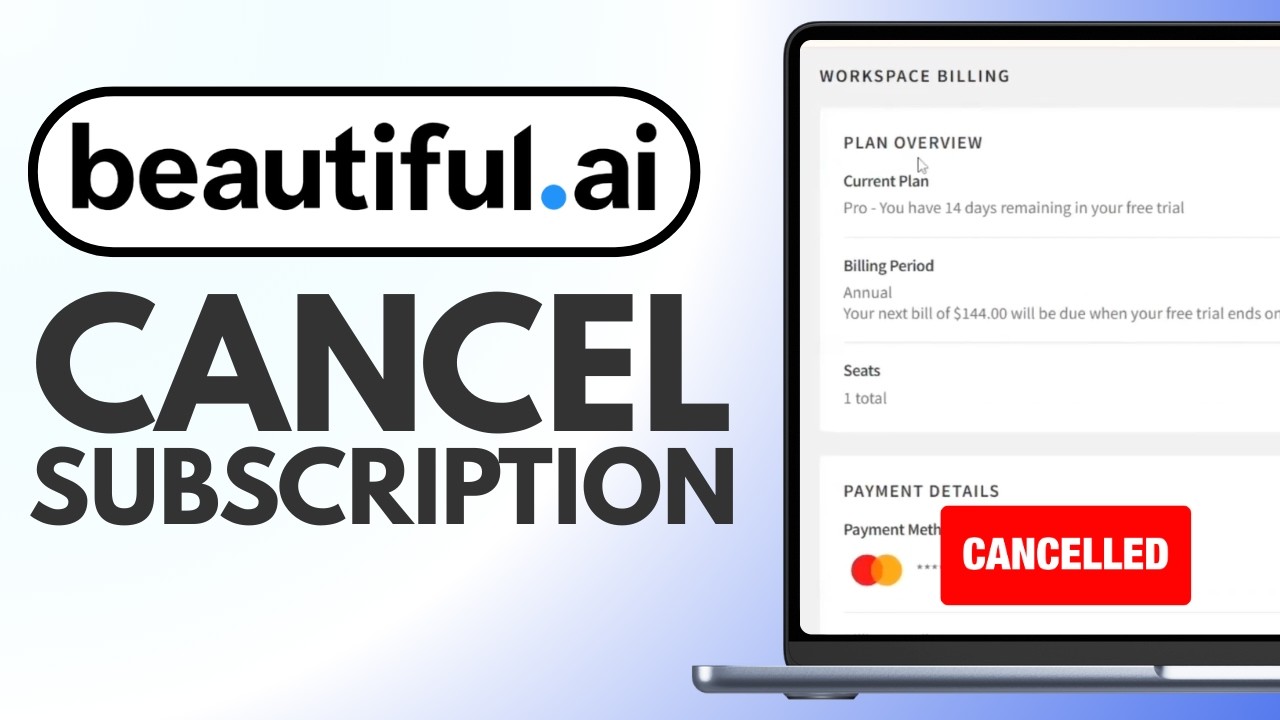
How to Cancel Beautiful.ai (Desktop Only)
Important: you must use a desktop or laptop browser. The mobile experience does not reliably support account management.
Step 1: Log In
Go to beautiful.ai and sign in to your account.
Step 2: Open Your Profile
Click the Profile icon in the top-right corner of the dashboard.
Step 3: Go to Manage Account
Select Manage Account from the dropdown menu.
Step 4: Click the Billing Tab
Navigate to the Billing tab to see your current plan and renewal date.
Step 5: Click "Cancel Plan"
Click the Cancel Plan button. Beautiful.ai may show retention screens asking you to stay. Click through them until you see a cancellation confirmation.
Step 6: Confirm via Email
Check your email for a cancellation confirmation. If you don't receive one, log back in and verify that your Billing tab shows the plan as canceled.
How to Cancel Beautiful.ai Team Plans
If you're on a Team plan, only the account owner (the person who set up and pays for the team) can cancel. Team members cannot cancel on behalf of the organization.
The owner follows the same steps above: Manage Account > Billing > Cancel Plan.
Beautiful.ai Refund Policy
Beautiful.ai's refund policy is strict:
- Annual plans: Refund requests must be submitted within 24 hours of initial purchase or renewal
- Monthly plans: Not refundable
- After 24 hours: No refunds, even for annual subscriptions
This 24-hour window is extremely tight. If you miss it, you're locked into the full annual charge.
To request a refund (within the window), email support@beautiful.ai with:
- Your account email
- Date of charge
- Statement that you're within 24 hours of the charge
- Request for a full refund
What If Beautiful.ai Won't Refund You?
If you were charged unexpectedly and Beautiful.ai denies your refund:
- Dispute with your bank: Call your credit card company and file a chargeback. Explain you were auto-charged without adequate notice.
- Document everything: Save screenshots of your cancellation attempt, the charge, and any support interactions.
- File a complaint: US users can report to the FTC. EU users can contact their consumer protection agency.
Common Cancellation Problems
"$144 charged after trial ended"
The most frequent complaint. Beautiful.ai's trial requires a credit card, and if you forget to cancel before it ends, you're immediately charged for an annual plan.
Prevention: Set a phone alarm for 2 days before your trial ends. Cancel early.
"No response from support"
Users report email follow-ups being ignored for over a week. If email support isn't responding:
- Try reaching out on social media (Twitter/X)
- Use the in-app chat if available
- File a credit card dispute if you've waited more than 7 days with no response
"Chatbot won't let me talk to a human"
Beautiful.ai's initial support is often AI-powered. To bypass it, explicitly type "I want to speak to a human agent" or "transfer me to a person."
What Happens After You Cancel?
- You keep access until your current billing period ends
- Your presentations are not deleted
- You lose access to AI features, premium templates, and brand management tools
- You cannot export or edit presentations using premium features on the free tier
A Smarter Alternative
If you're leaving Beautiful.ai because of unexpected charges, limited refund options, or AI features that don't deliver, consider a tool built specifically for AI-powered presentations.
ChatSlide is a free AI presentation maker that creates slides from your actual documents and data. No credit card required to start, no hidden renewal traps.
| Feature | Beautiful.ai | ChatSlide |
|---|---|---|
Trustpilot Rating | 3.1/5 (215 reviews) | 4.0/5 |
Refund Policy | 24 hours only | 14-day money-back guarantee |
Free Trial | Requires credit card | No credit card needed |
Annual Price | $144/year | Free tier available |
AI Quality | Template-based automation | Document-aware AI |
Support | "Unresponsive" complaints | Responsive |
Why ChatSlide Is the Best Alternative
- Cancel anytime -- one click, no feedback forms, no hidden buttons, no written notice required
- 14-day refund guarantee -- no questions asked, no hoops to jump through. Just talk to our AI assistant and get your money back instantly
- AI assistant for everything -- need help canceling, getting a refund, or creating your first presentation? Just chat with our AI assistant and it will guide you through anything
- Upload any document -- PDF, Word, URL, or just describe your topic. ChatSlide turns it into polished slides in minutes
- Full PowerPoint export -- download your presentations as .pptx files, no paywall, no watermarks
- 100+ professional templates -- not the same generic AI look every time
- Free tier that actually works -- create and share presentations without paying; export is on the paid plans
Try ChatSlide free -- cancel anytime with one click, 14-day refund guarantee, and a friendly AI assistant to help you with anything. No dark patterns, no hidden fees.
Frequently Asked Questions
Can I still access my Beautiful.ai presentations after canceling?
Your presentations remain in your account, but you lose access to premium editing features. Export important presentations as PDF or PowerPoint before your subscription ends.
Does Beautiful.ai offer a monthly plan?
Yes, but it's significantly more expensive per month than the annual plan. Monthly plans are also not refundable.
How do I delete my Beautiful.ai account entirely?
To fully delete your account (not just cancel the subscription), email support@beautiful.ai requesting complete account deletion. This will permanently remove all your presentations.
Is Beautiful.ai still worth it in 2026?
Beautiful.ai's smart design engine is genuinely impressive, but the billing practices and limited refund policy are dealbreakers for many users. If you primarily need AI to create presentations from existing content, tools like ChatSlide offer better value.