
The Challenge: Turning Tribal Knowledge into Training That Sticks
Walk into any industrial plant, motor shop, or field service fleet and you will find the same paradox. There are decades of maintenance expertise living inside the heads of a handful of senior technicians — the ones who know why this pump seal always fails at 2,400 hours, why that carbon brush arcs if you skip the bedding-in run, why the alignment procedure the OEM manual describes is not the one that actually works on a hot-swap. And there is almost no training material that captures it.
What exists is usually one of three things: a manufacturer datasheet that is accurate but generic, a PowerPoint deck from 2014 that someone stopped updating, or a plant-specific Word document that never made it out of a shared drive. When a new technician joins, they shadow someone for a few weeks and absorb what they can. When that senior technician retires, the knowledge leaves with them.
The reason training materials rot is simple: building a good maintenance training deck is slow. A competent 45-slide deck on preventive maintenance for a specific piece of equipment takes a skilled maintenance lead 10-20 hours to put together — pulling diagrams, writing procedures, photographing wear patterns, formatting slides, adding safety callouts, converting torque specs, building the troubleshooting matrix. Most plants cannot spare that time, so the training either does not get built or gets built badly.
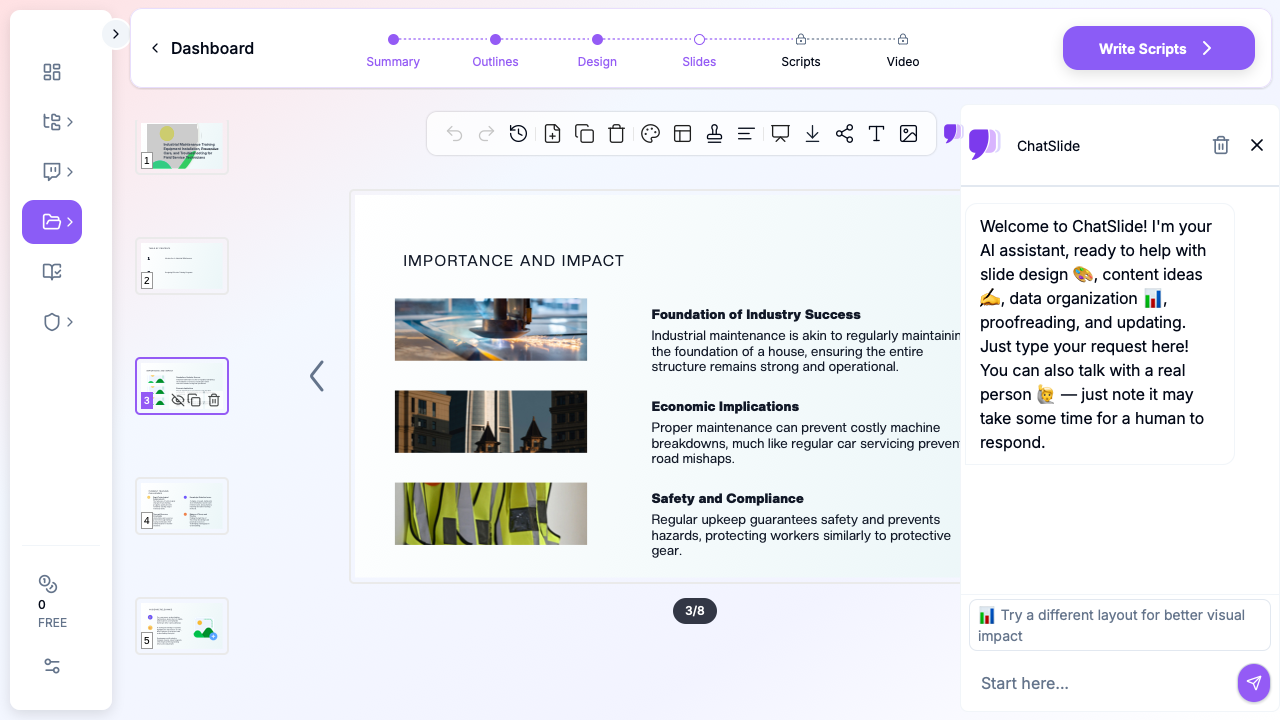

AI presentation tools change the economics. With a solid outline and the right scenario configuration, you can get from a blank page to a reviewable draft in under 30 minutes — including visuals, procedure pages, and a citation-ready structure. That does not eliminate the subject-matter expertise; it just stops that expertise from bottlenecking on slide formatting. This guide walks through building industrial maintenance training decks with ChatSlide, covering the four use cases that come up most often: equipment installation, preventive maintenance, troubleshooting, and new-technician onboarding.
What Makes a Strong Industrial Maintenance Deck
Maintenance training is not the same as a product launch or a board update. Technicians in the room are not there to be sold to or aligned — they are there to learn a specific procedure they will perform with their hands within the next day or week. The deck is a job aid as much as a presentation. A few things tend to separate the training decks that work from the ones that do not.
Procedure-first structure. A maintenance deck should walk through the actual sequence of work in the order a technician will perform it. Installation first, then commissioning, then preventive maintenance intervals, then troubleshooting, then repair procedures, then disposal/end-of-life. Topic-organized decks (theory, components, operation, maintenance) read like textbooks and lose the room by slide 10.
Concrete specs, not adjectives. "Apply appropriate torque to the mounting bolts" helps nobody. "Apply 42 Nm ± 2 Nm in a star pattern across the four M10 bolts, then re-torque after 24 hours of operation" gives the technician something they can execute. When you are writing or reviewing the outline, the question to keep asking is: could a technician follow this slide without asking a follow-up question?
Failure modes as first-class content. Junior technicians tend to learn installation procedures just fine — what they lack is the pattern library of how things go wrong. A good preventive maintenance deck spends as much time on "here is what the failure mode looks like at 60% life, 80% life, 95% life" as it does on the scheduled interval itself. Photos of actual worn components beat schematic diagrams for this.
A troubleshooting path, not a troubleshooting list. A flat list of 15 possible causes for vibration is paralysis. A decision tree — starting from the symptom the technician observes, branching on the simplest diagnostic (sound, temperature, visual) — gets them to action. If you have to choose one structural investment for a troubleshooting section, it is this.
Safety callouts embedded in the procedure, not in a separate section. A lockout/tagout reminder on slide 3 that the technician sees once and forgets does nothing. The same reminder printed on the electrical panel access slide, where it is actually relevant, gets followed. Safety content scattered through the deck at the points of actual risk has a much higher chance of sticking than an isolated safety appendix.
Step-by-Step: Building Your Maintenance Training Deck
Here is the workflow for turning a piece of equipment — let us say a medium-voltage DC motor that drives a production-line conveyor — into a 45-minute technician training deck. The steps below map directly to ChatSlide's flow.
Step 1: Start With the Right Scenario
When you create a new project, ChatSlide asks for a scenario type. For maintenance training, pick Training → Skills rather than Education or General. The Training scenario biases slide structure toward procedural content: numbered steps, checklist pages, before/after comparisons, and competency-check slides. The Education scenario tends to produce more textbook-style theory pages, which is the wrong register for a technician audience.
If the deck is equipment-specific — a training session on one exact model of pump, drive, or motor — use the Training → Product variant. That pushes the AI toward spec-sheet-style slides with part numbers, torque values, and replacement intervals.
Step 2: Write an Outline That Reflects Actual Field Sequence
The outline is where you trade 10 minutes of your time for 10 hours of slide-building. Do not accept the first outline ChatSlide generates — edit it to match how a technician actually encounters the equipment.
A strong outline for an industrial motor training deck looks roughly like this:
- Equipment overview (nameplate data, where this sits in the system, what it drives)
- Pre-installation checks (electrical supply, mechanical foundation, environmental)
- Installation procedure (alignment, mounting, electrical termination, cooling)
- Commissioning and bedding-in (no-load test, loaded test, first-24-hour checks)
- Preventive maintenance intervals (daily, weekly, monthly, annual tasks)
- Wear inspection and component life (bearings, brushes/insulation, cooling)
- Troubleshooting by symptom (vibration, overheating, electrical faults, noise)
- Repair procedures (bearing replacement, realignment, brush replacement, rewind triage)
- Tooling, torque specs, and reference tables
Rearrange and trim based on what you actually need to teach. The generic outline ChatSlide proposes is a starting point, not a destination.
Step 3: Feed It Your Real Documents
If you have an existing SOP, a manufacturer manual, or a set of historical maintenance records, upload them in the reference step. The AI will pull procedure details, part numbers, intervals, and safety notes directly from your documents rather than generating generic content. This is the single largest quality difference between decks produced from topic-alone and decks produced with source material.
A practical tip: if you have field notes from past failure investigations — even informal ones — include them. Those are the source of the pattern library that makes a training deck feel true. A deck that says "bearings typically fail between 18,000 and 24,000 hours under normal operation" is generic. A deck that says "in our last 11 bearing failures on this motor, 9 occurred between 19,000 and 22,000 hours, and all 9 showed raceway spalling rather than cage failure" teaches a technician something specific.
Step 4: Generate Slides and Inspect the Images
Once you run slide generation, the AI produces a draft deck with images attached to each section. For maintenance training, the image quality matters more than in most presentation contexts. Generic stock-photo images of "industrial equipment" are background noise; good images are mid-shot photographs of actual wear patterns, tool configurations, or assembly states.
Review each image. Swap out anything that is generic (a warehouse photo, a stock handshake, a motor that does not resemble the one you are training on) with a photograph from your own plant if you have one, or with a more specific stock image if you do not. The image-picker in ChatSlide lets you search for replacements by keyword — "bearing spalling", "motor alignment dial indicator", "carbon brush bedding pattern" — and those searches typically return more useful results than the defaults.
Step 5: Add the Details the AI Cannot Know
The AI can produce a strong structural draft, but there are a handful of things it cannot know that you must add before the deck is usable:
- Your plant's torque specs and intervals. If your preventive maintenance program operates on different intervals than the manufacturer recommendation (which is common), override the generated values.
- Your lockout/tagout and permit-to-work procedures. These are plant-specific and compliance-sensitive; they must be edited in by a human.
- Your failure history. Anywhere the deck describes a failure mode, consider whether you can add a slide showing your plant's actual encounter with that failure mode. A photograph of a real failed part from your facility is worth a hundred diagrams.
- Your equipment register references. If your CMMS has an asset ID for this equipment, reference it. That makes the deck usable as a link from a work order.
Step 6: Export for Field Use
Technicians rarely consume training decks on a laptop during presentation. The deck needs to survive being printed, being saved to a phone, and being viewed in a dim switch room. Export to PDF for print and phone-side reference. Keep the PPT for future updates. If your CMMS supports attachment links, link the PDF from the asset record so the training content lives next to the work orders it supports.
Use Cases Where This Approach Works Best
The same workflow — Training scenario, procedure-ordered outline, real source documents, field-specific images — applies across most industrial maintenance training contexts, but a few use cases benefit the most from AI-assisted generation.
Equipment installation and commissioning guides. When a plant commissions a new piece of equipment, the installation team often builds an ad-hoc training deck for the operators and maintenance crew who will inherit it. These decks historically get made in a rush and are poorly archived. An AI draft from the manufacturer manual gets 70% of the way there in under an hour.
Preventive maintenance program rollouts. If you are introducing or revising a PM program, you need training material for each asset class. Building 12 training decks manually is a multi-week project. Building 12 drafts from templated outlines is an afternoon, leaving time for the subject-matter review that actually improves the content.
New-technician onboarding curricula. A structured onboarding sequence — week 1 covers electrical basics, week 2 covers rotating equipment, week 3 covers hydraulics, etc. — requires coherent material per topic. The AI is particularly good at producing parallel-structured decks across topics so the onboarding sequence feels consistent.
Field service technician mobile decks. Field service teams who travel to customer sites need compact, phone-viewable decks per equipment model. The same source content that produces a 45-slide classroom deck can be compressed into a 12-slide field reference.
Troubleshooting decision trees. Converting a tribal troubleshooting process — the one the senior technician carries in their head — into a documented flowchart is high-value and tedious. The AI is not going to invent your troubleshooting logic for you, but once you sketch it, it will format and illustrate it quickly.
Vendor and contractor training packs. When a plant brings in an external contractor for a major maintenance event, a short orientation deck covering site-specific procedures, permit systems, and lockout conventions is essential. These are often produced at the last minute and benefit from an AI draft that pulls from your existing site rules documents.
Tips for Maintenance Training Presentations
A few patterns separate decks that technicians actually engage with from the ones that get clicked through in silence.
Lead with the failure mode, not the procedure. A slide titled "How Bearings Fail" commands attention in a way that "Bearing Maintenance" does not. The technician's question when they open a preventive maintenance guide is not "what do I do" — they already know they will turn grease fittings. It is "why am I doing this, and what happens if I don't." Lead with the answer to that.
Use the same photograph angle across a procedure. If you are documenting a five-step replacement procedure, all five photographs should be from roughly the same camera angle so the technician's eye tracks the change. Mixing close-ups, wide shots, and diagrams across consecutive steps makes the procedure harder to follow than it needs to be.
Time each slide by the task it supports. If a slide covers a 20-minute torque-and-recheck procedure, the slide should sit on the screen for the minute the trainer discusses it — not the 15 seconds of a normal presentation slide. Build in explicit timings in the speaker notes.
Number your slides with a version date. Maintenance documentation evolves. Every slide should carry a slide number and a revision date in the footer, so a technician can tell whether they are looking at the current version or the 2019 version someone printed and pinned to the tool crib wall.
Add a competency check at the end. A three-question check ("at what torque do we re-tension after 24 hours", "what is the visual indicator that the brush has bedded in correctly", "which bearing fails first under belt misalignment") is the difference between training and entertainment. ChatSlide will generate these if you ask for them in the outline — include a "competency check" section explicitly.
Review with a junior technician, not a senior one. A senior technician will not notice gaps because they fill them automatically from experience. A junior technician will flag the missing steps, the unclear diagrams, and the slides where the instruction is ambiguous. Every maintenance deck benefits from one review by someone who has never performed the procedure.
Get Started
If you have the source material — a manufacturer manual, an existing SOP, or even thorough field notes — you are 80% of the way to a usable training deck. What you are missing is the 10-20 hours of formatting, image selection, and layout that AI can now do for you in minutes.
Start a free ChatSlide project and pick the Training scenario. Upload whatever reference material you have. Edit the outline to match the procedural order your technicians will follow. Generate, review, and hand the draft to a junior technician for a sanity check before you run training.
The best maintenance training deck is the one that actually gets built. AI is not going to replace the subject-matter expertise that makes your plant run — but it does stop slide formatting from being the reason the training never happens.