
Quick Answer: A tumor-board case presentation follows: (1) Patient ID (age, sex, performance status), (2) History + relevant comorbidities, (3) Imaging review — staging CT/MRI/PET with key cuts, (4) Pathology — H&E, IHC stains, NGS/molecular results (EGFR, ALK, BRAF, MSI, TMB, etc.), (5) Staging per AJCC + (clinical question for the board), (6) Proposed treatment with NCCN-guideline citation. Aim for 8–12 slides per case. For fellowship lectures, expand to 25–35 slides covering pathophysiology, current trials, and management algorithm. ChatSlide accepts EHR-exported case data + NCT trial IDs and produces the tumor-board layout with AJCC staging tables and molecular-marker matrices built in.
The Challenge of Building Oncology Talks
Hematology-oncology trainees live two lives. By day, you are running clinic — counseling on third-line therapy, managing cytopenias, calling pathology about a confusing flow report, fielding a call from radiation oncology about timing. By 8 p.m., the cancer center inbox reminds you that next week's tumor board case is yours, and a fellowship lecture on histiocytic neoplasms is due at journal club two days after that.
Building those decks the old way is its own clinical disease. You hunt down the right WHO classification, translate a hot-off-the-press Blood paper into one slide, screenshot a representative bone marrow image, copy hazard ratios out of a PDF supplement, and keep redrawing the same JAK-STAT or BCL-2 pathway diagrams that everyone else also redraws. By the time the deck looks like something a section chief will not flinch at, the literature has moved another half step.
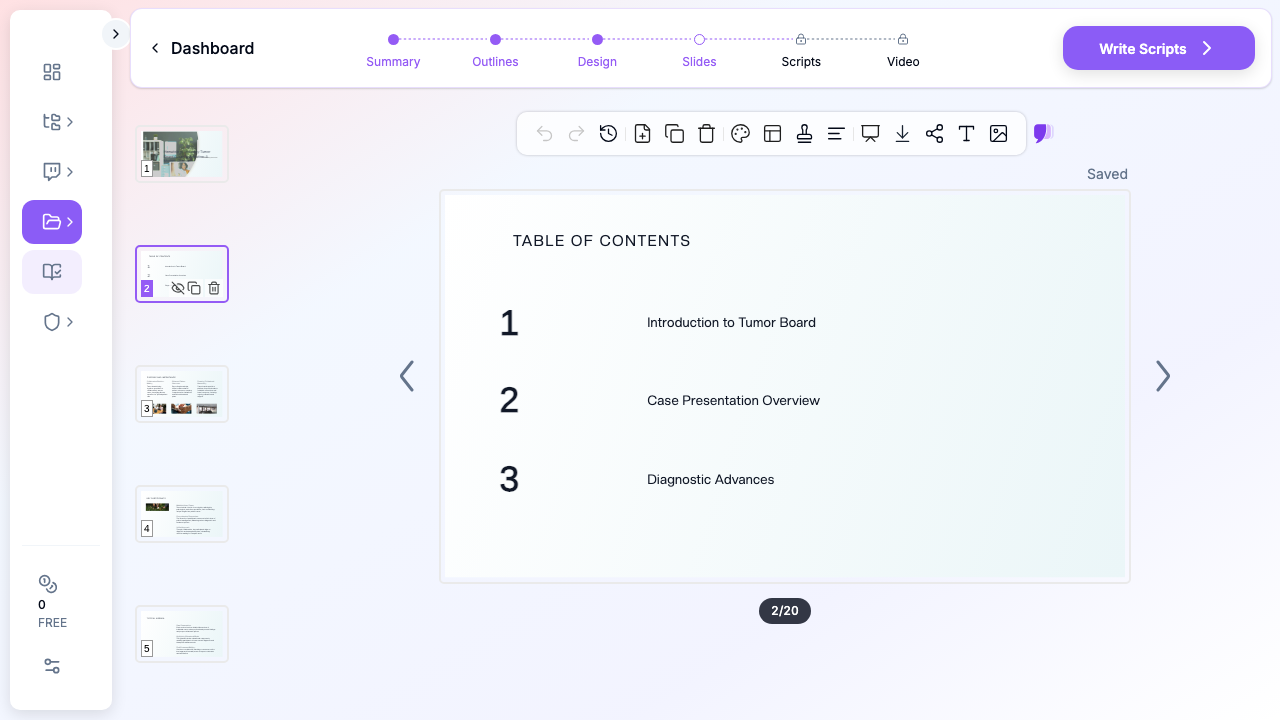
ChatSlide collapses that workflow. You give it a clinical question — "Histiocytic neoplasms: unraveling adult-onset mysteries" or "Anti-CD19 CAR-T sequencing after blinatumomab failure" — and it returns a structured deck with a clean clinical narrative, mechanism visuals, treatment-pathway comparisons, and speaker-ready talking points you can defend in front of a multidisciplinary room.
What a Strong Tumor Board or Fellowship Talk Actually Needs
Oncology presentations are not lectures. They are decisions in slide form. A few non-negotiable elements separate a deck that survives questioning from one that gets quietly redirected:
A specific clinical question, not a topic. "Multiple myeloma" is a textbook chapter. "Should I bridge a t(11;14) myeloma patient to venetoclax before CAR-T given the upcoming CARTITUDE-5 data?" — that is a tumor board case. Strong oncology talks lead with the question the room actually has to answer.
Pathology visuals that read in five seconds. Hematology-oncology audiences absorb a peripheral smear, a flow cytometry plot, or an immunohistochemistry panel faster than text. Your slides need representative images, not three bullets trying to describe what the slide shows.
Mechanism slides for newer agents. Bispecifics, antibody-drug conjugates, BTK degraders, MEN1 inhibitors, novel CDK7 agents — your audience already knows the textbook pathway. They want the new mechanism in one clean diagram, with a clear callout of where the drug acts.
Trial summaries that respect the audience. By the third quarter of any practice-changing trial, every fellow in the room has heard the acronym twenty times. Show endpoints (PFS, OS, MRD), durability curves, key subgroup forests, and the toxicity signal that actually changes prescribing. Skip the CONSORT flowchart; everyone has seen it.
A real case spine. Pre-treatment imaging or marrow, treatment course with response assessments, post-treatment imaging, next decision point. Three or four slides. The room gets engaged the second a real patient appears.
A "what we do at our institution" slide. This is what separates a memorable fellowship talk from a guideline read-aloud. Whether it is a transplant eligibility cutoff, a CAR-T bridging algorithm, or a BTK-i sequence — the audience wants a working algorithm.
Step-by-Step: Building Your Oncology Talk with ChatSlide
1. Pick a sharp scenario
In ChatSlide, choose Education > Lecture for a fellowship didactic, Conference > Keynote for a national meeting talk, or Education > Panel for a multidisciplinary tumor board. The scenario biases the outline generator toward the right structure — case-driven for tumor boards, clinical-question-driven for keynotes, and didactic-arc for fellowship lectures.
2. Give it a clinical-question topic
Skip the textbook framing. Topics that work:
- "Histiocytic Neoplasms: Adult-Onset Erdheim-Chester Disease and BRAF-Targeted Therapy"
- "Sequencing Bispecifics and CAR-T in Triple-Class Refractory Myeloma"
- "Maintenance Therapy in PARP-Inhibitor-Pretreated Ovarian Cancer"
- "Acute GVHD Steroid Refractoriness: Ruxolitinib, Vedolizumab, and Beyond"
A topic with a verb in it — sequencing, managing, risk-stratifying — almost always produces a better outline than a noun phrase.
3. Define your audience precisely
"Oncology fellows and attendings at a multidisciplinary tumor board" produces a different outline from "internal medicine residents on hematology elective." ChatSlide tunes the depth, the assumed background, and the level of mechanism detail to the audience field. For a national keynote, write the actual conference name and audience type; for a fellowship lecture, name the program year.
4. Let it generate the outline first
Generate outlines before slides. The default 6 sections × 3 subpoints structure usually maps cleanly to: clinical context → case presentation → diagnostic workup → mechanism / pathophysiology → treatment evidence → application and discussion. Edit any section name that drifts off-question. The outline is the cheapest place to fix structure.
5. Generate slides, then add images
Slide generation produces text + layout. The next step — image initialization — is the one that matters for an oncology audience. ChatSlide pulls licensed stock visuals matched to your topic so your tumor board deck lands with anatomic context, lab-bench imagery, or clinical-care visuals instead of placeholder graphics. Skip this step and the slides feel like a bare lecture-note dump.
6. Edit for clinical accuracy
ChatSlide writes the structure and the obvious clinical scaffolding; you supply the judgment. Replace the generated stock pathway diagram with the schematic from your reference paper if the talk is mechanism-heavy. Update hazard ratios from the latest update. Add your institution's response criteria and toxicity grading thresholds where relevant. The point is to spend your editing time on the science, not the slide mechanics.
7. Add speaker scripts for fellowship lectures
For fellowship didactics or board-prep lectures, the Scripts tab generates a per-slide speaker note. This is especially useful for trainees presenting their first didactic — the script gives a coherent narration to read off and adapt, instead of staring at a sparse outline at 7 a.m.
Direct Research Database Access
ChatSlide's Research tab connects to the databases physicians use daily:
- PubMed: Search by keyword, PMID, or DOI. Find the landmark trials, recent publications, and clinical guidelines relevant to your case. The AI reads abstracts and incorporates key findings into your slides with citations.
- Google Scholar: When your topic spans disciplines — say, the intersection of genetics and oncology — Scholar captures the broader academic literature that PubMed alone might miss.
- Clinical Trials (NCT): Presenting on a treatment where pivotal trials are ongoing? Search by NCT number or condition to pull trial design, endpoints, and status into your slides.

Tips for Specific Oncology Subspecialty Presentations
Hematologic malignancies (leukemia, lymphoma, myeloma). Lead with disease biology — cytogenetics, mutations, MRD assays — before drugs. Audience expectations are highest here for mechanism slides. Treatment slides should follow the fitness/eligibility taxonomy (transplant-eligible vs ineligible, frail vs fit) rather than line-of-therapy alone.
Solid tumor oncology. Stage-driven structure usually wins (early-stage adjuvant vs metastatic). Biomarker testing slides — actionable mutations, IO biomarkers, HER2-low — should appear before treatment slides, not after, because they gate decisions.
Bone marrow transplant and cellular therapy. Eligibility criteria, conditioning regimens, GVHD prophylaxis, post-transplant maintenance — all four are decision points. Build a slide per decision point rather than one big "transplant" block. Add a CAR-T bridging slide if you cover hematologic malignancies; it is almost always asked.
Tumor board case presentations. Open with one slide of patient context (age, comorbidities, performance status, social context). Two slides of imaging or pathology. One slide of the question. Then the literature and your recommendation. Most tumor board decks fail because the question slide arrives at minute 12.
Fellowship board review (ABIM hematology, medical oncology). Optimize for spaced repetition. ChatSlide can generate flashcard-style slides — one fact per slide, key data point boldfaced. Pair with the Scripts speaker notes for self-quizzing.
Rare cancers (sarcomas, neuroendocrine, histiocytoses, mesothelioma). This is where AI authoring helps the most. Rare-cancer talks often pull from 5–10 sources you would otherwise have to reformat slide-by-slide. Provide ChatSlide with a specific entity name (Erdheim-Chester, dendritic cell sarcoma, paraganglioma) and it will produce a coherent didactic spine in one pass.
Why This Workflow Beats Generic AI Slide Tools for Oncology
Generic AI presentation tools fall down on oncology in four predictable ways:
They ignore subspecialty taxonomy. A generic tool will produce "Treatment of cancer" — useless. ChatSlide's scenario presets push the model toward the structure the room expects: hematology lecture vs solid tumor keynote vs tumor board case.
They drop visuals. A "create slides from topic" generic tool produces text-only decks or generic stock photos. ChatSlide's image initialization step is mandatory for oncology — pathology, imaging, and clinical context all need visuals to land.
They skip mechanism diagrams. Most generic tools cannot produce a coherent JAK-STAT or BCL-2 pathway slide. ChatSlide pulls licensed scientific imagery and can be edited with your own reference figures.
They produce slide-soup, not a clinical narrative. Oncology talks have a story arc — clinical question, evidence, application. ChatSlide's outline-first flow forces narrative structure before slide generation.
Privacy and Patient-Data Hygiene
This is non-negotiable for oncology decks. Do not paste de-identified-but-still-recognizable patient data, MRNs, or photographs of real charts into any AI tool. Build cases from composites, anonymized literature cases, or institutional case-conference templates. ChatSlide is happy to generate cases from a stub — "65-year-old with newly diagnosed AML, FLT3-ITD positive, normal karyotype" — without ever seeing PHI. Your IRB and your patients will both prefer it.
Get Started
Whether you are a first-year hematology-oncology fellow building your first didactic, a tumor board chair preparing a complex case, or a senior attending writing a national keynote on a rare cancer — the slide-mechanics tax does not need to be your problem.
Start with ChatSlide.ai, pick the Education > Lecture or Conference > Keynote scenario, type your clinical question as the topic, and generate. The deck you get back will not be the final talk — but it will be a much better starting point than a blank PowerPoint at 9 p.m. the night before tumor board.
Try it for your next oncology presentation — fellowship lecture, tumor board, conference talk, or board review — and put your editing time where it belongs: on the science.
A note on patient data and HIPAA. ChatSlide's standard plans are not a HIPAA-covered service — keep PHI out of slide content, prompts, and uploads. For hospital systems, group practices, and clinics that need a Business Associate Agreement, our Enterprise plan offers HIPAA-compliant deployment options — contact us to discuss BAA terms, SSO, and private-cloud or on-prem hosting.