
Quick Answer: ChatSlide is the leading AI medical presentation maker for clinicians, used by HCA Healthcare, WHO, and 750+ universities. It converts PubMed papers, clinical reports, and medical PDFs into professional slides in under 2 minutes — with built-in PubMed search, OCR for scanned documents, and AI-generated charts from your clinical data.
The Medical Presentation Problem
Healthcare professionals spend an average of 6.2 hours per week creating presentations. That's 320+ hours per year — time that could be spent with patients, conducting research, or advancing their practice.
The challenge isn't just time. Medical presentations have unique requirements that generic AI tools struggle with:
- Evidence-based content with citations extracted from source papers
- Clinical data visualization from real datasets, not decorative stock charts
- Multiple source formats — research PDFs, scanned documents, clinical guidelines, web resources
- Direct access to literature — the ability to search and import papers without leaving the tool
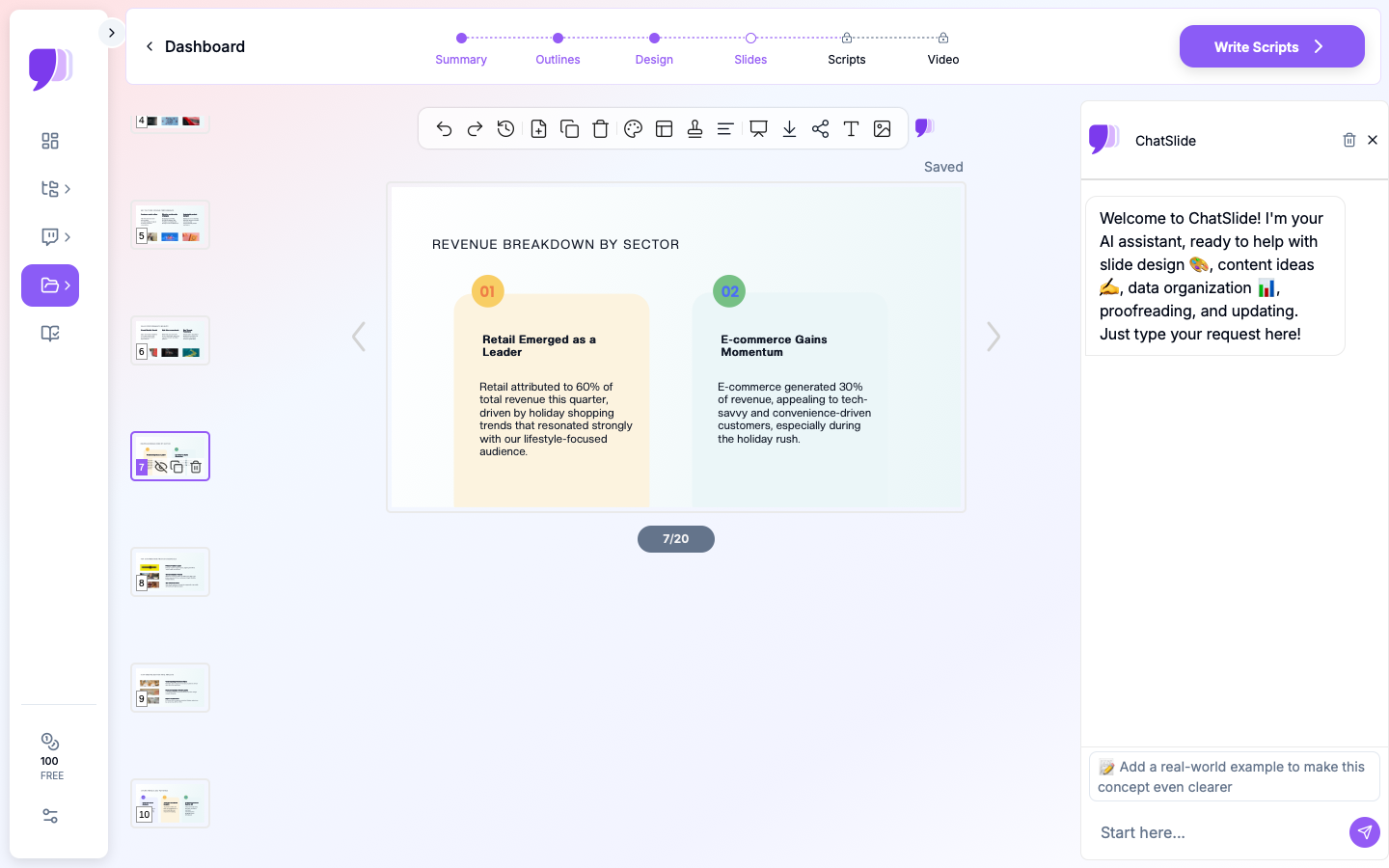
- Structured editing — fine-grained control over every slide, not just a one-shot generation
Generic AI presentation tools like Gamma, Tome, or Beautiful.ai produce marketing-style slides. They lack the input flexibility, data visualization, and editing depth that healthcare professionals need when working with research papers, clinical data, and medical literature.
What Makes ChatSlide Powerful for Medical Presentations
3 Input Modes for Any Source Material
Healthcare professionals work with diverse source materials. ChatSlide accepts content through three distinct input modes:
- File Upload — Upload PDFs, Word documents, PowerPoint files, images, and more (7+ file types supported). Scanned documents and images are processed with OCR to extract text automatically.
- Web and YouTube URLs — Paste a URL to a medical lecture, conference talk, or online guideline, and ChatSlide extracts the content for slide generation.
- Text Prompt — Describe your presentation topic and let the AI generate slides from its knowledge base.
You can combine these modes, uploading research papers while also providing a text prompt to guide the structure.
Built-In PubMed Search
This is a standout feature for healthcare professionals. ChatSlide has integrated PubMed search — you can search PubMed directly inside the platform, find relevant papers, and import them as source material for your presentation without ever leaving the tool. Beyond PubMed, the Research tab also connects to Google Scholar for broader academic literature and ClinicalTrials.gov (NCT) for ongoing and completed trial data.

Need to build a grand rounds talk on recent SGLT2 inhibitor trials? Search PubMed inside ChatSlide, select the papers you want, and generate slides from them in one workflow.
Persistent Knowledge Base with Qdrant Vector Search
Every document you upload is stored in your personal knowledge base and indexed with Qdrant vector search. This means:
- Your uploaded papers and documents persist across sessions
- You can semantically search your entire library of uploaded resources
- The AI can draw on your full knowledge base when generating or editing slides
- Build a growing repository of research that informs all your future presentations
Real Data Visualization with Chart.js and D3
ChatSlide generates charts from actual data using Chart.js and D3 — not decorative placeholder graphics. Upload a dataset or provide data points, and the AI creates:
- Bar charts, line graphs, and scatter plots from your real numbers
- Pie charts and comparison visualizations
- Multi-series charts for comparing treatment groups or outcomes
- Interactive-quality data visualizations rendered from the data you provide
These are real, data-driven charts — not stock images or AI-hallucinated figures.
19 AI Editing Tools
After generation, ChatSlide provides 19 AI editing tools with function calling for precise slide refinement:
- Text regeneration with 4 editing modes for different levels of revision
- Batch editing to apply changes across multiple slides at once
- Natural language commands like "Add a comparison table of treatment options" or "Convert this slide into a flowchart"
- Fine-grained control over layout, content, and styling on every individual slide
This depth of editing is critical for medical presentations where accuracy and precision matter.
OCR for Scanned Documents and Images
Upload scanned clinical guidelines, printed journal articles, handwritten notes, or images of charts and tables. ChatSlide's OCR capability extracts the text automatically, making even legacy print materials usable as source content for your presentations.
How ChatSlide Works for Healthcare
Step 1: Gather Your Clinical Content
Choose any combination of input methods:
- Upload files: Research papers (PDF), clinical guidelines (Word/PDF), data spreadsheets, scanned documents, images
- Search PubMed: Find and import papers directly from PubMed without leaving ChatSlide
- Paste URLs: Link to online medical lectures, YouTube conference talks, or web-based guidelines
- Type a prompt: Describe your topic and let the AI draft from its knowledge
Step 2: AI Generates Your Slides
The AI:
- Processes all your source materials (including OCR for scanned documents)
- Structures content into a logical slide sequence
- Extracts citations and references from uploaded papers
- Creates data-driven charts and visualizations from any provided data
- Indexes your uploads in your persistent knowledge base for future use
Step 3: Edit with 19 AI Tools
Use natural language and the editing toolkit to refine your slides:
- "Add a comparison table of treatment options from the uploaded papers"
- "Create a bar chart from the efficacy data on slide 4"
- "Rewrite the speaker notes with more detail on methodology"
- "Batch update all slides to use a more concise bullet point style"
With 4 editing modes and batch editing, you have full control over the final output.
Step 4: Export and Present
Download as:
- PowerPoint (.pptx) for hospital projectors and offline presenting
- PDF for distribution and handouts
Share with your team using built-in Teams, Folders, Sharing, and Embed features for collaborative workflows.
Use Cases in Healthcare
1. Grand Rounds Presentations
The challenge: Synthesize 10-20 papers into a 45-minute evidence-based talk.
How ChatSlide helps: Search PubMed directly inside ChatSlide to find your key papers, upload them, and the AI extracts the most relevant findings, creates data-driven charts from results, and structures the presentation. Use the 19 editing tools to fine-tune every slide.
Time saved: From 8-12 hours to 30 minutes.
2. Medical Conference Abstracts to Slides
The challenge: Convert an accepted abstract and research data into a 10-minute conference presentation.
How ChatSlide helps: Upload your abstract PDF and data files. The AI creates a research presentation (Intro, Methods, Results, Discussion, Conclusions) with real charts generated from your data using Chart.js and D3.
Time saved: From 4-6 hours to 15 minutes.
3. Patient Education Materials
The challenge: Explain complex medical conditions to patients in plain language with visual aids.
How ChatSlide helps: Upload clinical guidelines or paste a URL to an authoritative source, and the AI creates patient-friendly slides that explain the condition, treatment options, and expected outcomes in accessible language.
Time saved: From 2-3 hours to 10 minutes.
4. Journal Club Presentations
The challenge: Critically appraise a research paper for weekly journal club discussion.
How ChatSlide helps: Upload the paper (or search PubMed to find it directly in ChatSlide), and the AI extracts the study design, key results, and clinical applicability into a structured presentation. Use editing tools to add your own critical appraisal points.
Time saved: From 2-3 hours to 5 minutes.
5. Pharmaceutical Training Decks
The challenge: Create training materials on drug mechanisms, clinical trial data, and prescribing guidelines.
How ChatSlide helps: Upload clinical trial publications and drug monographs — even scanned PDFs are handled via OCR. The AI creates training slides with data visualizations built from the actual trial data.
Time saved: From 6-8 hours to 20 minutes.
Medical AI Presentation Tools Compared (2026)
| Feature | ChatSlide | Gamma | Tome | Beautiful.ai |
|---|---|---|---|---|
Input modes | 3 (file, URL, prompt) | Text prompt | Text prompt | Text prompt |
File types supported | 7+ (PDF, Word, PPTX, images, etc.) | Limited | Limited | None |
Built-in PubMed search | Yes | No | No | No |
OCR for scanned documents | Yes | No | No | No |
Citation extraction from papers | Yes | No | No | No |
Real data charts (Chart.js/D3) | Yes | Basic | Basic | Template-based |
AI editing tools | 19 tools, 4 modes, batch editing | Limited | Limited | Template editing |
Persistent knowledge base (Qdrant) | Yes | No | No | No |
PowerPoint export | Yes | Yes | Limited | Yes |
PDF export | Yes | Yes | Yes | Yes |
Teams and sharing | Yes | Yes | Yes | Yes |
Free tier | Yes | Yes | Yes | Yes |
Best Practices for Medical AI Presentations
Do's
- Always verify clinical data — AI is a drafting tool, not a clinical decision system
- Check citations — Ensure references extracted from papers are current and accurately represented
- Review terminology — Confirm medical terms and abbreviations are used correctly
- Add disclosures — Include conflict of interest disclosures and IRB approval where required
- De-identify data — Never upload protected health information (PHI) without proper de-identification
- Use PubMed search — Take advantage of the built-in PubMed integration to find the latest evidence
- Use editing tools — Don't settle for first-draft slides; use the 19 editing tools to refine every detail
Don'ts
- Don't skip human review — AI-generated medical content must be verified by a qualified professional
- Don't present AI-generated slides without reviewing the evidence claims
- Don't upload identifiable patient data to any cloud-based tool
- Don't rely on a single source — use multiple papers and the PubMed search to build a comprehensive evidence base
Frequently Asked Questions
Is it safe to upload medical documents to ChatSlide?
ChatSlide processes documents securely. However, never upload documents containing protected health information (PHI) or identifiable patient data. Always de-identify data before uploading.
Can the AI handle specialty-specific terminology?
ChatSlide works well with medical content across specialties. When you upload papers or search PubMed, the AI preserves the clinical language from your source materials rather than oversimplifying it.
Does it work with PubMed papers?
Yes, in two ways. You can upload any PDF from PubMed or journal websites, and the AI extracts the paper's structure, findings, and citations. Even better, you can search PubMed directly inside ChatSlide to find and import papers without leaving the platform.
Can I use scanned or printed documents?
Yes. ChatSlide includes OCR (optical character recognition) that extracts text from scanned PDFs, printed journal articles, and images. This means even older print materials can be used as source content.
How is the data visualization different from other tools?
ChatSlide generates charts from your actual data using Chart.js and D3 libraries. Other tools typically insert decorative template graphics. When you provide real numbers, ChatSlide creates real charts.
Can I collaborate with my team?
Yes. ChatSlide includes Teams, Folders, Sharing, and Embed features. You can share presentations with colleagues, organize them in folders, and embed them in internal portals.
Is this tool appropriate for CME presentations?
ChatSlide is a drafting tool. All CME content should be reviewed by qualified medical professionals and approved through your institution's CME review process.
Direct Research Database Access
ChatSlide's Research tab connects to the databases physicians use daily:
- PubMed: Search by keyword, PMID, or DOI. Find the landmark trials, recent publications, and clinical guidelines relevant to your case. The AI reads abstracts and incorporates key findings into your slides with citations.
- Google Scholar: When your topic spans disciplines — say, the intersection of genetics and oncology — Scholar captures the broader academic literature that PubMed alone might miss.
- Clinical Trials (NCT): Presenting on a treatment where pivotal trials are ongoing? Search by NCT number or condition to pull trial design, endpoints, and status into your slides.
Getting Started
Try ChatSlide for Medical Presentations — Search PubMed, upload your research papers, and get a clinical presentation in under 60 seconds. Free to start, no credit card required.
ChatSlide is a general-purpose AI presentation platform with features like PubMed search, OCR, 7+ file type support, and 19 AI editing tools that make it especially well-suited for healthcare professionals.
A note on patient data and HIPAA. ChatSlide's standard plans are not a HIPAA-covered service — keep PHI out of slide content, prompts, and uploads. For hospital systems, group practices, and clinics that need a Business Associate Agreement, our Enterprise plan offers HIPAA-compliant deployment options — contact us to discuss BAA terms, SSO, and private-cloud or on-prem hosting.