
Quick Answer: ChatSlide is an AI board meeting presentation maker that turns your financial exports, KPI data, and department updates into a structured, boardroom-ready deck in under 2 minutes — with real charts generated from your actual numbers (not stock graphics), import from PDFs and spreadsheets, and 19 AI editing tools to tighten it before the meeting.
The Board Deck Problem
The board deck is one of the highest-stakes documents an executive produces, and it recurs every quarter. It has to move from last quarter's numbers, a dozen department inputs, and a strategy narrative to a tight, consistent, defensible story — and it usually gets built at 11pm the night before the meeting.
The recurring pain isn't design. It's that a board deck has requirements consumer AI tools miss:
- Real numbers — revenue, burn, runway, KPI trends charted from your actuals, not decorative placeholders
- A governance structure — agenda, performance vs. plan, financials, KPIs, risks, decisions/asks, appendix
- Consistency — this quarter has to line up with last quarter's format and metrics
- Mixed inputs — a finance spreadsheet, a PDF report, prior slides, department bullet points
- Precision — a board reads closely; the deck must be accurate and editable to the line
Generic tools like Gamma, Tome, or Beautiful.ai produce marketing-style slides. They often need more manual work to chart your actual financials or hold a consistent governance structure across quarters.
What Makes ChatSlide Work for Board Decks
Real Charts from Your Actual Numbers
This is the core of a board deck. ChatSlide renders charts with Chart.js and D3 from the data you provide — upload a financials export or paste your numbers and get:
- Revenue and burn trends across quarters
- KPI dashboards and cohort/retention curves
- Performance-vs-plan comparison charts
- Multi-series charts for segment or region breakdowns
These are real, data-driven visualizations from your figures — not stock images or invented numbers.
3 Input Modes for Every Board Input
- File Upload — Upload financial spreadsheets, PDF reports, prior board decks, and department documents (7+ file types). OCR pulls text from scanned reports.
- Web and URL — Pull in a metrics dashboard export or a linked report.
- Text Prompt — Paste the department updates and let the AI structure them into the standard board flow.
Combine them — upload the finance export and type the strategic narrative you want it framed around.
A Consistent Structure, Every Quarter
Describe your board's agenda once — performance vs. plan, financials, KPIs, product, GTM, risks, decisions/asks, appendix — and the AI builds to it. Because your prior decks and data live in your persistent knowledge base, each quarter starts from continuity, not a blank page.
19 AI Editing Tools
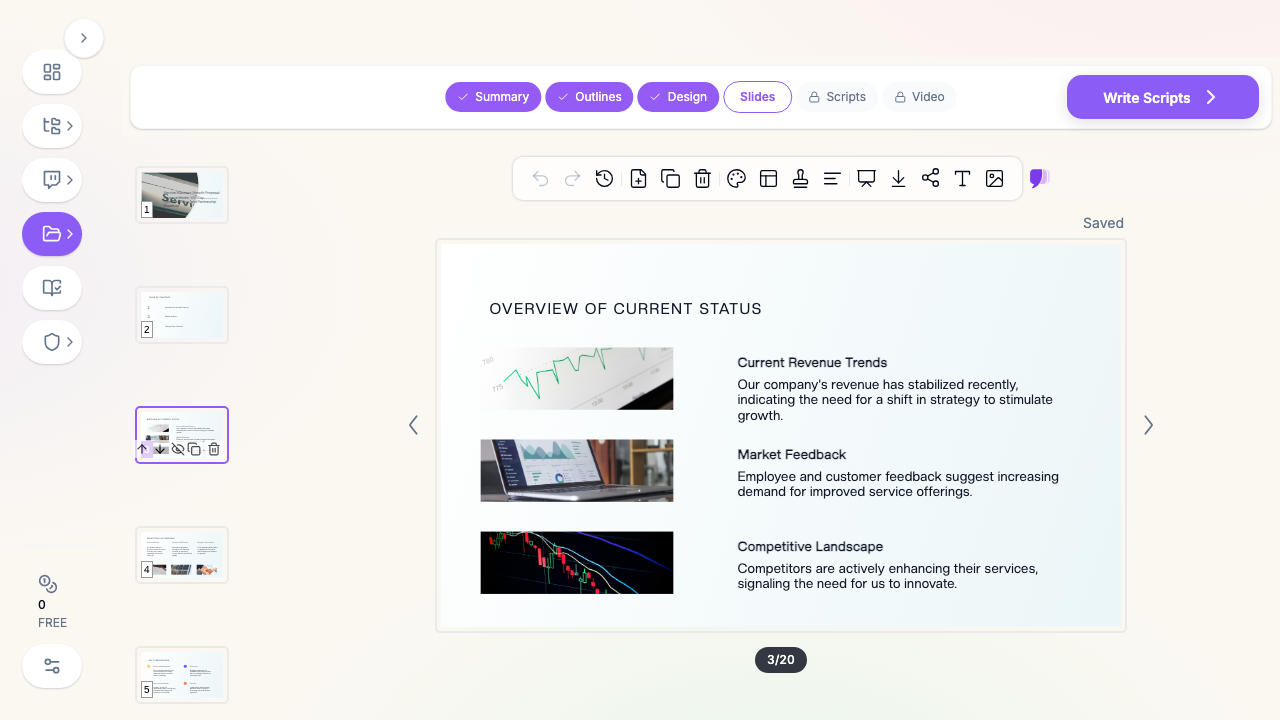
Refine with natural language: "Add a runway chart from the cash data," "Turn the risks slide into a table with owners and mitigations," "Condense the product update to three bullets," "Build an appendix from the detailed metrics." Four editing modes and batch editing keep the whole deck consistent.
How ChatSlide Builds a Board Deck
Step 1: Gather Your Inputs
Upload the financials export, prior deck, and department updates; or paste the numbers and narrative directly.
Step 2: AI Structures It
The AI organizes content into your governance flow, builds real charts from your data, and keeps formatting consistent with prior quarters.
Step 3: Edit with 19 AI Tools
Tighten the story, add the exact charts the board expects, and build the appendix — all with slide-level control.
Step 4: Export and Present
Download as PowerPoint or PDF for the board packet, present from the browser, or share a link with directors ahead of the meeting.
Frequently Asked Questions
Can it build charts from my financials?
Yes. Provide your actual numbers (upload or paste) and ChatSlide generates real charts with Chart.js and D3 — revenue, burn, runway, KPIs — not decorative graphics.
Can I keep the same format each quarter?
Yes. Your prior decks and data persist in your knowledge base, so each quarter builds on the last quarter's structure and metrics for consistency.
What can I import?
Financial spreadsheets, PDF reports, prior PowerPoint decks, and department documents — 7+ file types, with OCR for scanned reports.
Is my company data private?
Your uploads are stored in your private knowledge base. For SSO, private-cloud, or on-prem hosting, see the Enterprise option below.
Can multiple contributors work on it?
Yes — Teams, Folders, and Sharing let department heads contribute and executives assemble the final deck.
Can I produce a version to send directors ahead of time?
Yes. Export to PDF/PowerPoint for the board packet, or share a live link so directors can review before the meeting.
The Board Deck: Slide-by-Slide Outline
A tight board deck runs 12–18 slides plus an appendix:
- Cover — company, quarter, date
- Agenda — what you'll cover and decisions needed
- CEO summary — 3–5 bullets: state of the business
- Performance vs. plan — actuals against the targets you set last quarter
- Financials — revenue, margin, burn, runway (charted from actuals)
- KPIs / OKR progress — the metrics that matter, trended
- Product & GTM update — shipped, learned, next
- Wins & customer proof — traction that de-risks the story
- Risks & mitigations — what could go wrong and the owner for each
- Asks & decisions — exactly what you need from the board
- Appendix — detailed financials and backup
Tip: send the deck 48 hours ahead so the meeting is discussion, not reading.
Getting Started
Try ChatSlide for Board Presentations — Upload your financials, and get a boardroom-ready deck with real charts in minutes. Free to start, no credit card required.
ChatSlide is a general-purpose AI presentation platform. Features like real data visualization, multi-format import, a persistent knowledge base, and 19 AI editing tools make it well-suited to recurring executive reporting. For SSO and private deployment, our Enterprise plan — contact us.