
The Challenge: Process Engineering Lectures Are Diagram-Heavy and Re-Drawn Every Semester
Chemical engineering instructors spend most of their slide-prep time on the same handful of figures: composite curves for pinch analysis, McCabe–Thiele diagrams for distillation, P&IDs and block flow diagrams for unit operations, mass and energy balance tables that line up across a four-step process, log-mean temperature difference plots, and the occasional packed-column pressure-drop chart. None of these diagrams render well in a search engine; very few sit in the textbook in the form a working chemical engineer actually uses; and most live as crops from old PDFs that have travelled across three different professors.
Process engineers in industry have the opposite problem. The plant runs on flowsheets, energy targets, and water-recovery analyses, but the slides for an internal training session — onboarding a new shift engineer onto the steam network, briefing an operator on a heat-integration retrofit, walking management through a debottlenecking proposal — have to be built from scratch every time. The technical content is in spreadsheets, simulation outputs, and a half-finished Visio drawing. Turning that into a forty-minute talk is a weeknight project.
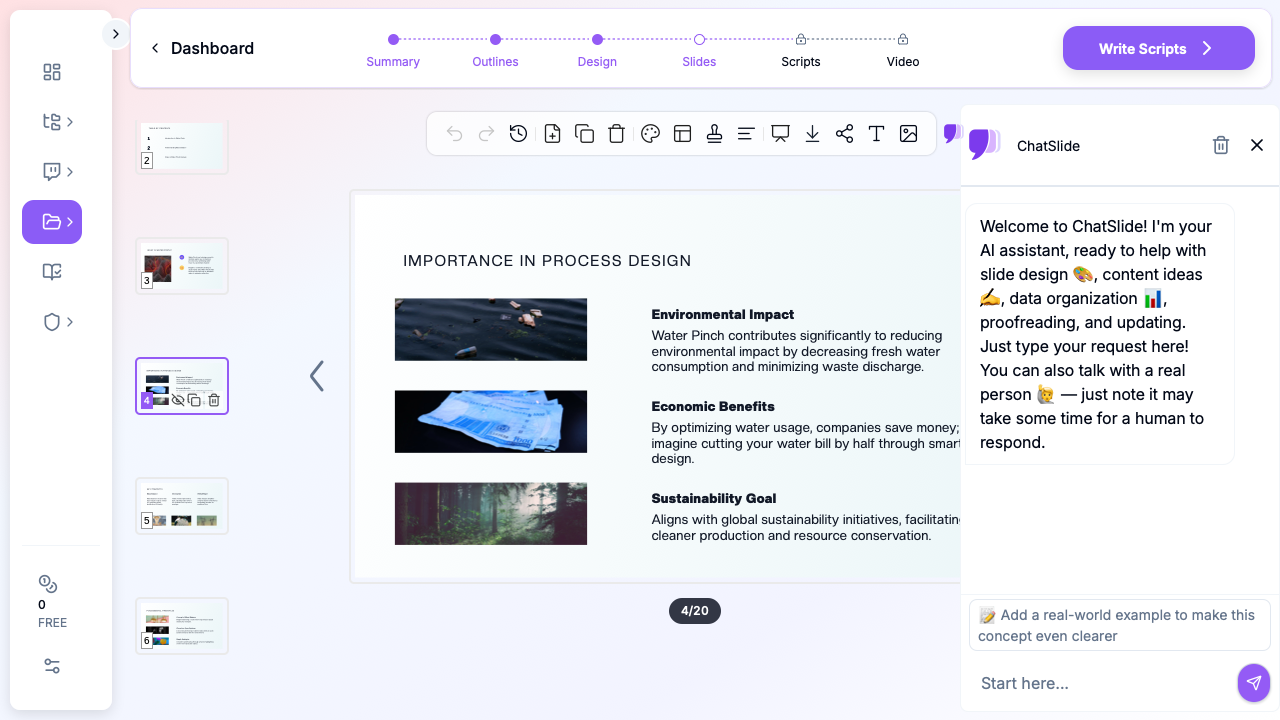

This guide walks through using ChatSlide to draft a complete process engineering lecture — water pinch analysis, mass balance, unit operations, heat integration — in minutes, then refining it for an undergraduate chemical engineering class, a graduate process design seminar, or an in-plant training session.
What Makes a Strong Chemical Engineering Lecture Deck
Process lectures are not narrative talks. Students and engineers come to them looking for a working method, not a story. The structure that holds attention from the second row:
- A worked example up front. Open with a real flowsheet — a refinery hydrotreating loop, a soft-drink bottling line, a wastewater treatment train — and ask the question the lecture will answer ("Where in this network are we wasting water?").
- The minimum theory. Two slides on the governing equations, not eight. Define the symbols, state the assumptions, link to the textbook page for the derivation.
- The procedure, step-by-step. Number the steps. Show what you do at each step on the same example you opened with — composite curves, pinch temperature, minimum utility targets, then network synthesis.
- A sanity-check slide. What numbers should you expect? What's a red flag in the output? Process engineering students learn this faster from a "what does a wrong answer look like" slide than from a worked solution alone.
- A second example for self-study. Different system, same procedure. Leave the answer in speaker notes so the slide works in class and as a study handout.
- Connection to a real plant. A photo or schematic of where this analysis lives in industry — a heat exchanger network on a crude unit, a water-pinch retrofit at a textile dyehouse, a reactor train at a specialty chemicals site — turns abstract methodology into a hireable skill.
ChatSlide's *Education|Lecture scenario maps to this structure by default — a problem-statement opener, sectioned procedure, worked example, recap.
Step-by-Step: Draft a Process Engineering Lecture in ChatSlide
1. Pick the scenario and write the audience concretely
In a new project, choose Education > Lecture. The audience field changes the language of the deck more than any other input — write "Third-year chemical engineering students who have completed mass balances but not yet seen process integration" instead of "chem eng students". For an industrial training session, write "Plant engineers and shift supervisors at a chlor-alkali facility, varied math background, no formal pinch training".
2. Frame the topic as a process engineering question
A topic of "Pinch Analysis" produces a generic deck. A topic of "Water pinch analysis with cascade tables: targeting minimum freshwater for a textile dyehouse with three contaminated streams" produces a deck with a worked example baked in. The same applies to other lectures:
- "McCabe–Thiele design for a binary methanol–water column with a partial reboiler and total condenser, including q-line construction"
- "Heat exchanger network synthesis with the pinch design method: targeting, splitting, and trade-offs above and below the pinch"
- "Steady-state mass balance over a recycle loop with purge: solving for purge fraction given a target inert concentration"
The outline step shows you what you'll get before any slides render — adjust section count to 6 for a fifty-minute lecture or 8 for a deeper double-lecture or short course.
3. Re-architect the deck for the chalkboard moments
The first generation gives you the structure and the prose. Walk through and:
- Promote each procedure into a numbered slide. A node-and-arrow flowchart of "construct composite curves → identify pinch → set utility targets → design above and below" is more useful than a paragraph of the same.
- Replace generic factory photos with the actual diagram you'll teach from — a hand-drawn flowsheet, an Aspen HYSYS screenshot, a simple block diagram. ChatSlide's editor lets you swap the image block in two clicks; for figures that don't exist online, generate a clean schematic in the AI image tool or paste in a screenshot from your simulator.
- Add a "common mistakes" slide between the procedure and the worked example. Most pinch problems are graded wrong because students draw the cold composite curve from the wrong end; most distillation problems fail because students forget to convert mass to molar fractions. A single slide on these failure modes pays for the whole lecture.
- Insert a sanity-check slide with order-of-magnitude numbers — "a heat exchanger network with a 10°C minimum approach should give utility targets within 5–15% of the worst-case maximum".
4. Pull in your simulation outputs and process data
Upload Aspen, HYSYS, ChemCAD, or DWSIM exports — stream tables, energy summaries, sensitivity analyses — into the project resources. Ask ChatSlide to summarize the relevant sections into bullets and a properly formatted table, then drop them onto a "case study results" slide. If you have a real plant dataset (steam consumption logs, cooling-water flow histories, distillation column profiles), those tables make the lecture concrete in a way no textbook can.
5. Use speaker notes for board work
Speaker notes are where you write the steps you'll work out on the board live: "Construct the hot composite by ranking hot streams by supply temperature; sum CP across each interval". ChatSlide preserves notes through PowerPoint and PDF export, so they show in your presenter view in the lecture hall and remain available when students download the slides for review.
6. Export for the LMS and the lab
Export as PowerPoint for live teaching (so you can scribble on slides during the lecture) and PDF for posting to Canvas, Moodle, or Brightspace. The deck stays editable for next semester's revision instead of being locked into a static PDF.
Tips for Chemical Engineering Educators and Process Engineers
- Build a deck library by procedure, not by chapter. One deck per method (pinch analysis, McCabe–Thiele, network synthesis, recycle-with-purge balances) is more reusable than a single mega-deck for "process design."
- Reuse a consistent template across the course. Visual consistency matters when students are reviewing five lectures the night before an exam; pick a theme and stay on it.
- Show the simulator the students will use. A screenshot of the actual Aspen / HYSYS / DWSIM screen they'll see in lab is more useful than a clean academic block diagram. They will recognize the buttons, not the abstraction.
- Plan tutorials and homework separately. Tutorial worksheets and graded problem sets are documents, not slides. The lecture should leave students with the procedure; the tutorial is where they practise it.
- Save your source PDFs and simulation files in the project. Next semester's lecturer (or future-you) can rebuild the deck without hunting down the source files.
- For industrial training, lead with the plant economics. A pinch-analysis lecture for plant engineers should open with the dollar value of one degree of minimum approach, not with the temperature axis. Operators and shift supervisors stay engaged when the slides connect to their KPIs.
Get Started
Process engineering is a method-heavy discipline; the slides should disappear behind the work, not become it. ChatSlide handles the scaffolding so chemical engineering instructors and process engineers can spend their time on the worked examples, the simulator session, and the design judgment that students and trainees actually need to take into industry.
If you teach unit operations, process design, transport phenomena, or process integration — or if you're a working process engineer building an internal training session — open ChatSlide and try drafting your next lecture from a topic line. Most lecturers finish a six-section deck in under thirty minutes — including the worked example.
For neighboring use cases, see our guides on environmental science research presentations, construction and engineering research decks, statistics and research methods lectures, and teacher lecture slides.