
The Law School Case Brief Problem
Law students live in case briefs. Reading the case is one task. Briefing it for class is another. Turning that brief into a presentation — whether for a Socratic-method discussion, a legal writing seminar, a moot court exercise, or a securities regulation seminar paper — is a third task that consumes hours of formatting time.
A 2L preparing a 10-minute class presentation on SEC v. Fitt has to compress facts, procedural history, the holding, the court's reasoning, and a dissent (if any) into slides that a class can follow without losing the legal nuance. The IRAC structure — Issue, Rule, Application, Conclusion — needs to come through visually. The disposition (affirmed, reversed, remanded) needs to be unambiguous. The court's level (district, circuit, Supreme Court) and jurisdiction matter.
Generic AI presentation tools produce bland summaries. Case briefs need the precise vocabulary and structure that legal education demands — issue framing, rule statement, application of facts to law, conclusion, and the standard of review where applicable.
What Makes a Strong Case Brief Presentation
The best law school case brief presentations share several qualities that generic legal summaries lack:
Clean IRAC or CRAC structure visible from the slide layout. Issue, Rule, Application, Conclusion (or Conclusion, Rule, Application, Conclusion for advocacy work) needs to be the spine of the presentation. A reviewer should be able to point at any slide and identify which IRAC element it serves.

Procedural posture stated up front. Where did this case come from? Was it on appeal from summary judgment? A 12(b)(6) motion to dismiss? A jury verdict? The standard of review changes the analysis entirely, and strong briefs make this visible early.
Holding stated as a complete sentence. Not "The court ruled for the plaintiff" — that's a disposition. The holding is the rule of law the court announced, framed as something like "A securities-fraud plaintiff must plead scienter with particularity sufficient to give rise to a strong inference of fraudulent intent." Holdings need to be written precisely because they're the takeaway your classmates will use.
Reasoning broken into the court's actual analytical steps. Strong case briefs follow the court's logic — statutory interpretation, application of precedent, policy considerations, distinguishing of contrary authority. Each step should be a discrete piece of the presentation, not a paragraph blob.
Dissent and concurrence treated as substantive, not as appendix. When a case has a strong dissent (which is often the reason it's being taught), the dissent's argument deserves its own analysis. A presentation that buries the dissent in a final "Other Opinions" bullet misses the pedagogical point.
Clear distinction between binding and persuasive authority. When the case cites prior authority, the brief should make clear which citations are binding precedent in the jurisdiction and which are persuasive — particularly important in constitutional law and federal-state issues.
Step-by-Step: Building a Case Brief Presentation with ChatSlide
1. Frame the Case with Specificity
Start with the case name, court, year, and the specific legal issue you're presenting. Generic prompts produce generic content. Specific prompts produce class-ready briefs.
Examples of strong topic prompts:
- Securities law: "Case brief presentation for SEC v. [Defendant], focusing on scienter pleading standards under Section 10(b) and Rule 10b-5, the application of the PSLRA's particularity requirement, and the court's holding on the strong inference standard"
- Constitutional law: "Case brief presentation for [Case Name], a First Amendment commercial speech case from the [Court], analyzing the Central Hudson test, the government interest at stake, and the court's reasoning on whether the regulation directly advanced that interest"
- Civil procedure: "Case brief presentation for [Case Name] on personal jurisdiction, applying the minimum contacts analysis from International Shoe and the purposeful availment requirement, with attention to the dissenting opinion's stream-of-commerce argument"
The audience field shapes the presentation's depth. A 1L Civil Procedure class needs more foundational scaffolding than an upper-level Securities Regulation seminar.
2. Choose the Right Scenario Type
For class presentations and seminar papers, the Education > Lecture scenario produces the structured, doctrinal sections legal analysis requires. For moot court and oral argument practice, the General scenario allows the more advocacy-focused structure (issue framing, your position, anticipated counterarguments, response).
Set section count to 6-8 to cover the full case analysis arc:
- Case caption, court, and procedural posture
- Facts (relevant only — not the kitchen sink)
- Issue presented
- Rule and applicable authority
- Court's reasoning (broken into analytical steps)
- Holding and disposition
- Dissent or concurrence (if substantively important)
- Significance and implications
3. Refine the Generated Outline
The AI generates a doctrinally aware outline. For a securities law case, you'll see sections covering the statutory framework, the elements of the claim, the court's analysis of pleading standards, and the holding. Review the outline for legal accuracy and completeness.
Does the outline correctly identify the standard of review? Does it distinguish between the trial court's holding and the appellate court's holding? Does it accurately represent the court's reasoning rather than substituting your own interpretation?
4. Add Visual Anchors That Match Legal Convention
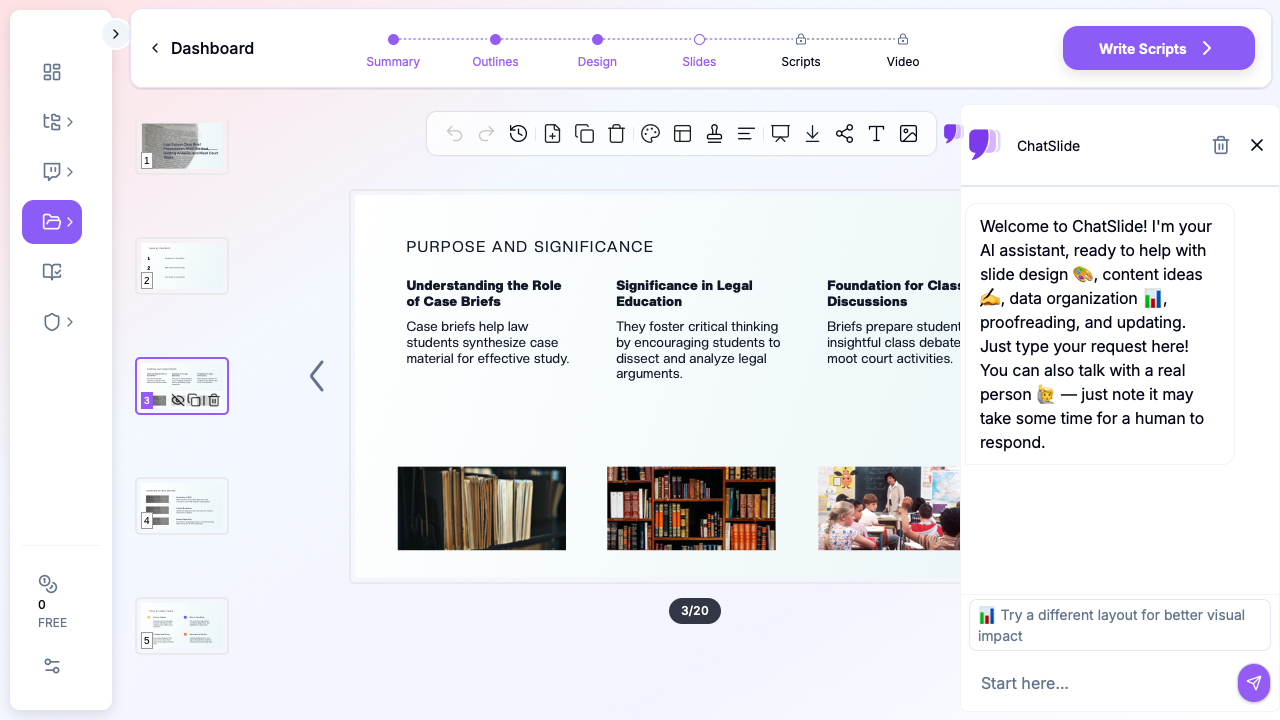
Case brief presentations don't need flashy visuals — they need clean, professional layouts that highlight structure. ChatSlide's layouts work for the structured analytical sections (rule statements, application steps, holding boxes). For procedural history slides, simple timeline visuals make the case's path through the courts immediately legible.
Stock imagery should be conservative — courthouse exteriors, legal materials, or industry-relevant images for the underlying subject matter (financial documents for securities cases, commercial settings for contract disputes). Avoid generic "scales of justice" and gavel imagery, which signal "I used a template" to legal audiences.
5. Customize for the Class Format
Case brief presentations get reused across different class formats:
- Cold-call response (3-5 minutes): Facts, issue, holding, court's key reasoning. Three to four slides max.
- Class presentation (10-15 minutes): Full IRAC walkthrough with reasoning broken into steps, dissent analysis, and significance. Eight to twelve slides.
- Seminar paper presentation (20-30 minutes): Doctrinal background, full case analysis, comparison to related cases, normative analysis. Twenty-plus slides.
- Moot court oral argument (10-20 minutes): Issue framing from your client's perspective, affirmative argument, anticipated counterarguments, response. Structure differs from briefing format.
Generate the longest version first, then duplicate and trim for shorter formats. Reuse the doctrinal scaffolding across all versions.
Common Case Brief Formats by Course
The Constitutional Law Case Brief
Constitutional cases require careful attention to the level of scrutiny applied (rational basis, intermediate, strict), the test used (Central Hudson for commercial speech, Lemon for Establishment Clause, etc.), and the court's holding on each prong of the test. A constitutional case brief presentation should make the test framework visible and walk through each prong as a discrete analytical step.
The Civil Procedure Case Brief
Civ Pro cases live and die by the procedural posture. A case on appeal from summary judgment is analyzed differently than one on appeal from a 12(b)(6) dismissal. The standard of review (de novo for legal questions, abuse of discretion for procedural decisions) shapes the analysis. Strong Civ Pro briefs put the procedural posture and standard of review on a slide before getting to the substantive issue.
The Contracts Case Brief
Contracts cases often turn on a specific doctrine — consideration, mutual assent, parol evidence, unconscionability, impracticability, expectation damages. A contracts case brief presentation should identify the doctrinal hook on the issue slide and walk through the elements of that doctrine before applying them.
The Torts Case Brief
Torts cases follow a fairly stable structure: duty, breach, causation (factual and proximate), damages. A negligence case brief presentation should walk through each element and identify which were contested. Intentional tort cases require attention to the specific intent requirements for each tort.
The Securities Regulation Case Brief
Securities cases (like SEC v. [Defendant] enforcement actions or 10b-5 private actions) require careful attention to statutory text, SEC regulations, the elements of the claim (material misrepresentation or omission, scienter, reliance, causation, damages), and recent precedent on pleading standards. Strong briefs walk through each element systematically.
The Criminal Procedure Case Brief
Crim Pro cases require attention to the constitutional source (Fourth, Fifth, Sixth, or Fourteenth Amendment), the test applied (the Katz reasonable expectation of privacy test, the Miranda custody analysis, etc.), and the remedy implications (exclusionary rule application). A Crim Pro brief presentation should identify the constitutional hook early and apply the relevant doctrinal test.
Tips for Law School Case Brief Presentations
State the holding as a complete sentence on its own slide. The holding is the most important sentence in your presentation. Give it visual weight. Don't bury it in a bullet under "Court's Reasoning."
Distinguish dicta from holding. Courts say lots of things in opinions. Only some of it is necessary to the holding. Strong briefs make this distinction visible — particularly when professors are likely to ask "Was that part of the holding or dicta?"
Don't paraphrase the rule statement when the court's language is precise. When the court says "a strong inference of scienter requires more than reasonable inference and at least as compelling as any opposing inference of nonfraudulent intent," that exact language matters. Quote it; don't paraphrase.
Surface the policy considerations the court relied on. Many appellate opinions explicitly invoke policy — deterrence, predictability, federalism, judicial economy. Strong briefs identify these as discrete reasoning steps rather than absorbing them into a generic "the court reasoned" bullet.
Treat dissents as substantive arguments, not appendices. When a dissent is being taught (which is most of the time it appears in casebooks), the professor wants discussion of the dissent's argument. Give it its own slide with the dissent's framing of the issue and its central counterargument.
Connect the case to the doctrinal arc. Where does this case sit in the development of the doctrine? Does it extend prior precedent, narrow it, distinguish it, or overrule it? A final "doctrinal placement" slide elevates a case brief from book-report to legal analysis.
Practice oral delivery separately from slide design. Slides for legal presentations should support, not script, the oral argument. Long bullet text invites you to read from the screen, which kills credibility in front of a legal audience.
Get Started with Case Briefs in ChatSlide
Law school case briefing rewards precision. Vague summaries get cold-called into oblivion. ChatSlide generates structured case brief presentations — facts, issue, rule, application, holding, reasoning, dissent — from a topic description and audience definition. The doctrinal precision stays intact; the slide-building work disappears.
Start with ChatSlide and turn your next case reading into a presentation that survives the Socratic method. Free tier includes enough credits to generate a full case brief and refine it before class.