
Quick Answer: A retinal-specialist conference deck (anti-VEGF, wet AMD, DME, RVO, surgical case series) follows: (1) Disease background + epidemiology, (2) OCT/FA imaging review with annotated central subfield thickness, IRF/SRF, PED, (3) Trial summary — HARBOR, VIEW, YOSEMITE/RHINE, KESTREL/KITE — with primary endpoints, (4) Dosing intervals & extension protocols (T&E, PRN, fixed), (5) Switching algorithm and durability comparisons, (6) Take-home pearls + Q&A trigger. Target 18–25 slides for a 20-min talk. ChatSlide accepts OCT screenshots and pivotal-trial PDFs and auto-generates the comparison table format reviewers expect.
The Challenge of Building Ophthalmology Talks
Retinal specialists carry a strange double burden when conference season hits. The clinical work is intense — back-to-back intravitreal injections, OCT reviews, laser sessions, surgical cases. Then somewhere between Friday evening and Sunday night, the deck for next month's panel needs to be ready: a 25-minute talk on Faricimab in DME, or wet AMD switching strategies, or an updated trial summary with new pivotal data.
Building those decks the old way is brutal. You collect OCT images, pull anatomic diagrams, copy-paste hazard ratios from PDF tables, and keep redrawing the same retinal layer schematics that every other speaker is also redrawing. By the time the slides look presentable, the science is already a week stale.
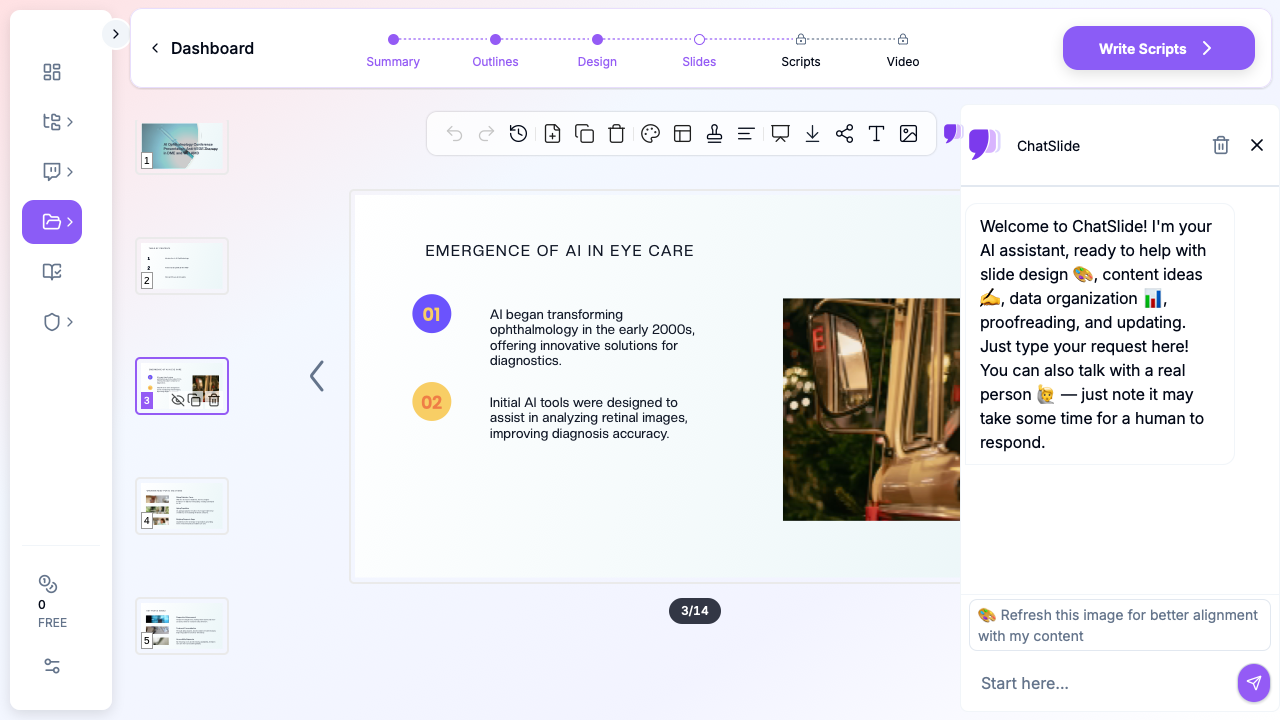
ChatSlide collapses that workflow. Drop a topic — "Faricimab's Impact on DME and nAMD Treatment Efficacy" — and you get a structured deck with a clear narrative arc, anatomic visuals, comparison tables, and speaker-ready talking points. You still own the clinical judgment; the tool just removes the slide-mechanics tax.
What a Strong Retinal Specialist Talk Actually Needs
Conference-quality ophthalmology presentations share a few non-negotiable elements:
A clear clinical question. Not "anti-VEGF therapy" — that's a textbook chapter. "When should I switch from aflibercept to faricimab in a treat-and-extend DME patient who has plateaued at q8 weeks?" That's a talk.
Anatomic and imaging visuals that load on a 90-second slide. A retina audience reads OCTs faster than text. Your slides need cross-sections, fluorescein patterns, and treatment-response progression — not three bullet points trying to describe what an OCT shows.
Mechanism slides for newer agents. Bispecific anti-VEGF/Ang-2 inhibitors, gene therapy, sustained-release implants — the audience knows VEGF blockade. They want to see the new pathway in a single diagram, then move on.
Trial design summaries that don't drown the audience in n's. YOSEMITE/RHINE, TENAYA/LUCERNE, ARCHWAY — by year three of any new agent, every retinal specialist has heard the trial names twenty times. Show endpoints, durability curves, and switch data. Skip the enrollment flowchart.
Real-world case slides. Pre-treatment OCT, treatment course, post-treatment OCT, retreatment interval. Three or four slides. Audience perks up.
A "what I do in my clinic" slide. This is what separates a memorable talk from a deck dump. Conference attendees want a working algorithm, not a re-read of the prescribing information.
Step-by-Step: Building Your Ophthalmology Talk with ChatSlide
1. Pick a sharp scenario
In ChatSlide, choose Conference > Keynote or Conference > Panel as your scenario. This biases the outline generator toward speaker-friendly structure (clinical question → background → evidence → application → Q&A) rather than textbook lecture format.
For grand rounds or fellowship lectures, switch to Education > Lecture — it produces longer, more pedagogical slides with case-based scaffolding.
2. Write the topic the way you'd describe it to a colleague
Generic topic strings produce generic decks. Compare:
- Bad: "Anti-VEGF therapy"
- Better: "Faricimab in DME — switching strategies, durability, and TENAYA real-world data"
- Best: "When to switch from aflibercept 8mg to faricimab in suboptimal DME responders — a treat-and-extend approach"
The third version gives the AI enough to build a focused 12-15 slide deck with a defensible narrative.
3. Define the audience
"Retinal specialists" produces different slides than "comprehensive ophthalmologists" or "ophthalmology residents." Be explicit. For a fellow's journal club, write "second-year vitreoretinal fellows" and the language calibrates accordingly — fewer mechanism reminders, more nuance on trial limitations.
4. Generate the outline first
Outline generation is fast and cheap. Read the section structure before generating slides. Common edits at this stage:
- Combine redundant background sections (you don't need three slides on VEGF mechanism if your audience does this every Tuesday)
- Add a "switching algorithm" or "real-world cases" section if the AI didn't surface one
- Reorder so durability data comes before safety — for retinal specialists, durability is the headline, not the footnote
5. Generate slides with images
This is where most generic AI presentation tools fall down. They produce text slides with stock-photo doctors holding clipboards. ChatSlide's image step pulls in anatomic illustrations, OCT-style cross-sections, and clinically relevant visuals.
For retina-specific imagery, you'll often want to swap in your own cases. The deck structure stays intact — drag your OCT screenshots into the existing image slots. Patient identifiers should already be redacted at the imaging-export step; ChatSlide doesn't see your raw DICOMs.
6. Refine for the room
A panel talk in front of 800 specialists at a major society meeting reads differently than a lunch-and-learn for a private practice group. Tighten the deck for the room:
- Conference panel: 12-15 slides, hero data slide near the front, walk-away algorithm at the end
- Grand rounds: 20-25 slides, two real-world cases, room for trainee questions
- Industry advisory: 8-10 slides, decision-points highlighted, no commercial slides
7. Export to PPTX or present from the browser
Exported PPTX preserves layout, bullets, and image positions — useful when the conference AV team requires a local file. The browser preview also works for in-clinic teaching when you want to skip the export step entirely.
Specific Use Cases This Replaces
Anti-VEGF mechanism slides. Instead of redrawing VEGF/PlGF/Ang-2 pathways for the fortieth time, generate a clean diagram-style slide and edit the labels to match your talk's emphasis.
Trial summary tables. YOSEMITE/RHINE results, TENAYA/LUCERNE 4-year extensions, real-world DME registries — the AI builds the comparison table; you verify the numbers against the source publication.
Switching algorithms. Treat-and-extend, treat-as-needed, fixed-interval — turn your clinic's actual decision tree into a single visual slide, not a wall of indented bullets.
Case-based teaching. "47-year-old with type 2 diabetes, central-involving DME, BCVA 20/63, plateau at month 8 on aflibercept q4 weeks" — start a deck from the case and let the outline build around it.
Journal club deep dives. Switch the scenario to Education > Journal Club, paste the title and author list, and you'll get a structured critical-appraisal deck (background, methods, results, limitations, takeaway) instead of a 35-slide methodology recap.
Fellow lectures and review sessions. OCT interpretation, fluorescein angiography patterns, surgical decision-making — long-form pedagogical decks with quiz slides built in.
Board review prep. Generate a high-yield review deck for ABO/board recertification topics, then drop in your own annotated images.
Direct Research Database Access
ChatSlide's Research tab connects to the databases physicians use daily:
- PubMed: Search by keyword, PMID, or DOI. Find the landmark trials, recent publications, and clinical guidelines relevant to your case. The AI reads abstracts and incorporates key findings into your slides with citations.
- Google Scholar: When your topic spans disciplines — say, the intersection of genetics and oncology — Scholar captures the broader academic literature that PubMed alone might miss.
- Clinical Trials (NCT): Presenting on a treatment where pivotal trials are ongoing? Search by NCT number or condition to pull trial design, endpoints, and status into your slides.

Tips Specific to Retinal Specialists
Lead with durability, not safety. Your audience expects the safety profile. They want to know whether they can extend the patient to q12 or q16 weeks. Put the durability curve in the first three minutes.
One pathway diagram per deck. Resist the temptation to redraw mechanism every time you mention a new agent. Pick one canonical pathway slide and refer back.
OCT-first storytelling. When you have pre/post imaging, lead with the OCT, then explain. The reverse — explanation followed by image — loses the room.
Be explicit about real-world vs trial populations. Retinal specialists spend their day on patients who would have been excluded from pivotal trials. Slides that explicitly call out this gap land harder than slides that gloss over it.
End with an algorithm. Audiences forget data. They remember decision trees. Your last working slide before Q&A should be a one-page algorithm.
Skip stock photos. A deck full of staged "doctor with patient" stock photos signals you didn't put time into the talk. Anatomic illustrations, real OCTs (de-identified), and trial figures only.
Why Generic AI Presentation Tools Underperform Here
Most AI deck generators were built for sales pitches and marketing decks. They optimize for visual flair and ignore the structural conventions of clinical talks. For a retinal specialist audience, that produces:
- Mechanism slides with cartoon eyes and no actual pathway
- Trial slides that bury the primary endpoint under enrollment criteria
- Safety slides that read like the package insert
- Stock-photo "patient consultation" slides that have no place in a conference talk
ChatSlide's clinical scenarios — Conference, Education, Research — bias the output toward conventions a retinal specialist audience expects. You're still the clinical author; the tool just stops fighting your format.
Get Started
Building your next ophthalmology presentation on ChatSlide takes about as long as the first cup of clinic coffee. Drop a topic, refine the outline, generate slides, swap in your own OCTs, and you have a conference-ready deck before your first injection of the day.
Try it free at chatslide.ai — most retinal specialists go from blank screen to first draft in under fifteen minutes.
Related guides:
- AI Medical Presentation Maker for Healthcare Professionals
- Medical Imaging and Radiology Presentation AI Guide
- Pharmaceutical Conference Presentation AI Guide
- Research Conference Presentation AI Guide
- Journal Club Presentation AI Guide
A note on patient data and HIPAA. ChatSlide's standard plans are not a HIPAA-covered service — keep PHI out of slide content, prompts, and uploads. For hospital systems, group practices, and clinics that need a Business Associate Agreement, our Enterprise plan offers HIPAA-compliant deployment options — contact us to discuss BAA terms, SSO, and private-cloud or on-prem hosting.