
Quick Answer: ChatSlide is an AI presentation maker used across 750+ universities to turn a research proposal document into a proposal defense deck in under two minutes. Upload the proposal or paste your outline and it builds the standard defense sequence — problem statement, objectives and questions, theoretical and conceptual framework, review of previous studies, design, instruments, sampling — with drafted speaker notes and a timed structure that fits a 20-minute slot. Exports to PowerPoint or PDF. Free to start, no credit card.
The Proposal Defense Problem
A proposal defense is not a thesis defense. You are not presenting findings, because you do not have any yet. You are defending a plan: that the problem is real, the questions are answerable, the framework is coherent, and the method you have chosen will actually produce evidence. The committee's job is to find the gap between what you propose to do and what would genuinely answer the question.
That makes the deck harder to build than a results talk, not easier. A results deck has a natural spine — here is what I did, here is what I found. A proposal deck has to make an argument out of intentions. And the structure is largely fixed by your department: title, introduction, problem statement, objectives and research questions, hypotheses, theoretical framework, conceptual framework, previous studies, design, instruments, sampling criteria, references. Twelve or more required sections, and typically twenty minutes to move through all of them.
So most candidates end up doing the same thing: copying paragraphs from the proposal document into slides, then discovering at the rehearsal that they have forty-five slides of dense prose and no time. The work is not writing — the proposal is already written. The work is compression and sequencing, under a fixed section list.

This guide covers the proposal or prospectus defense specifically — the pre-data milestone where you defend a plan. If you have finished the research and are defending results, our PhD thesis defense guide is the closer fit. For undergraduate and master's capstone presentations, see the capstone project guide.
What Makes ChatSlide Powerful for Proposal Defenses
It Works From the Proposal You Already Wrote
You are not starting from a blank prompt. Upload the proposal document — the full chapter one and two, the concept paper, the department's required outline, or a draft with tracked changes still in it — and ChatSlide extracts the argument rather than asking you to retype it. Scanned pages and figures are read with OCR, which covers supervisors who return feedback as annotated printouts.
You can also work the other direction: paste your department's required section list as the prompt and let it draft against that structure. Both routes land in the same place.
Outline-First, So You Fix the Argument Before the Slides
ChatSlide drafts the outline before rendering anything. For a proposal defense this is the step that saves the rehearsal. You see the whole section sequence as a list and can check the things committees actually probe: does the problem statement lead to the research questions, do the questions match the design, does the framework do any work or is it decoration. Restructuring a list takes a minute. Restructuring thirty rendered slides does not.
Slide Budgeting for a Fixed Time Slot
Proposal defenses run to a clock — commonly 15 to 20 minutes before questions. Because you set the section count up front, you can build to the slot rather than discovering the overrun at rehearsal. A twenty-minute defense is roughly eighteen to twenty-two content slides; setting that at the outline stage forces the compression decisions early, where they are cheap.
Framework and Methodology Slides From Prose
The two sections candidates struggle to visualize are the conceptual framework and the methodology. Both are relationships, and both are usually written as paragraphs. ChatSlide converts them into structured slides — numbered constructs, stepped design sequences, comparison layouts for sampling criteria — instead of leaving you to paste the paragraph and shrink the font.
Literature Search Built In
The "previous studies" section has to show you know the field, not just that you read five papers. ChatSlide's Research tab searches Google Scholar and PubMed directly, so you can pull recent work, check whether something landmark has appeared since you drafted the chapter, and bring citations into the slide without leaving the editor. Committees notice when the newest reference is three years old.
Speaker Notes That Become Your Rehearsal Script
Every slide gets drafted speaker notes. For a defense this doubles as the rehearsal artifact: you edit the notes into what you will actually say, time yourself against them, and arrive knowing your framework slide takes ninety seconds rather than guessing.
Backup Slides for the Questions You Expect
Committee questions at a proposal defense are predictable in shape — why this method and not that one, how will you handle attrition, what is your validity threat, why this sample size. Generate a small set of appendix slides for those, place them after the references, and answer with a slide instead of a sentence.
How ChatSlide Builds Your Proposal Defense Deck
Step 1: Upload the Proposal
Drop in the proposal document, the concept paper, or the chapters you have. Combine several files if your framework and methodology live in different documents.
Step 2: Set Audience and Length
Say who is in the room — "thesis committee and graduate faculty" — and set the section count to match your time slot. This is what keeps the draft from arriving at forty slides.
Step 3: Check the Outline Against Your Department's Required Sections
Compare the drafted outline to the required list. Add anything your department mandates that the draft treated as optional, and cut anything that is padding a section you can cover in one slide.
Step 4: Generate, Refine, Rehearse, Export
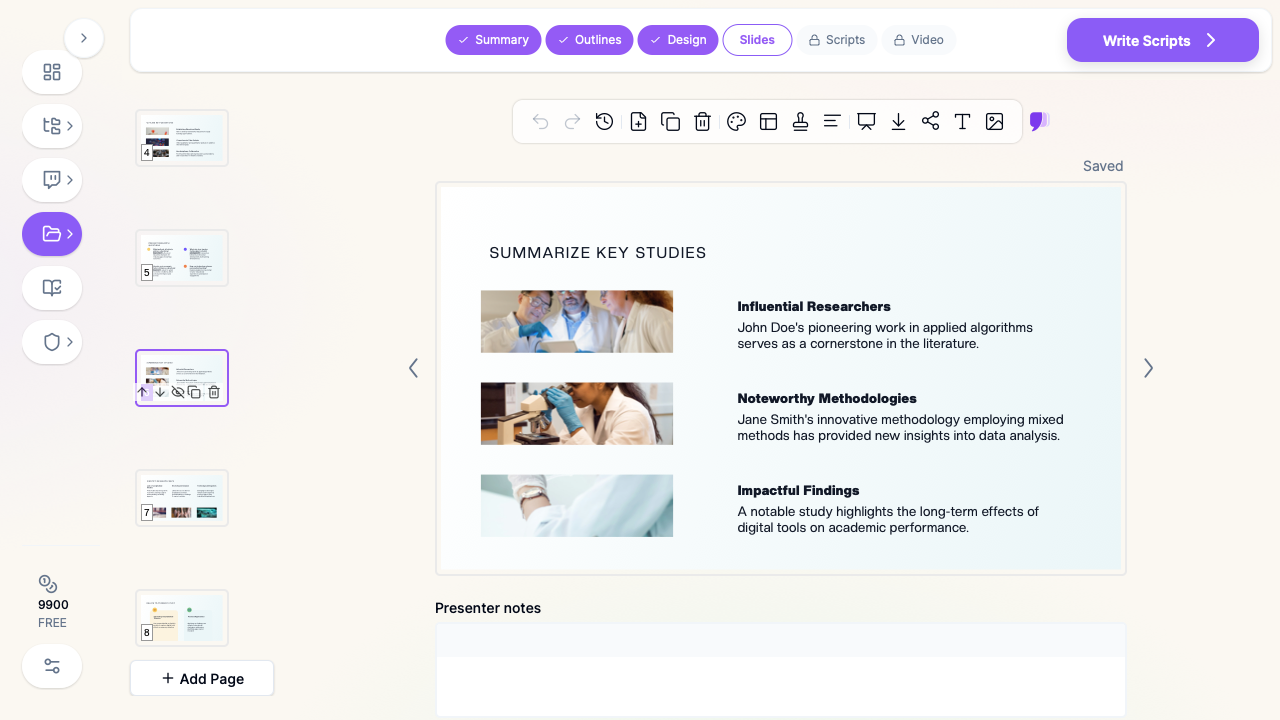
Slides render with imagery and speaker notes. Refine individual slides, rehearse against the notes, then export to PowerPoint or PDF.
Use Cases for Graduate Researchers
1. Doctoral Proposal / Prospectus Defense
The challenge: Twelve-plus required sections, twenty minutes, and a committee looking specifically for the weak link between question and method.
How ChatSlide helps: Builds the full required sequence from your proposal document and lets you budget slides per section before rendering.
Time saved: Two to three days of slide construction.
2. Master's Thesis Proposal Defense
The challenge: Often the first formal defense a student has ever given, with less supervisor time available than at doctoral level.
How ChatSlide helps: The drafted structure teaches the expected shape of the talk, and the speaker notes give a rehearsal script for someone who has not done this before.
Time saved: A full weekend.
3. Grant and Funding Proposal Presentations
The challenge: A funding panel wants significance, feasibility, and budget rationale, not a literature tour — a different emphasis from an academic committee.
How ChatSlide helps: Generate a second version from the same source with the audience set to a funding panel, reweighting toward significance and feasibility without rebuilding the deck.
Time saved: Most of a day per funding call.
4. Ethics and IRB Review Presentations
The challenge: Review boards want the participant pathway, consent process, risk mitigation, and data handling stated precisely and briefly.
How ChatSlide helps: Produce a short focused deck from the methodology and sampling sections of the same proposal, cutting everything the board does not need.
Time saved: Half a day.
5. Supervisor and Lab-Group Pre-Defense
The challenge: You want a rehearsal in front of your lab before the real committee, but building a throwaway deck for it feels wasteful.
How ChatSlide helps: It is not throwaway — the pre-defense deck is the same file, refined slide by slide after each round of feedback rather than rebuilt.
Time saved: The whole cost of a second deck.
6. Departments and Graduate Programs
The challenge: A program wants proposal defenses to follow a consistent structure across cohorts, and supervisors spend the same hours explaining that structure to every new student.
How ChatSlide helps: Shared brand templates and a common starting structure mean every candidate's deck opens with the same expected sequence, so supervision time goes to the argument rather than the format.
Time saved: Recurring supervisor hours every cohort.
Proposal Defense AI Tools Compared (2026)
| Capability | ChatSlide | Gamma | Tome | Beautiful.ai |
|---|---|---|---|---|
Upload a full proposal document as source | Yes | Limited | Limited | No |
OCR for scanned pages and annotated drafts | Yes | No | No | No |
Outline editing before slides render | Yes | Partial | No | No |
Speaker notes drafted per slide | Yes | Partial | No | No |
Scholar / PubMed literature search built in | Yes | No | No | No |
Slide-count control for a fixed time slot | Yes | Partial | No | Partial |
PowerPoint export that keeps formatting | Yes | Partial | Partial | Yes |
Free tier | Yes | Yes | Yes | Limited |
Time Comparison: Manual vs. AI-Assisted
| Task | Manual | With ChatSlide |
|---|---|---|
Decide structure and slide budget | 2 hours | 10 minutes |
Compress proposal chapters into slide content | 8 hours | 5 minutes |
Build framework and methodology visuals | 3 hours | 10 minutes (refine) |
Assemble previous-studies section with citations | 3 hours | 20 minutes |
Source and place imagery | 2 hours | Automatic |
Draft a rehearsal script | 3 hours | 20 minutes (edit notes) |
Build backup slides for expected questions | 2 hours | 15 minutes |
Total | ~23 hours | ~1 hour 20 minutes |
What a Strong Proposal Defense Presentation Includes
Departments vary, but the defensible sequence is remarkably stable:
- Title slide — title, your name, supervisor, department, date. One slide, no more.
- Introduction and background — the context, in two or three slides. Resist the urge to teach the whole field.
- Problem statement — the single slide the whole defense rests on. State the gap as a gap, not as a topic. "X is under-studied" is a topic; "no study has tested X under condition Y, so practitioners cannot decide Z" is a problem.
- Objectives and research questions — numbered, and visibly derived from the problem. Committees check this link first.
- Hypotheses, where the design calls for them, stated testably.
- Theoretical framework — the theory you are working inside, and why it fits this problem rather than a neighbouring one.
- Conceptual framework — your variables and their proposed relationships, as a diagram. This should be one slide and it should be readable from the back of the room.
- Review of previous studies — grouped by what they establish and what they leave open, never as a chronological list of summaries. The section exists to prove your gap is real.
- Research design — the design named, and justified against the questions.
- Instruments — what you will measure with, and what makes them valid and reliable here.
- Sampling and inclusion criteria — population, frame, technique, size, and the reasoning behind the size.
- Ethical considerations and timeline — brief, but present. Their absence reads as unpreparedness.
- References — in your required style, and current.
The single most common structural failure is spending eight minutes on background and ninety seconds on methodology. The committee is there to evaluate the method. Weight the deck accordingly.
Best Practices for an AI-Made Proposal Defense Deck
Do's
- Feed it your actual proposal. A deck generated from your own chapters defends your argument; a deck generated from a topic prompt defends a generic one.
- Set the section count to your time slot before generating, not after.
- Make the conceptual framework a diagram. If it is still a paragraph on the slide, it has not been converted.
- Verify every citation. Check each reference against the actual paper before the defense. AI drafts structure reliably; you own the accuracy of what is cited.
- Rehearse from the speaker notes and time each section. Then cut the section that overruns, usually background.
- Build backup slides for the four or five questions you already know are coming.
Don'ts
- Don't present results you do not have. Preliminary or pilot data is fine and should be labeled as such; anything else undermines the proposal.
- Don't paste paragraphs. If a slide is being read aloud verbatim, it belongs in the notes.
- Don't let the literature section become a chronology. Group by finding, not by year.
- Don't overstate certainty about the method. A proposal that acknowledges a known limitation and plans for it is stronger than one that pretends there are none — committees reward this.
- Don't skip the timeline slide because it feels administrative. It is evidence you have thought about feasibility.
For Graduate Programs and Research Groups
Departments, graduate schools, and research groups standardizing how candidates prepare for milestone defenses can use ChatSlide Enterprise for SSO, centralized billing across a cohort, shared templates carrying the institution's identity, and team collaboration between candidates and supervisors on the same deck. Contact us to discuss rollout for a department or graduate school.
Frequently Asked Questions
What is the difference between a proposal defense and a thesis defense deck?
A proposal defense argues that a plan is worth executing — problem, framework, method, feasibility — with no results. A thesis defense argues that completed work produced valid findings. The section lists overlap, but the burden of proof is different: the proposal is judged on design, the thesis on evidence. Our thesis defense guide covers the latter.
Can it build the deck straight from my proposal document?
Yes. Upload the proposal, concept paper, or chapters and it extracts the structure and argument. You can also paste your department's required section list and have it draft against that outline directly.
How many slides should a 20-minute proposal defense have?
Roughly 18 to 22 content slides, plus title, references, and any backup slides. Set the section count before generating so the draft arrives at that length rather than needing to be cut.
Will it make my conceptual framework into a diagram?
It converts framework prose into structured, visual slide layouts — numbered constructs and relationship layouts. Refine the result with the editing tools until it reads clearly at a distance, since this is one of the slides the committee will study longest.
Can it find recent literature for the previous-studies section?
Yes. The Research tab searches Google Scholar and PubMed, so you can check for work published since you drafted the chapter and pull citations in directly.
Does it write speaker notes I can rehearse from?
Yes, per slide. Most candidates edit them into a rehearsal script and time each section against them.
Can I export to PowerPoint for a departmental template?
Yes. Export to PowerPoint or PDF, with formatting preserved, so you can apply your department's required template afterward.
Is it free?
Yes, there is a free tier with no credit card required. Paid plans add higher generation limits and more export capacity.
Get Started
Turn your proposal into a defense deck. Upload the document, set your time slot, and get a structured presentation with speaker notes in under two minutes.
Make your proposal defense presentation with ChatSlide — free to start, no credit card required.