
Quick Answer: ChatSlide is the AI presentation maker built for pain medicine physicians, fellows, and acute pain services. Trusted across 750+ universities and hospital systems, it turns a topic prompt, a society guideline PDF, or a trial paper into a structured, citation-backed pain deck in under two minutes — with PubMed, Google Scholar, and clinical-trial search built in, real data charts, speaker notes, and 19 AI editing tools. It's free to start, exports to PowerPoint, PDF, and Keynote, and keeps analgesic ladders, procedure algorithms, and outcome data readable instead of buried in bullet points.
The Pain Medicine Presentation Problem
Pain medicine is one of the hardest specialties to teach in slides, because almost every talk has to hold three things at once: a mechanism (nociceptive, neuropathic, nociplastic), a management ladder that spans drugs, procedures, and behavioral therapy, and an outcome that is measured in patient-reported scores rather than a lab value. A 20-minute society webinar on preventing and managing rebound pain after a peripheral nerve block has to cover the pharmacology, the block technique, the patient-education piece, and the rescue plan — and still leave the audience with something they can do on Monday.
The expertise is never the bottleneck. The friction is turning a multimodal, multidisciplinary field into a deck that moves cleanly from mechanism to plan to follow-up, without spending an evening fighting a template that has no idea what an analgesic ladder or a procedure algorithm looks like.
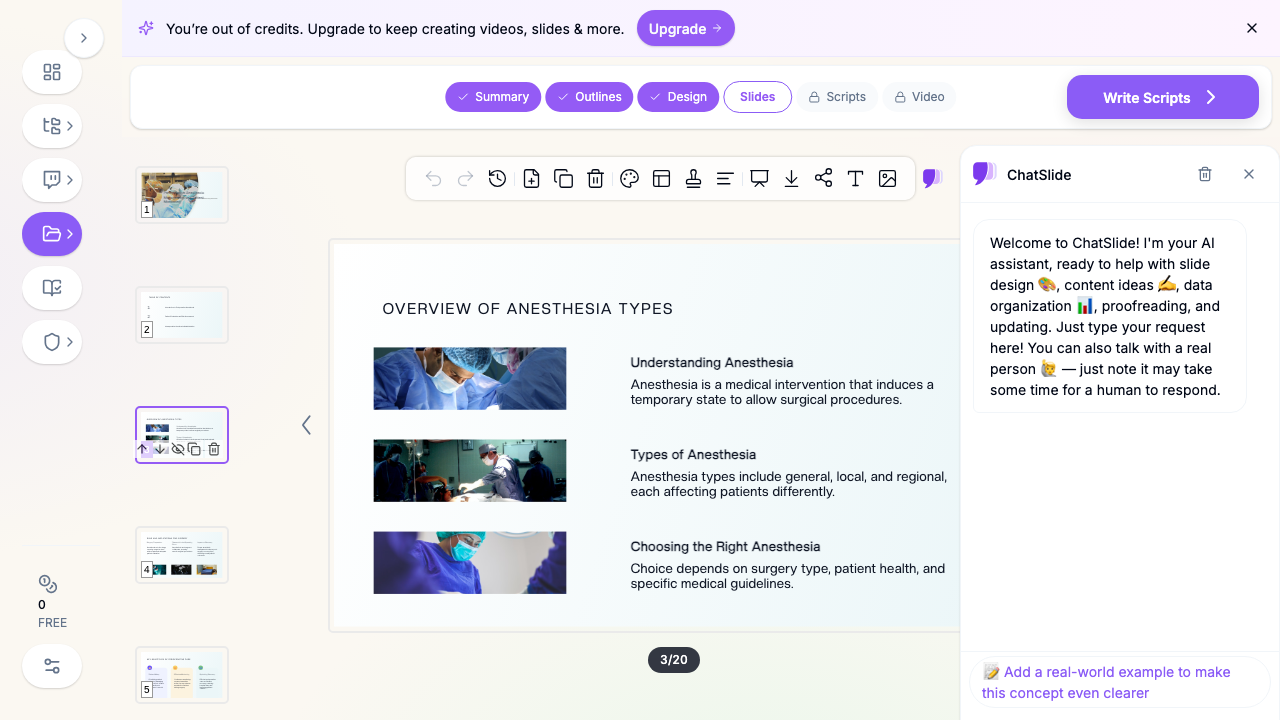

What Makes ChatSlide Powerful for Pain Medicine
Three input modes. Start from a topic prompt ("multimodal analgesia and rebound pain after regional blocks, for a 20-minute society webinar"), upload an existing PowerPoint to restyle, or drop in a society guideline or trial PDF and let ChatSlide draft the outline. Pain talks almost always start from source material — ChatSlide reads it instead of making you retype it.
OCR on uploaded documents. Upload a scanned institutional pain protocol, a tapering schedule, or a figure-heavy PDF and ChatSlide pulls the text and images out, so your dosing table or procedure algorithm lands in the deck instead of getting lost.
Real data charts. Pain outcomes are numbers: pain scores over time, opioid consumption in morphine milligram equivalents, block duration, procedure success rates, patient-reported function. Turn your own figures into clean charts rather than decorative graphics that misstate the data.
Research search built in. The Research tab queries PubMed, Google Scholar, and ClinicalTrials.gov directly (detailed below), so the pivotal analgesia, neuromodulation, and opioid-stewardship evidence lands in your slides with citations — essential for journal club, fellowship didactics, and any practice-changing talk.
Speaker notes. ChatSlide drafts per-slide notes, so a fellow presenting a difficult case or a first-time webinar speaker has a script to work from rather than a bare bullet list.
19 AI editing tools. Tighten a slide, rephrase a dense pharmacology block, generate a diagram of an analgesic ladder, or restyle the whole deck to your department's or society's look — without leaving the editor.
How ChatSlide Builds Your Pain Medicine Deck
1. Start with your topic or source material. A learning-objective prompt, an existing deck, or a guideline PDF — ChatSlide reads it and drafts a structured outline.
2. Refine the outline before generating slides. Reorder sections so the talk follows the clinical logic — mechanism, assessment, non-opioid and adjuvant options, procedures, escalation, and follow-up. Fixing structure at the outline stage is far faster than reworking finished slides.
3. Generate slides with relevant imagery and citations. ChatSlide builds each slide with a clean layout, pulls in supporting visuals, and can attach trial evidence from the Research tab. Swap any generic image for your own anatomy diagrams, ultrasound or fluoroscopy views, or outcome charts.
4. Export to your format. Download as PowerPoint or PDF for didactics and CME, or Keynote for a conference talk.
Use Cases for Pain Medicine Teams
Society webinars and CME. A 20-minute talk with explicit learning objectives — for example, preventive strategies for rebound pain and a management plan when it is already established — where the deck has to earn its accreditation and still be practical. Time saved: an evening of outlining and formatting.
Pain fellowship didactics. Core-curriculum lectures across neuropathic pain, cancer pain, headache, CRPS, neuromodulation, and interventional technique, plus case-based teaching that walks fellows through each decision point. Time saved: a reusable, consistent lecture template.
Acute pain service and perioperative teaching. In-services for nursing, surgery, and anesthesia colleagues on multimodal protocols, catheter management, block follow-up, and when to escalate. Time saved: protocol-to-deck in minutes, not an afternoon.
Journal club and evidence review. Critical appraisal of a neuromodulation trial, an adjuvant analgesic study, or a comparative block trial, where the slides carry both the study design and the practice-changing takeaway. Time saved: hours reformatting figures and tables.
Opioid stewardship and quality improvement. Prescribing guidance, tapering pathways, naloxone co-prescribing, and QI data presented to a hospital committee or a primary-care audience that needs the numbers to be legible. Time saved: charts built from your own data in minutes.
Patient and caregiver education. Plain-language decks — and video versions — that explain a procedure, a pacing or exercise plan, or realistic expectations for chronic pain management. Time saved: one clinical deck restyled into a patient-facing version.
Pain Medicine Presentation AI Tools Compared (2026)
| Capability | ChatSlide | Gamma | Tome | Beautiful.ai |
|---|---|---|---|---|
PubMed / clinical-trial search built in | Yes | No | No | No |
Reads uploaded guideline PDFs & PPTX | Yes | Partial | Partial | No |
OCR on scanned protocols and tapering schedules | Yes | No | No | No |
Real data charts from your own outcome numbers | Yes | Partial | No | Partial |
Per-slide speaker notes | Yes | Partial | No | No |
PowerPoint + Keynote export | Yes | Partial | Partial | Partial |
Free tier | Yes | Yes | Yes | Limited |
Time Comparison: Manual vs. AI-Assisted
| Task | Manual | With ChatSlide |
|---|---|---|
Outline a 20-minute webinar | 1–2 hours | 2 minutes |
Draft slides from a society guideline PDF | 3–4 hours | 5 minutes |
Pull and cite trial evidence | 1–2 hours | 10 minutes |
Chart pain scores or opioid consumption | 1 hour | Minutes |
Restyle to department or society branding | 1–2 hours | Minutes |
What a Strong Pain Medicine Presentation Includes
The pain talks that hold an audience share a few traits.
Mechanism before management. Naming whether the pain is predominantly nociceptive, neuropathic, or nociplastic gives every downstream recommendation a reason to exist. Audiences follow a management ladder far better when they know what it is treating.
A multimodal frame, not a drug list. Pharmacologic, interventional, physical, and psychological options belong on the same map. A single slide showing how the modalities combine teaches more than four separate lists.
Time course made explicit. Acute pain, the transition period, and persistent pain behave differently, and so does rebound pain after a block wears off. Talks that put the timeline on screen — when the analgesia fades, when the oral regimen has to be on board, when to reassess — are the ones clinicians act on.
Patient-reported outcomes charted honestly. Pain scores, function, sleep, and opioid consumption are the endpoints. Show the trend and the spread, not a single cherry-picked mean.
Procedure content that respects the anatomy. For interventional topics — epidural steroid injections, radiofrequency ablation, sympathetic blocks, neuromodulation — the target, the approach, and the safety checkpoints matter more than a photo of a needle.
A safety and escalation endpoint. Red flags, block failure versus a developing complication, opioid risk mitigation, and clear criteria for escalation give the audience the decision the talk was really about.
Best Practices (Do's and Don'ts)
Do open every case with the patient, the pain history, and the functional goal — it gives the audience the same starting point the clinician had.
Do put each algorithm on one clean slide the audience can hold in their head, with detail on backup slides.
Do state doses, routes, and durations precisely where the talk is prescriptive, and cite the guideline behind them.
Do frame trial data around the decision it changes: does this alter what I prescribe or offer on Monday?
Don't paste a whole tapering protocol onto one slide — split it into a flow.
Don't lean on stock imagery of grimacing patients where an anatomy diagram, an ultrasound view, or an outcome chart would actually teach.
Don't skip the psychological and functional dimensions — a pain talk that is only pharmacology misrepresents the field.
Direct Research Database Access
ChatSlide's Research tab connects to the databases physicians use daily:
- PubMed: Search by keyword, PMID, or DOI. Find the landmark trials, recent publications, and clinical guidelines relevant to your case. The AI reads abstracts and incorporates key findings into your slides with citations.
- Google Scholar: When your topic spans disciplines — say, the intersection of pain psychology and pharmacology — Scholar captures the broader academic literature that PubMed alone might miss.
- Clinical Trials (NCT): Presenting on a treatment where pivotal trials are ongoing? Search by NCT number or condition to pull trial design, endpoints, and status into your slides.

Pain Medicine for Departments, Fellowships, and Societies
For a pain fellowship, a hospital acute pain service, or a professional society running an education program, ChatSlide scales past the individual lecturer. Shared brand templates keep every fellow's case conference and every webinar deck consistent, team collaboration lets faculty review and edit trainees' slides before they present, and centralized billing plus SSO simplify rollout across a department or a society's education committee. Decks can also be exported as narrated video for an on-demand CME library.
For patient data specifically: ChatSlide's standard plans are not a HIPAA-covered service — keep protected health information (PHI) out of slide content and uploads, and anonymize case details, imaging, and any procedure photography. For hospital systems, group practices, and clinics that need a Business Associate Agreement, our Enterprise plan offers HIPAA-compliant deployment options — contact us to discuss BAA terms, SSO, and on-prem / private-cloud hosting.
Frequently Asked Questions
Can ChatSlide build slides from a society guideline or an existing PowerPoint? Yes. Upload a guideline, a protocol, a trial paper, or an existing deck, and ChatSlide reads the content — including scanned documents via OCR — then drafts a structured outline you can refine before generating slides.
Does it add real citations? Yes. The Research tab queries PubMed, Google Scholar, and ClinicalTrials.gov, so pivotal analgesia and neuromodulation trials land in your deck with citations.
Can it build a CME webinar deck around learning objectives? Yes. Give the learning objectives in your prompt and refine the generated outline so each section maps to one objective before you generate slides.
Can I chart my own pain scores or opioid consumption data? Yes. ChatSlide builds real data charts from numbers you provide, rather than decorative graphics.
Is it free? You can start for free. Free decks are watermarked and PDF export is free; PowerPoint and Keynote export are on the paid tiers.
Is it HIPAA compliant? The standard plans are not a HIPAA-covered service — keep PHI out and anonymize cases. Enterprise offers HIPAA-compliant deployment options and a BAA; contact us to discuss.
What formats can I export? PowerPoint, PDF, and Keynote.
Related Guides
This guide focuses on pain medicine — chronic, acute, interventional, and cancer pain. For the perioperative and airway side of the specialty, including regional anesthesia technique itself, see our anesthesiology presentation guide. For spinal pathology and surgical decision-making, see our orthopedic and spine surgery guide, and for rehabilitation and exercise-based management, our physiotherapy presentation guide.
Get Started
Pain medicine asks clinicians to hold pharmacology, procedures, psychology, and function in one plan — and then explain it to fellows, colleagues, committees, and patients. The hours spent formatting slides are hours away from that work.
With ChatSlide, turn your expertise in multimodal analgesia, interventional technique, and opioid stewardship into structured, citation-backed slides in minutes — whether you're running fellowship didactics, presenting a society webinar, or briefing a quality committee.
Make your pain medicine presentation with ChatSlide — free to start, no credit card required.