
Quick Answer: ChatSlide is the AI PhD thesis defense presentation maker used by students at 750+ universities. Upload your dissertation PDF and it builds a structured 40–60 slide defense — outline, methodology, results charts, speaker notes, and Q&A backup slides — in under 2 minutes. Built-in OCR for scanned pages, real data charts from your datasets, PubMed and Google Scholar search, and 19 AI editing tools. Free for students. Export to PowerPoint, Google Slides, or PDF.
The PhD Defense Slide Struggle Is Real
You spent three, four, maybe six years on your doctoral research and wrote a 200-page dissertation. Now your committee wants all of it distilled into a 30–45 minute presentation that is clear, compelling, and professionally designed.
Most PhD candidates report spending 20–40 hours building their defense slides — re-reading the thesis, deciding what to cut, recreating every figure, and writing speaker notes. It happens at the worst possible time, while you are also handling committee revisions and the stress of the defense itself.
A purpose-built AI maker compresses that to 1–2 hours. The challenge is that generic AI slide tools (Gamma, Tome, Beautiful.ai) produce marketing-style decks — they can't ingest a full dissertation, build real charts from your data, or extract citations from your sources. A defense deck needs input flexibility, real data visualization, and deep editing control.
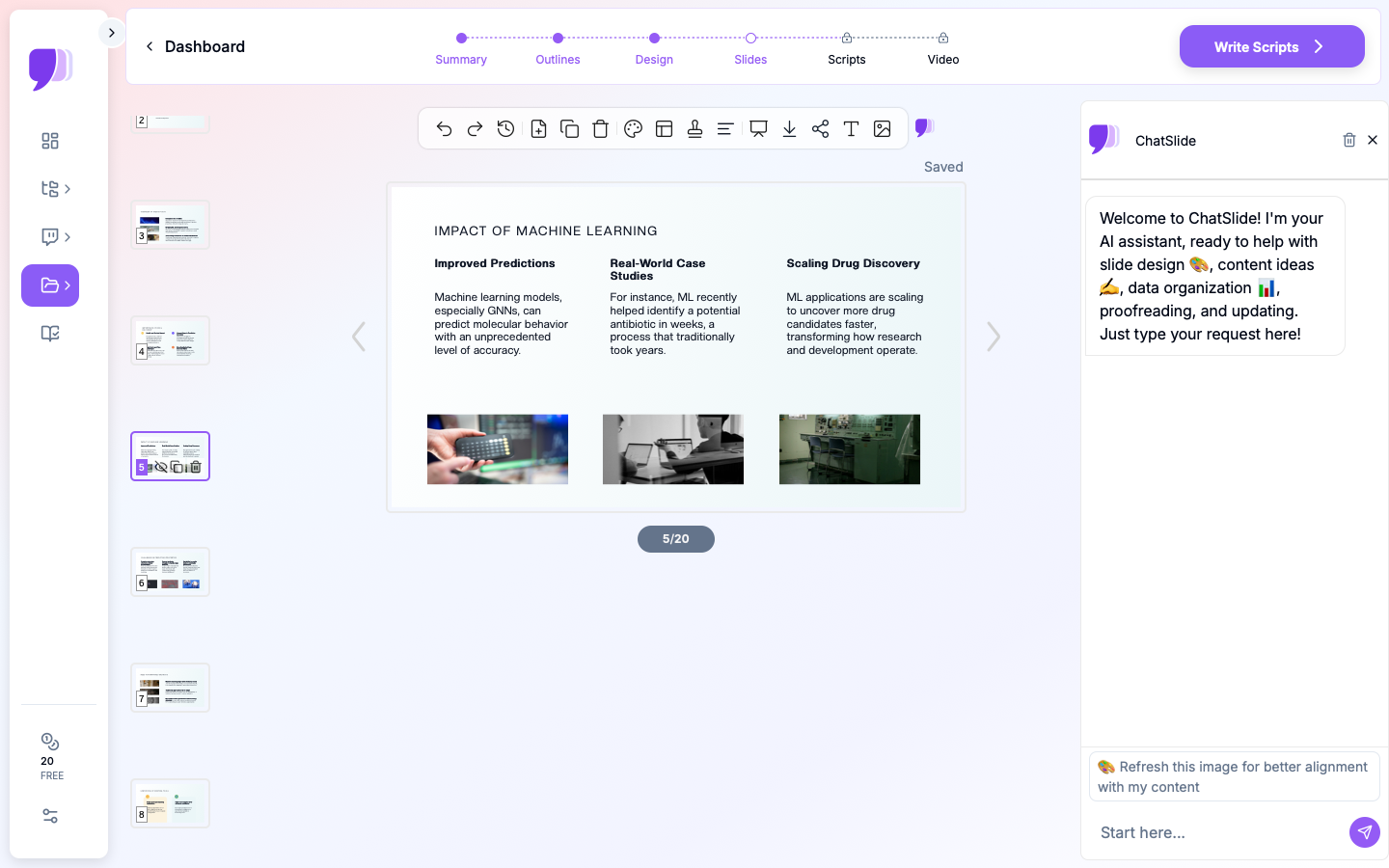

What Makes ChatSlide Powerful for PhD Defenses
3 Input Modes for Your Dissertation and Sources
Defense material comes from many places. ChatSlide accepts content through three input modes you can combine:
- File Upload — Upload your dissertation as PDF or DOCX (up to 100MB, covering even the longest theses with embedded figures), plus data spreadsheets, prior conference decks, and figures. 7+ file types supported.
- Web and YouTube URLs — Paste a link to a recorded talk, lab webpage, or online publication and ChatSlide extracts the content.
- Text Prompt — Describe the emphasis your committee asked for and let the AI weight the structure accordingly.
OCR for Scanned Pages and Figures
Older committee-signed pages, appendices with handwritten notes, and image-heavy PDFs where figures contain embedded text are all handled by built-in OCR — the text is extracted automatically and made usable as source content.
Real Data Visualization with Chart.js and D3
PhD defenses live and die by their figures. Upload your datasets (CSV, Excel) and ChatSlide generates publication-quality charts from your actual numbers using Chart.js and D3 — bar and grouped-bar charts for comparative results, line graphs for time-series, scatter plots for correlations, and distribution charts — not decorative stock graphics. Far faster than recreating figures in PowerPoint or reformatting exports from R/Python.
Built-In PubMed and Google Scholar Search
ChatSlide's Research tab connects to PubMed, Google Scholar, and ClinicalTrials.gov (NCT) so you can find and import citations for your Literature Review and Discussion slides without leaving the platform — no switching tabs or manually formatting references.

AI-Generated Speaker Notes
For each slide, the AI writes suggested talking points in natural spoken language, with transitions and timing cues. Many candidates use these as the foundation for their rehearsal script — edit them to match your speaking style.
Persistent Knowledge Base with Qdrant Vector Search
Every document you upload is stored in your personal knowledge base and indexed with Qdrant vector search, so your dissertation, papers, and datasets persist across sessions and the AI can draw on your full library when generating or editing slides.
19 AI Editing Tools
After generation, refine with 19 AI editing tools (4 editing modes, batch editing). The most useful for defenses: Simplify language (academic writing is dense; defense slides should be accessible), Add detail, Rewrite for audience (a mixed committee of specialists and generalists), Fix formatting, and Generate alt text for accessibility compliance. Natural-language commands like "Convert slide 4 into a flowchart" or "Add a grouped bar chart from the efficacy data" work across the deck.
How ChatSlide Builds Your Defense Deck
Step 1: Upload Your Thesis
Start a new project at ChatSlide and upload your dissertation (PDF or DOCX). Scanned pages are handled via OCR.
Step 2: AI Extracts Key Points
The AI reads your entire document and identifies core arguments, findings, and standard academic sections — Introduction, Literature Review, Methodology, Results, Discussion, Conclusion — surfacing the key points instead of making you re-read 200 pages.
Step 3: Generate and Customize Your Outline
ChatSlide produces a slide-by-slide outline. Add, remove, or reorder sections, adjust depth (more slides for Results, fewer for Literature Review), and specify emphasis areas your chair flagged. This is where you shape the narrative of your defense.
Step 4: Generate Slides, Charts, Notes — Then Export
Generate the full deck with headings, concise bullets, real data charts, and speaker notes. Refine with the 19 editing tools, then export as:
- PowerPoint (.pptx) — the most common defense format, easy to edit further
- Google Slides — if your university uses Google Workspace
- PDF — to share with committee members in advance or as a backup
Use Cases for Doctoral Candidates
1. Final Dissertation Defense
The challenge: Distill a 200-page dissertation into a 40–60 slide, 30–45 minute talk.
How ChatSlide helps: Upload the dissertation; the AI extracts arguments and findings, builds real charts from your results data, and structures the full deck. Use editing tools to tune each section.
Time saved: From 20–30 hours to ~2 hours.
2. PhD Viva / Oral Examination
The challenge: Present and defend your work to an examiner who knows the field broadly, not your project intimately.
How ChatSlide helps: Use Rewrite for audience to pitch slides for a knowledgeable non-specialist, and generate speaker notes that anticipate the examiner's framing.
3. Q&A Backup Slides
The challenge: Prepare 10–20 backup slides for alternative analyses, detailed methodology, and known weaknesses.
How ChatSlide helps: Generate backup slides from the sections of your thesis that didn't make the main deck — in minutes, not hours.
4. Committee / Proposal Meeting Decks
The challenge: A mid-program committee meeting or proposal defense from an in-progress draft.
How ChatSlide helps: Upload the current draft and generate a focused progress deck; regenerate as the work evolves thanks to the persistent knowledge base.
5. Conference & Job-Talk Versions
The challenge: Repackage your defense into a 12-minute conference talk or a job-market presentation.
How ChatSlide helps: Reuse the same source material with a new prompt and outline depth to produce a tighter, audience-specific version.
PhD Defense AI Tools Compared (2026)
| Feature | ChatSlide | Gamma | Tome | Beautiful.ai |
|---|---|---|---|---|
Ingest a full dissertation (PDF/DOCX) | Yes (up to 100MB) | Limited | Limited | No |
Input modes | 3 (file, URL, prompt) | Text prompt | Text prompt | Text prompt |
OCR for scanned pages | Yes | No | No | No |
Real data charts (Chart.js/D3) | Yes | Basic | Basic | Template-based |
Citation search (PubMed/Scholar) | Yes | No | No | No |
AI speaker notes | Yes | Limited | Limited | No |
AI editing tools | 19 tools, 4 modes, batch | Limited | Limited | Template editing |
Persistent knowledge base (Qdrant) | Yes | No | No | No |
PowerPoint export | Yes | Yes | Limited | Yes |
Google Slides / PDF export | Yes | |||
Free tier for students | Yes | Yes | Yes | Yes |
Time Comparison: Manual vs. AI-Assisted
| Task | Manual (PowerPoint) | With ChatSlide |
|---|---|---|
Reading and identifying key content | 2–3 hours | 5 minutes (AI extraction) |
Creating outline | 2–3 hours | 15 minutes (AI + review) |
Building slides | 6–10 hours | 20 minutes (AI generation) |
Creating charts and figures | 4–6 hours | 30 minutes (AI charts from data) |
Writing speaker notes | 2–4 hours | 10 minutes (AI + editing) |
Revisions and polish | 3–5 hours | 30 minutes (AI editing tools) |
Total | 20–30 hours | ~2 hours |
The time saved is time you can spend rehearsing delivery, anticipating committee questions, and preparing backup slides.
What a Strong PhD Defense Presentation Includes
A purpose-built maker only helps if you know the structure committees expect. A typical defense runs 40–60 slides for 30–45 minutes, plus 10–20 backup slides, in this sequence:
- Title — name, dissertation title, committee, department, university, date.
- Introduction & Motivation — why the research matters and the gap it addresses (2–3 slides).
- Literature Review — the 5–10 most relevant papers that frame your contribution (3–5 slides).
- Research Questions & Hypotheses — stated clearly, each clearly separated.
- Methodology — design, data collection, analytical framework, instruments (5–8 slides).
- Results — key findings with clear visualizations, each tied to a research question (10–15 slides, the longest section).
- Discussion — interpretation, comparison to prior work, limitations (3–5 slides).
- Conclusion & Future Work — contributions, honest limitations, future directions (2–3 slides).
- Questions — a closing slide, followed by backup slides for the Q&A.
Best Practices for an AI-Made Defense Deck
Do's
- Know your audience — design so a knowledgeable non-specialist can follow; use Rewrite for audience to adjust tone.
- Less text, more visuals — slides support your talk, not replace it. Use figures and key phrases over full sentences.
- Prepare for the Q&A — generate 10–20 backup slides for alternative analyses, detailed methodology, and known weaknesses.
- Rehearse with a timer — practice with the AI speaker notes; aim to finish 5 minutes early.
- Tell a story — why you asked the question, what you expected, what surprised you. Keep the narrative thread.
- Have a technical backup plan — USB drive, email copy, and a PDF export as a fallback.
Don'ts
- Don't present AI-generated slides without verifying every claim and figure against your dissertation.
- Don't overload slides with text — your committee reads faster than you speak.
- Don't skip rehearsal — the deck is the easy part; delivery wins the room.
Frequently Asked Questions
Can AI really turn my dissertation into defense slides?
Yes. Upload your dissertation PDF or DOCX and ChatSlide extracts the structure, key arguments, and findings, then generates a structured 40–60 slide defense deck you can review and customize. It is a drafting tool — always verify the content against your thesis.
Will it recreate my figures and charts?
ChatSlide generates new, publication-quality charts from your actual data (CSV/Excel) using Chart.js and D3. For existing figures embedded in your PDF, upload them and use them directly or ask the AI to rebuild a chart from the underlying numbers.
Can it handle a scanned or image-heavy thesis?
Yes. Built-in OCR extracts text from scanned pages, appendices, and image-heavy PDFs so they can be used as source content.
Does it write speaker notes?
Yes. The AI generates suggested talking points, transitions, and timing cues for each slide, which you can edit into a rehearsal script.
What formats can I export to?
PowerPoint (.pptx), Google Slides, and PDF.
Is it free for students?
ChatSlide has a free tier to start, no credit card required. Students at 750+ universities use it.
Can I add citations from the literature?
Yes. The Research tab connects to PubMed, Google Scholar, and ClinicalTrials.gov so you can find and import references directly for your Literature Review and Discussion slides.
Get Started on Your Defense Slides
Your PhD defense is one of the most important presentations of your academic career — and you have already done the hard part. Building the deck should not cost another week of your life.
Make your PhD defense presentation with ChatSlide — upload your dissertation, review the AI-generated outline, customize it to your committee's expectations, and export a polished deck in minutes. Free to start, no credit card required.