
Quick Answer: The thing that breaks most AI story videos is clip length, not prompt quality. Google's Veo 3.1 produces excellent footage but accepts only 6 or 8 seconds per generation, so a 45-second story means stitching six clips and fighting continuity. Seedance 2.5 takes 4 to 30 seconds in a single generation, which is why it is the better fit for narrative shorts. Both render in 9:16 vertical as well as 16:9 landscape, and both accept a reference image so your character stays consistent between shots. In ChatSlide, Veo 3.1 needs a PLUS plan or above and Seedance 2.5 needs PRO (1080p is ULTIMATE). Pick the model by how long your story is, not by which name you recognize.
Why Most AI Story Videos Fall Apart
Look at what actually gets posted and the failure modes are consistent, and none of them are about the prompt:
The clip is too short to be a story. Eight seconds is a shot, not a narrative. Creators generate one beautiful clip, realize it has no beginning or end, and post it anyway.
The character changes between shots. Generate shot 2 from a fresh text prompt and you get a different person. This is the single most obvious tell of an AI story video, and it is solvable.
It is landscape with bars on it. A 16:9 clip letterboxed into a vertical feed loses roughly half the frame to black. The algorithm and the viewer both notice.
The audio is an afterthought. A silent clip with a trending sound bolted on reads as filler. A story needs narration that matches the pacing of the cuts.
The rest of this guide is the method that avoids all four.
Pick the Model by Story Length First
This is the decision that determines everything downstream, so make it before you write the prompt.
| Veo 3.1 | Seedance 2.5 | |
|---|---|---|
Clip length per generation | 6 or 8 seconds only | 4 to 30 seconds |
Resolutions | Model default | 480p, 720p, 1080p |
Vertical 9:16 | Yes | Yes |
Landscape 16:9 | Yes | Yes |
Reference image → video | Yes | Yes |
ChatSlide plan required | PLUS or above | PRO or above (1080p: ULTIMATE) |
Typical render time | ~2 minutes | ~3 minutes |
Veo 3.1 accepts 6 or 8 seconds and nothing in between — a 7 is silently discarded upstream, which is the kind of detail that costs you a render before you learn it. Use Veo when you want the best-looking single shot: a hook, an establishing image, a punchline.
Seedance 2.5 is the story model. Thirty seconds in one generation means the model holds its own continuity across the whole arc instead of you reconciling six separate clips. For a complete narrative short, this is usually the right default.
A practical hybrid that works well: Veo for the 6–8 second hook, Seedance for the 20–30 second body. The opening shot is the one that has to stop the scroll, so spend the best-looking model on it.
Shoot Vertical From the Start
Both models render 9:16 natively. Select it before generating rather than cropping afterwards — a crop throws away pixels the model spent its budget on and often decapitates the subject, because the model composed for the frame you asked for.
Landscape is still the right call for anything going to YouTube proper or into a deck. The point is to choose deliberately, per video, instead of defaulting to 16:9 and repairing it later.
Keep the Character Consistent
Both models accept a reference image, and this is the fix for the changing-face problem.
- Generate or choose one still image of your character or setting.
- Feed that same image as the reference for every clip in the story.
- Vary the action in the text prompt, not the description of the subject.
Prompting "the same woman in the red jacket" in shot 2 does not work — the model has no memory of shot 1. The reference image is what carries identity across generations. Without it, a multi-clip story will not hold together no matter how carefully you write.
Write for Cuts, Not Paragraphs
The prompt describes a shot. One shot, one action, one camera move. "She opens the door, walks down the hall, and finds the letter" is three shots, and asking for it in one generation produces a muddle of all three.
Break the story into beats first, then write one prompt per beat. A 30-second Seedance generation can hold a continuous action; it still cannot hold three scene changes.
The Other Path: Script-Driven Narrated Video
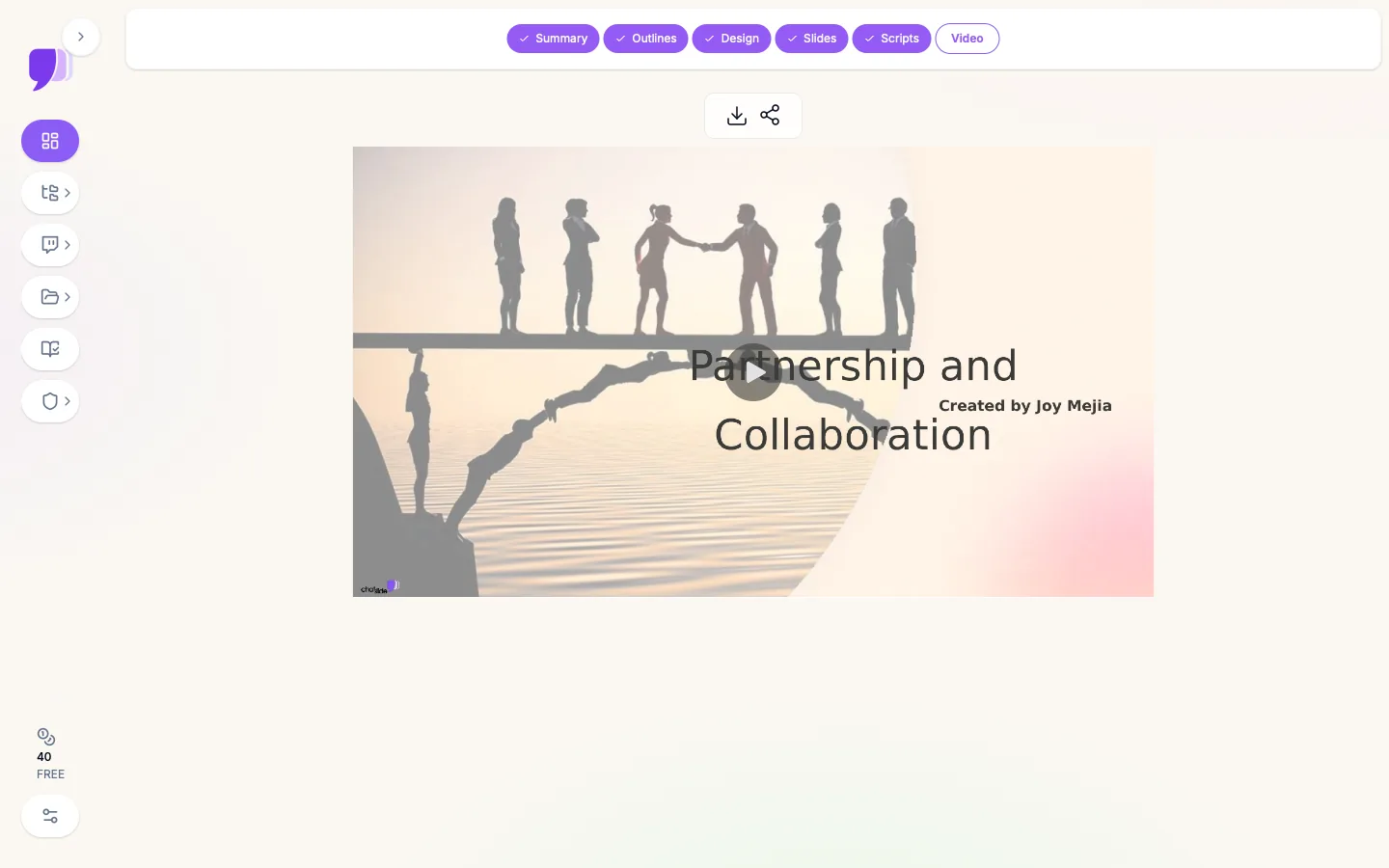
Not every story video is generated footage. If your short is explainer-shaped — a fact, a list, a how-to, a story told over visuals rather than acted out — the script-driven pipeline is faster and far cheaper than generating clips.
You give it a topic, a document, or a URL. It produces the outline, the slides, the narration script, and the rendered video, and you can intervene at any step. What it brings that clip generation does not:
- Voice cloning from a 30-second sample, so a series sounds like one person rather than a stock voice
- 500+ AI avatars with lip-synced narration, if you want a presenter on screen
- 17 languages from one source, which is how one story becomes a localized series
- AI-generated B-roll dropped between segments
- Royalty-free music and per-segment timing
- MP4 export at 720p or 1080p
The screenshot above shows that pipeline at the Video step in 16:9. For a vertical series, the clip-generation path above is the one to use.
Step by Step
- Break the story into beats. Three to five for a 30-second short. Write them as one line each before you touch the tool.
- Make your reference image. One still that fixes the character and the look.
- Choose the model by length. Seedance 2.5 for the narrative body; Veo 3.1 for a standout hook.
- Set 9:16 before generating.
- Generate one beat at a time, passing the same reference image each time.
- Write narration to the cut, not the other way around — the footage exists now, so the script can match it exactly.
- Export MP4 and post. Keep the source clips; a beat that underperforms is worth regenerating on its own.
What Makes ChatSlide Powerful
Two video models, one interface. Veo 3.1 and Seedance 2.5 side by side, so choosing by clip length is a dropdown rather than a second subscription.
Vertical and landscape, both first-class. 9:16 and 16:9 in the same picker, selected per render.
Image-to-video on both models. Reference-image continuity is not a premium add-on.
Voice cloning from 30 seconds. One sample, then every video in the series is narrated in your voice.
500+ avatars and 17 languages. Presenter-led shorts, and the same story localized without re-recording.
Script generation that understands your source. Upload a document or paste a URL and the narration is written from your material rather than a model's general sense of the topic.
Everything in one project. Slides, script, narration, B-roll, and the rendered video live together, so a revision does not mean rebuilding from parts.
Where This Works Best
Faceless narrative series. Reference-image continuity plus a cloned voice is the whole formula, and neither requires being on camera.
Educational shorts. The script-driven path turns one document into an episode, then into 17 localized episodes.
Product and brand storytelling. Generated B-roll fills the shots a small team cannot film.
Repurposing long content. A talk or a deck becomes a set of vertical clips without a reshoot.
Time Comparison
| Approach | Realistic time for one 30-second story short |
|---|---|
Filming and editing it | Half a day, plus a camera and a location |
Stitching six 8-second clips with no reference image | 2–3 hours, mostly fixing continuity |
One 30-second Seedance generation + narration | Under 30 minutes |
The saving is not raw render speed. It is not regenerating shot 4 eleven times because the character keeps changing.
Honest Limits
Generated footage still needs a human eye. Hands, text in frame, and physics are where these models still break. Watch every clip before posting.
Clip models are not on the free tier. Veo 3.1 requires PLUS or above and Seedance 2.5 requires PRO, with 1080p on ULTIMATE. Slide-based decks generate free; generated video clips do not.
Thirty seconds is a ceiling, not a target. Seedance's 30-second maximum covers most shorts, but a two-minute story is still an assembly job.
A model upgrade does not fix a weak story. A beat sheet that does not work at three lines will not work at 1080p. Structure first.
Platform rules apply. TikTok, Reels, and Shorts all have their own disclosure expectations for AI-generated content. Check the current policy for wherever you are posting.
ChatSlide for Teams
Teams producing a regular vertical series get SSO, centralized billing, shared brand templates, and collaboration on the Enterprise plan — which is what keeps a recurring series visually consistent when more than one person is making episodes. Contact us and we will scope it.
Frequently Asked Questions
What is the best AI model for TikTok story videos? Seedance 2.5, because it generates 4 to 30 seconds in one pass and a story needs length. Veo 3.1 is the better-looking model but caps at 6 or 8 seconds per generation, which suits hooks and single shots.
Can AI generate vertical 9:16 video? Yes. Both Veo 3.1 and Seedance 2.5 render 9:16 natively. Select it before generating rather than cropping a landscape clip afterwards.
How do I keep the same character across multiple AI clips? Use a reference image and pass the same one into every generation. Describing the character in text does not carry identity between clips, because each generation starts with no memory of the previous one.
How long can an AI-generated video clip be? Veo 3.1 accepts 6 or 8 seconds. Seedance 2.5 accepts 4 to 30 seconds. Longer stories are assembled from multiple clips.
Can I make faceless TikTok videos with AI? Yes — that is the most common use of this workflow. Generated footage plus a cloned or synthetic voice requires no camera and no on-screen presence.
Do I need a paid plan? For generated video clips, yes: Veo 3.1 needs PLUS or above, Seedance 2.5 needs PRO, and 1080p needs ULTIMATE. Slide generation itself is free.
Can I make the same story in other languages? Yes. The script-driven pipeline generates narration in 17 languages from one source, which turns one story into a localized series without re-recording.
Is it better to generate clips or narrate slides? Generate clips when the story is acted out or visually driven. Narrate slides when it is explainer-shaped — it is faster, cheaper, and easier to revise.
Get Started
Build your first video free at ChatSlide — no card required. Start with the beat sheet and one reference image; the model choice follows from how long your story is. See also the AI video generator for the full pipeline, or the AI script generator if you want the narration written first.