
Quick Answer: ChatSlide is the AI presentation maker built for hospitalists, internal medicine residents, and inpatient teaching faculty. Trusted across 750+ universities and hospital systems, it turns a topic prompt, a guideline PDF, or an existing deck into a structured, citation-backed teaching deck in under two minutes — with PubMed, Google Scholar, and clinical-trial search built in, real data charts for length-of-stay and readmission numbers, per-slide speaker notes, and 19 AI editing tools. It's free to start and exports to PowerPoint, PDF, and Keynote.
The Hospital Medicine Presentation Problem
Hospital medicine runs on teaching that has to be built between rounds. Morning report at 8, noon conference at 12, a delirium in-service for the ward nurses on Thursday, a transitions-of-care talk for the residency in two weeks — and none of it is protected time. The topics are broad by definition: a hospitalist is expected to teach delirium, syncope, hyponatremia, anticoagulation, sepsis on the floor, and the discharge process, often in the same month.
The content is rarely the hard part. A hospitalist who has managed four hundred cases of delirium knows exactly what a resident needs to hear about the hypoactive subtype, about anchoring on an isolated urinalysis, about which sedatives make it worse. What eats the evening is turning that knowledge into forty slides — pulling the screening tool, finding a chart that shows the readmission signal, formatting the management algorithm so it fits on one screen.
And the audience changes every week. The same delirium content has to work for interns who need the framework, for nurses who need the bedside actions, and for a QI committee that wants the local numbers. Rebuilding it three times is formatting work, not clinical work.
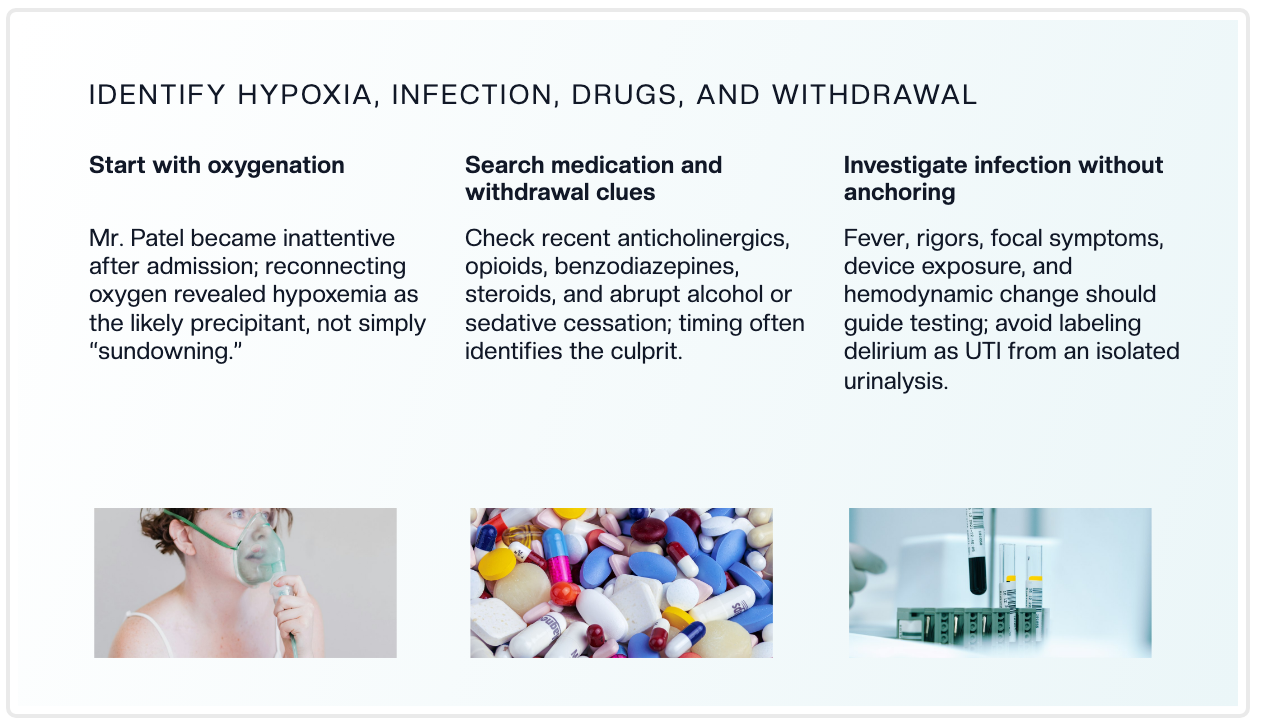

What Makes ChatSlide Powerful for Hospital Medicine
Three input modes. Start from a topic prompt ("delirium on the medical ward — recognition, prevention, and management, 20 slides for hospitalists and residents"), upload an existing PowerPoint to restyle, or drop in a society guideline or a trial PDF and let ChatSlide draft the outline from it. Most inpatient talks start from a guideline or an institutional pathway — ChatSlide reads the source instead of making you retype it.
OCR on uploaded documents. Upload a scanned order set, an anticoagulation reversal pathway, or a photographed protocol card from the ward binder, and ChatSlide extracts both the text and the images, so your hospital's actual pathway lands in the deck instead of a generic version of it.
Real data charts. Hospital medicine argues with numbers: length of stay, 30-day readmissions, restraint use, time to first antibiotic, discharge-before-noon rates. Turn your own service or QI data into clean charts rather than decorative graphics that misstate the trend.
Research search built in. The Research tab queries PubMed, Google Scholar, and ClinicalTrials.gov directly (detailed below), so the evidence behind your recommendations — screening instruments, antipsychotic use in delirium, DOAC selection, sepsis bundles — lands in your slides with citations.
Speaker notes. ChatSlide drafts per-slide notes, so a resident presenting at morning report has a script and a set of teaching points rather than a bare bullet list.
19 AI editing tools. Tighten a crowded management slide, generate a diagram of an escalation pathway, rephrase a pathophysiology section for a nursing in-service, or restyle the whole deck to your hospital's template — without leaving the editor.
How ChatSlide Builds Your Hospital Medicine Deck
1. Start with your topic or source material. A prompt with your teaching objectives, an existing noon-conference deck, or the guideline PDF you're teaching from — ChatSlide reads it and drafts a structured outline.
2. Refine the outline before generating slides. Reorder sections so the talk follows the inpatient logic: presentation, recognition, differential, workup, management, escalation, disposition. Fixing the structure at the outline stage is far faster than reworking finished slides.
3. Generate slides with relevant imagery and citations. ChatSlide builds each slide with a clean layout and supporting visuals, and can attach evidence from the Research tab. Swap any generic image for your own anonymized figure, pathway diagram, or QI chart.
4. Export to your format. Download as PowerPoint or PDF for morning report and noon conference, or Keynote for a society talk.
Use Cases for Hospitalists and Inpatient Teams
Morning report and noon conference. A case-anchored teaching deck built the night before, with the framework, the evidence, and the teaching points laid out in the order you want to walk the room through them. Time saved: an evening of outlining and formatting.
Core inpatient topics for residents. Delirium, syncope, hyponatremia, chest pain risk stratification, anticoagulation, alcohol withdrawal, and end-of-life conversations — built to one template the whole residency reuses year to year. Time saved: a reusable lecture scaffold instead of forty blank slides.
Nursing and interprofessional in-services. The same clinical content restyled for the bedside audience: what to watch for, what to document, when to call. Time saved: one clinical deck restyled into a ward-facing version in minutes.
Quality improvement and committee presentations. Readmission reviews, length-of-stay initiatives, restraint reduction, discharge-before-noon projects — with your own service data charted properly beside the intervention. Time saved: hours converting a spreadsheet into a defensible chart.
Transitions of care and discharge teaching. Medication reconciliation, follow-up ownership, and the handoff to primary care taught as a process rather than a list, for residents and for care-management partners. Time saved: protocol-to-deck in minutes.
Patient and family education. Plain-language decks — and narrated video versions — explaining delirium, anticoagulation, or what happens after discharge, for families who ask the same questions on every service. Time saved: a clinical deck converted rather than written from scratch.
Hospital Medicine Presentation AI Tools Compared (2026)
| Capability | ChatSlide | Gamma | Tome | Beautiful.ai |
|---|---|---|---|---|
PubMed / clinical-trial search built in | Yes | No | No | No |
Reads uploaded guidelines, pathways & PPTX | Yes | Partial | Partial | No |
OCR on scanned order sets and protocol cards | Yes | No | No | No |
Real data charts from your own LOS or readmission numbers | Yes | Partial | No | Partial |
Per-slide speaker notes | Yes | Partial | No | No |
PowerPoint + Keynote export | Yes | Partial | Partial | Partial |
Free tier | Yes | Yes | Yes | Limited |
Time Comparison: Manual vs. AI-Assisted
| Task | Manual | With ChatSlide |
|---|---|---|
Outline a 20-slide noon conference | 1–2 hours | 2 minutes |
Draft slides from a guideline PDF | 2–3 hours | 5 minutes |
Pull and cite supporting evidence | 1–2 hours | 10 minutes |
Chart readmission or length-of-stay data | 1 hour | Minutes |
Restyle a resident deck for a nursing in-service | 1–2 hours | Minutes |
What a Strong Hospital Medicine Presentation Includes
A case that carries the talk. Inpatient teaching lands when it is anchored to a patient the audience can picture. Open with the case, return to it at each decision point, and close by saying what actually happened.
Recognition before management. Most inpatient errors are recognition failures, not treatment failures. Hypoactive delirium gets read as improvement, and the slide that prevents that is the one describing the quiet patient who stopped eating.
The screening or risk tool made explicit. If your recommendation depends on an instrument or a score, put the criteria on screen rather than leaving them implicit.
A workup that names the anchoring trap. Say out loud what the audience will otherwise assume — that an isolated abnormal urinalysis is not an explanation, that a normal early troponin is not a discharge decision.
One escalation pathway on one slide. The audience should leave holding the "if this fails, then that" chain. Detail belongs on backup slides.
Honest data. If you are presenting your service's readmission rate or restraint use, chart it with the denominator visible. A QI audience will ask, and the honest chart is the persuasive one.
Disposition and follow-up. Discharge medication reconciliation, who owns the follow-up, and what the patient was told are where the readmission is prevented — and they are the slides most often cut for time.
Best Practices (Do's and Don'ts)
Do anonymize the case before it goes into a deck: no names, no MRNs, no dates of admission, no identifiable images.
Do cite the specific guideline or trial behind each prescriptive statement, especially where inpatient practice is genuinely contested.
Do separate what is established from what is local practice. Residents rotate through several hospitals and deserve to know which is which.
Do keep one chart per idea. A length-of-stay trend and a readmission bar chart on the same slide compete rather than combine.
Don't paste a full order set onto a slide. Split it into the decision it drives.
Don't teach management without teaching recognition. The audience will meet the missed diagnosis long before they meet the difficult treatment.
Don't end at treatment. Disposition, medication reconciliation, and the follow-up handoff are the parts the audience takes back to the ward tomorrow.
Direct Research Database Access
ChatSlide's Research tab connects to the databases physicians use daily:
- PubMed: Search by keyword, PMID, or DOI. Find the landmark trials, recent publications, and clinical guidelines relevant to your case. The AI reads abstracts and incorporates key findings into your slides with citations.
- Google Scholar: When your topic spans disciplines — say, the intersection of genetics and oncology — Scholar captures the broader academic literature that PubMed alone might miss.
- Clinical Trials (NCT): Presenting on a treatment where pivotal trials are ongoing? Search by NCT number or condition to pull trial design, endpoints, and status into your slides.

Hospital Medicine for Departments, Residencies, and Health Systems
For a hospitalist group, an internal medicine residency, or a health system's inpatient education committee, ChatSlide scales past the individual teacher. Shared brand templates keep every noon conference and every nursing in-service consistent, team collaboration lets faculty review a resident's deck before morning report, and centralized billing plus SSO simplify rollout across a department or across sites. Decks can also be exported as narrated video for an on-demand teaching library, for night-float education, or for a patient-and-family education series that runs on the ward screens.
For patient data specifically: ChatSlide's standard plans are not a HIPAA-covered service — keep protected health information (PHI) out of slide content and uploads, and anonymize case details and imaging before they go in a deck. For hospital systems, group practices, and clinics that need a Business Associate Agreement, our Enterprise plan offers HIPAA-compliant deployment options — contact us to discuss BAA terms, SSO, and on-prem / private-cloud hosting.
Frequently Asked Questions
Can ChatSlide build slides from a guideline or an existing PowerPoint? Yes. Upload a guideline, an institutional pathway, a trial paper, or last year's noon-conference deck, and ChatSlide reads the content — including scanned documents via OCR — then drafts a structured outline you can refine before generating slides.
Does it add real citations? Yes. The Research tab queries PubMed, Google Scholar, and ClinicalTrials.gov, so the evidence behind your inpatient recommendations lands in your deck with citations.
Can it build a morning report case from my notes? Yes. Paste or upload your case summary and ChatSlide structures it into presentation, workup, differential, management, and outcome sections you can refine — just anonymize it first.
Can I chart my own service's readmission or length-of-stay data? Yes. Upload your numbers and ChatSlide builds real charts from them, rather than decorative graphics.
Is it free? You can start for free. Free decks are watermarked and viewable or shareable online; PDF, PowerPoint and Keynote export are on the paid tiers.
Is it HIPAA compliant? The standard plans are not a HIPAA-covered service — keep PHI out and anonymize cases. Enterprise offers HIPAA-compliant deployment options and a BAA; contact us to discuss.
What formats can I export? PowerPoint, PDF, and Keynote.
Related Guides
This guide covers hospital medicine — inpatient teaching, morning report, noon conference, and hospitalist QI. For the formal hour-long departmental talk, see our medical grand rounds guide. For the structure of an individual case write-up, see the clinical case presentation guide, and for critically appraising a single paper, the journal club presentation guide.
Get Started
Hospital medicine asks you to teach delirium to interns, to nurses, and to a QI committee in the same week, and to build all three decks in the gaps between rounds and discharges.
With ChatSlide, turn what you already know about the inpatient ward into structured, citation-backed slides in minutes — whether you're running morning report, updating the residency on a new anticoagulation pathway, or presenting your readmission data to the committee.
Make your hospital medicine presentation with ChatSlide — free to start, no credit card required.