
Quick Answer: ChatSlide is the fastest way for pediatric radiologists and sonographers to turn case files, congress abstracts, and old lecture decks into a finished presentation. Upload a PDF, DOCX, or PPTX — or scanned pages, which OCR reads — and get a structured deck with speaker notes in under two minutes. It searches PubMed, Google Scholar, and ClinicalTrials.gov from inside the editor, builds real charts from your own numbers, and exports to PowerPoint, PDF, or a narrated video. Used at 750+ universities and free to start, no credit card.
The Pediatric Imaging Lecture Problem
Pediatric imaging talks are unusually expensive to build. A review lecture on Doppler and contrast-enhanced ultrasound has to carry technique (transducer choice, machine settings, contrast dosing by weight), age-dependent normal appearances, the clinical questions each modality actually answers, and a run of annotated case images — all in a talk that also has to hold a mixed room of radiologists, sonographers, and referring pediatricians.
The material is also moving. Contrast-enhanced ultrasound has gone from an off-label curiosity to a routine part of pediatric practice in many centres, both intravenously for focal liver lesions and intravesically for reflux studies. Doppler protocols for torsion, intussusception, and transplant assessment have been refined and re-published. A deck built three years ago needs more than a date change on the title slide.
Then there is the language problem. A pediatric radiologist in Zagreb, Ljubljana, or Bologna prepares in their own language for local teaching and in English for a regional congress. That has historically meant building the deck twice.
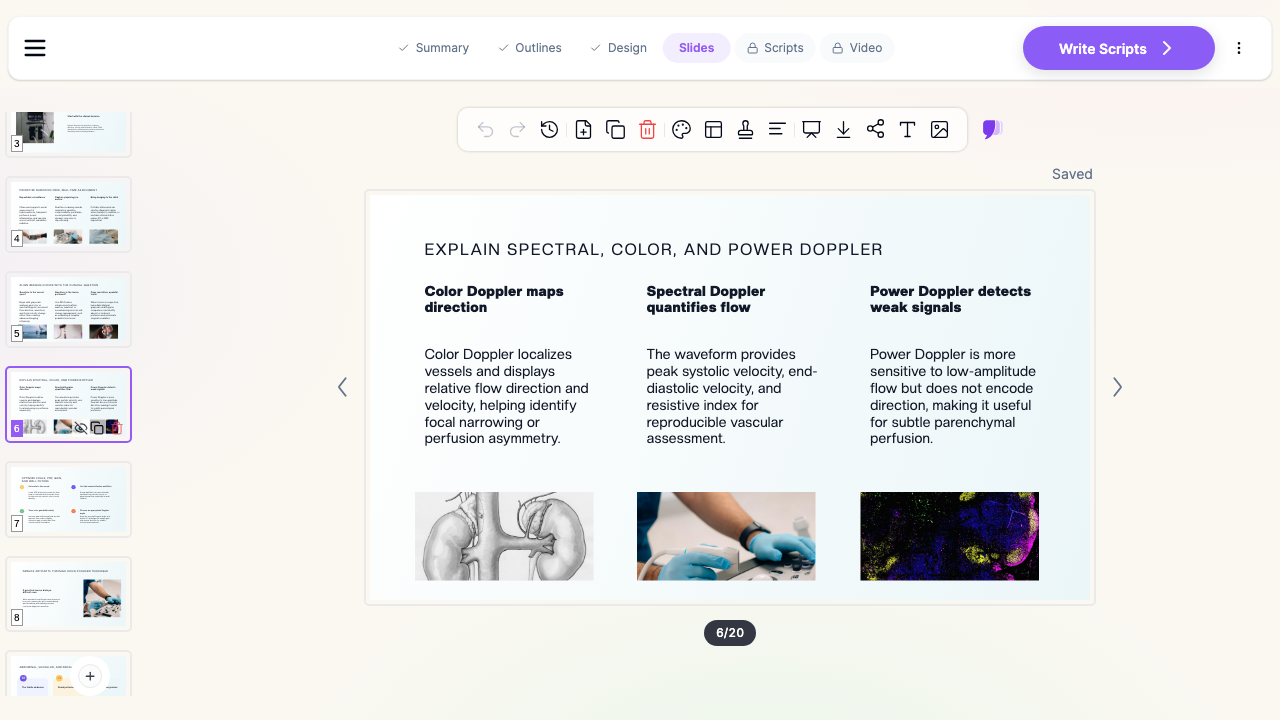

What Makes ChatSlide Powerful for Pediatric Imaging Talks
Three Ways to Start a Talk
Start from a topic line ("Doppler and CEUS in pediatric imaging, 40 slides, review format for a regional congress"), from an uploaded file, or from both. Most pediatric radiologists already have the raw material — a departmental protocol document, last year's deck, a submitted abstract — so uploading is usually faster than describing.
OCR for Scanned Protocols and Older Teaching Files
Pediatric imaging departments run on paper and PDFs: printed scanning protocols, contrast dosing charts, scanned pages from a reference text, older teaching-file handouts. ChatSlide's OCR reads scanned PDFs and images, so a folder of scans becomes structured slide content instead of something you retype at midnight.
Research Search Built In
CEUS indications, contrast agent safety data, and Doppler protocol recommendations all have a current literature. ChatSlide searches PubMed, Google Scholar, and ClinicalTrials.gov from inside the editor, so a slide on intravesical contrast-enhanced voiding urosonography can cite the actual publications rather than a remembered figure.
Real Charts From Your Own Numbers
Case volumes by indication, CEUS studies per year since introduction, radiation-dose reduction after moving a workflow from fluoroscopy to ultrasound, diagnostic yield by age band — paste or upload the numbers and ChatSlide builds an actual chart. For a departmental audit or a congress talk that argues for adopting a technique, this is the slide that does the persuading and the slowest one to build by hand.
Write in One Language, Present in Another
ChatSlide generates in over 30 languages. Draft the teaching version in Croatian, Italian, German, or Spanish for your own department, then generate the congress version in English from the same source material — instead of translating a finished deck slide by slide.
Speaker Notes Written With the Slides
Every slide gets presenter notes. For a review lecture you give once a year, or one a fellow will deliver in your absence, the notes are what makes the deck reusable rather than a set of headings only the author can decode.
Export to PowerPoint, PDF, or Narrated Video
Decks export to PPTX and stay editable in PowerPoint, so they drop straight into a congress template. The video export matters for fellowship programs and hybrid teaching: the same lecture becomes a narrated lesson trainees watch before the session.
How ChatSlide Builds Your Pediatric Imaging Deck
1. Upload or describe the talk. Drop in the protocol PDF, your previous deck, or scanned handouts. Or type the topic, audience, and slide count — "Doppler and CEUS in pediatric imaging, 40 slides, for a regional radiology congress."
2. Review the outline. ChatSlide proposes sections before writing any slides. This is where you enforce teaching order: physical principles, then technique, then indication-by-indication cases, then limitations. Reorder, delete, or add sections in one pass.
3. Generate slides with images and notes. The deck is built with layouts chosen per content type — comparison blocks for CEUS versus fluoroscopic VCUG, sequential blocks for a scanning protocol, chart slides for your audit data — plus speaker notes throughout.
4. Edit and export. Use the AI editing tools to shorten a dense slide, swap a layout, or regenerate an image, then export to PPTX, PDF, or video. Your own case images drop in where they belong.
Use Cases in Pediatric Radiology
Congress review lectures. A 40-slide review on a technique you have been running for years, condensed from your own protocols and case log. Building it by hand is a week of evenings; generating a draft and editing it is an afternoon. Time saved: roughly 10–15 hours per talk.
Fellowship and resident didactics. Age-dependent normals, torsion protocols, intussusception reduction, transplant Doppler. Generate a session per topic, then trim to what the current cohort keeps getting wrong.
Sonographer training and technique in-services. Machine settings, transducer selection, contrast preparation and dosing, artifact recognition. Short decks, needed often, rebuilt whenever equipment changes.
Multidisciplinary and referrer education. Explaining to pediatric surgery, nephrology, or hepatology what a given ultrasound study can and cannot answer. These decks live or die on clarity, not completeness.
Departmental audit and business cases. Introducing CEUS, or shifting a reflux workflow away from fluoroscopy, is an argument made with your own volume and dose data. Upload the spreadsheet, get the chart, present it.
Pediatric Imaging Departments and Training Programs. For departments teaching across sites, or programs running multiple fellow cohorts, ChatSlide's Enterprise plan adds SSO, centralized team billing, shared brand templates so every lecture matches institutional branding, and team collaboration on a shared deck library — contact us to set it up.
Pediatric Imaging Presentation Tools Compared (2026)
| Capability | ChatSlide | Gamma | Tome | Beautiful.ai |
|---|---|---|---|---|
Upload protocol PDF / old PPTX as source | Yes | Limited | Limited | No |
OCR for scanned teaching files | Yes | No | No | No |
PubMed / Scholar / trials search built in | Yes | No | No | No |
Charts from your own audit data | Yes | Basic | Basic | Template charts |
Generate in 30+ languages | Yes | Partial | Partial | Limited |
Speaker notes generated | Yes | Partial | Partial | No |
Export to editable PowerPoint | Yes | Yes | Limited | Yes |
Export as narrated video | Yes | No | No | No |
Free tier | Yes | Yes | Yes | Trial only |
Time Comparison: Manual vs. AI-Assisted
| Task | By hand | With ChatSlide |
|---|---|---|
Outline a 40-slide review from protocols and notes | 90–120 min | 5 min (review generated outline) |
Draft the slides | 4–6 hours | 2 min generation + 30 min editing |
Find and place supporting graphics | 60 min | Included, regenerate as needed |
Build a chart from departmental data | 30–45 min | 5 min |
Write speaker notes | 90 min | Included, edit as needed |
Produce a second-language version | 3–4 hours | Generate again from the same source |
Total per lecture | 10–14 hours | 50–70 min |
Direct Research Database Access
ChatSlide's Research tab connects to the databases physicians use daily:
- PubMed: Search by keyword, PMID, or DOI. Find the landmark trials, recent publications, and clinical guidelines relevant to your case. The AI reads abstracts and incorporates key findings into your slides with citations.
- Google Scholar: When your topic spans disciplines — say, the intersection of genetics and oncology — Scholar captures the broader academic literature that PubMed alone might miss.
- Clinical Trials (NCT): Presenting on a treatment where pivotal trials are ongoing? Search by NCT number or condition to pull trial design, endpoints, and status into your slides.

What a Strong Doppler and CEUS Lecture Includes
Whatever tool builds the slides, the teaching structure is what makes the talk land.
Open with why ultrasound is first-line in children, not as a caveat. No ionizing radiation, no sedation for most studies, bedside availability, and small patients who image well at high frequency. State it once at the top and the rest of the talk inherits the justification.
Separate the two contrast routes explicitly. Intravenous CEUS and intravesical contrast-enhanced voiding urosonography answer different questions, use different preparation, and carry different consent conversations. A single slide labelled "CEUS" that mixes focal liver lesion characterization with reflux grading leaves the room confused about both.
Teach settings before cases. Mechanical index, dual-screen contrast display, gain, focal zone position, and frame rate determine whether a case image is diagnostic. Show the same lesion imaged well and imaged badly if you have both.
Anchor Doppler to the clinical question. Testicular and ovarian torsion, intussusception and bowel perfusion, renal and hepatic transplant assessment, vascular anomalies — each deserves its own indication slide with the specific finding that changes management, not a generic list of Doppler modes.
Show age-dependent normals before pathology. Renal size and corticomedullary differentiation, hepatic vascular waveforms, testicular flow in prepubertal boys. Most misreads in pediatric ultrasound are normals misfiled as findings.
End on limitations honestly. Operator dependence, contrast agent availability and licensing by region, the studies where cross-sectional imaging still wins. A talk that claims a technique answers everything invites the one question you cannot answer.
Keep slides under about 30 words. Pediatric imaging is a visual subject. The detail belongs in your speaker notes.
Best Practices
Do
- Tell the AI your audience and format ("regional congress review lecture, mixed radiologist and sonographer audience, 40 slides"). It changes depth and pacing substantially.
- Upload your existing deck rather than starting blank — the AI keeps your teaching order and improves the structure around it.
- Use your own departmental volumes and outcomes for audit slides. They are far more persuasive than a generic figure.
- Cite current literature for contrast indications and safety through the Research tab.
- Generate the second-language version from the source material, not by translating the finished deck.
Don't
- Don't paste patient names, hospital numbers, dates of birth, or accession numbers into slides or uploads — and check that DICOM overlays and burned-in identifiers are removed from any case image before it goes on a slide.
- Don't let a generated illustration stand in for a real case image when the point is what the finding looks like.
- Don't ship a deck without reading the speaker notes. They are generated, and they are yours to correct.
Pediatric Imaging vs. General Sonography and Radiology Talks
These are different audiences and different decks. If you are building a sonographer-education or ARDMS-review deck, the diagnostic medical sonography guide covers ultrasound physics, protocols, and POCUS training. If you are preparing a radiologist-facing CT or MR conference talk, see the medical imaging and radiology presentation guide. For clinical pediatrics rather than imaging, see the pediatric medicine presentation guide. This guide covers the pediatric imaging slice specifically: age-dependent normals, Doppler by indication, contrast-enhanced ultrasound, and children's-hospital teaching formats.
Frequently Asked Questions
Can ChatSlide build a congress lecture from my departmental protocol PDF? Yes. Upload the PDF and ChatSlide extracts the structure and content into an outline you review before generation. Scanned protocols work too — OCR reads them.
Can I make the same lecture in two languages? Yes. Generate in over 30 languages from the same source material. Most users draft the local teaching version and the English congress version separately from one upload rather than translating a finished deck.
Can it build a chart from my CEUS case volumes? Yes. Upload or paste the numbers and ChatSlide builds a real chart from your data rather than inserting a stock graphic.
Will it add my own case images? You add those. ChatSlide generates the structure, text, notes, and supporting graphics; your de-identified case images drop into the slides you place them on.
Does it search the medical literature? Yes — PubMed, Google Scholar, and ClinicalTrials.gov from inside the editor, with citations carried into the slides.
Will it export to PowerPoint for the congress template? Yes. Decks export to editable PPTX, plus PDF, and can be exported as a narrated video for asynchronous teaching.
Is there a free plan? Yes. You can start free with no credit card. Paid plans add higher limits and advanced export options.
Can our department keep every lecture on institutional branding? Yes. Enterprise plans include shared brand templates and a team deck library so lectures stay consistent across consultants and fellows — contact us.
Get Started
Note on patient data: ChatSlide's standard plans are not a HIPAA-covered service — keep PHI out of slide content and uploads. Use de-identified case images only, with DICOM overlays and burned-in identifiers removed. For hospital systems, children's hospitals, and imaging departments that need a Business Associate Agreement, our Enterprise plan offers HIPAA-compliant deployment options — contact us to discuss BAA terms, SSO, and on-prem / private-cloud hosting.
Take the talk you have been putting off — the CEUS review, the Doppler didactic, the audit you promised the department — upload your protocol or last year's deck, and see what comes back in two minutes. Editing a draft is a different job from starting at a blank slide.
Make your pediatric imaging presentation with ChatSlide → Free to start, no credit card required.