
Quick Answer: ChatSlide is the AI presentation maker built for child neurologists, pediatric neurology fellows, and pediatricians who teach. Trusted across 750+ universities and hospital systems, it turns a topic prompt, a guideline PDF, or an existing lecture into a structured, citation-backed pediatric neurology deck in under two minutes — with PubMed, Google Scholar, and clinical-trial search built in, real data charts, per-slide speaker notes, and 19 AI editing tools. It's free to start and exports to PowerPoint, PDF, and Keynote.
The Pediatric Neurology Presentation Problem
A child neurology talk has to do two jobs at once. It has to teach the neuroanatomy — where the lesion sits, and how the exam gets you there — and it has to teach the developmental overlay that makes pediatrics different: a six-month-old, a toddler, and an adolescent with the same lesion present nothing alike. A lecture on clinical syndromes of the nervous system in children moves from the motor exam and tone abnormalities, through cortical, brainstem, cerebellar, spinal, peripheral-nerve, and muscle patterns, to the imaging and genetic workup each pattern earns.
The clinical reasoning is not the hard part. The hard part is that localizing a lesion in a floppy infant and formatting thirty slides are completely different skills, and the second one takes the evening before a resident didactic session, a grand rounds, or a national meeting.
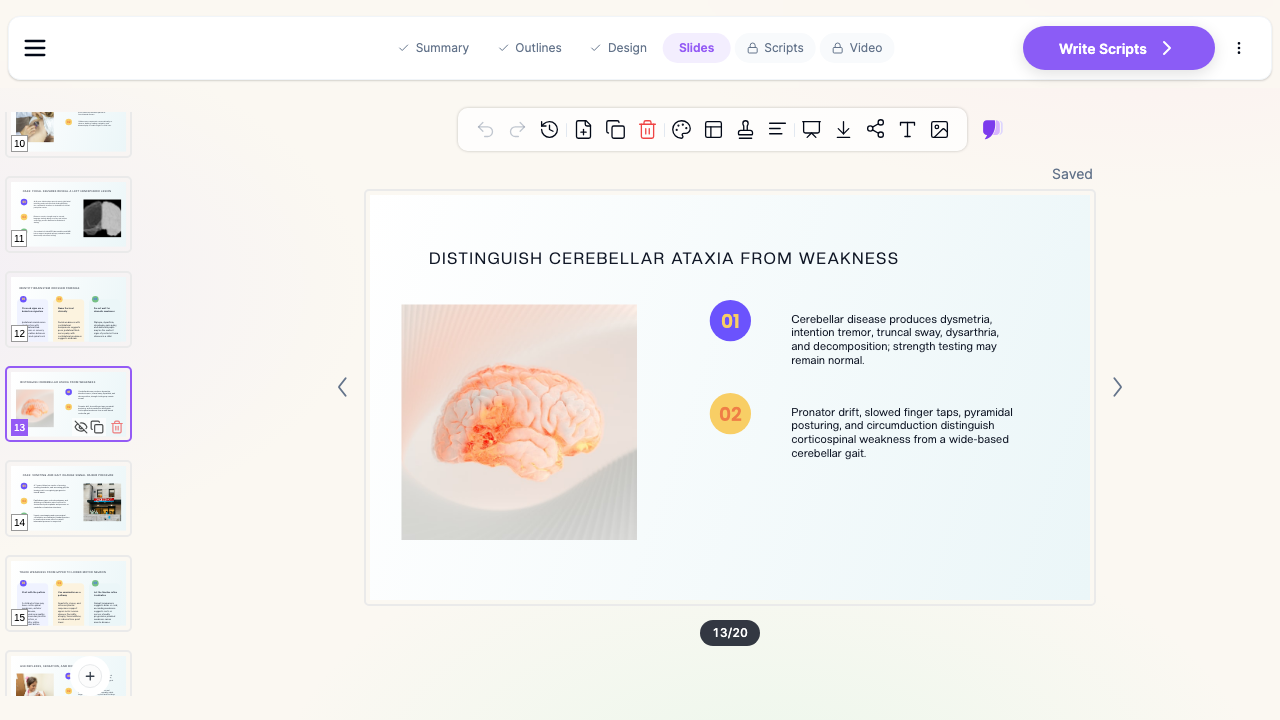

What Makes ChatSlide Powerful for Pediatric Neurology
Three input modes. Start from a topic prompt ("clinical syndromes of nervous system involvement in children and their topical diagnosis — motor, cerebellar, brainstem, spinal, neuromuscular"), upload an existing lecture to restyle, or drop in a guideline, chapter, or review PDF and let ChatSlide draft the outline from it. Child neurology teaching almost always starts from source material; ChatSlide reads it instead of making you retype it.
OCR on uploaded documents. Upload a scanned developmental-milestone chart, a department seizure pathway, or a figure-heavy textbook chapter, and ChatSlide extracts the text and images so your institutional material lands in the deck intact.
Real data charts. Pediatric neurology runs on numbers that belong in a chart rather than a paragraph: seizure frequency before and after a regimen change, GMFCS distribution in a cerebral palsy cohort, developmental-quotient trajectories, age-of-onset histograms. Turn your own figures into clean charts instead of decorative graphics that misstate the data.
Research search built in. The Research tab queries PubMed, Google Scholar, and ClinicalTrials.gov directly (detailed below), so the pivotal trials in infantile spasms, SMA and DMD disease-modifying therapy, or pediatric epilepsy surgery land in your slides with citations.
Speaker notes. ChatSlide drafts per-slide notes, so a fellow presenting at case conference — or a pediatrician teaching neurology to residents who see it once a rotation — has a script to work from rather than a bare bullet list.
Multilingual output. Child neurology teaching happens in many languages. Generate the same lecture in English, Russian, Spanish, German, Portuguese, or Chinese, so a department can teach from one deck and localize it for trainees or families.
19 AI editing tools. Tighten a dense differential slide, generate a diagram of a localization algorithm, rephrase a syndrome description for a parent audience, or restyle the whole deck to your program's template — without leaving the editor.
How ChatSlide Builds Your Pediatric Neurology Deck
1. Start with your topic or source material. A prompt with your learning objectives, an existing lecture, or a review PDF — ChatSlide reads it and drafts a structured outline.
2. Refine the outline before generating slides. Reorder sections so the talk follows the clinical logic — history and development, exam findings, localization, differential, workup, management. Fixing structure at the outline stage is far faster than reworking finished slides.
3. Generate slides with relevant imagery and citations. ChatSlide builds each slide with a clean layout and supporting visuals, and can attach evidence from the Research tab. Swap any generic image for your own de-identified MRI, EEG, or exam figures.
4. Export to your format. Download as PowerPoint or PDF for didactics and grand rounds, or Keynote for a conference talk.
Use Cases for Pediatric Neurology Teams
Localization and exam teaching. The core lecture every program repeats: how tone, reflexes, gait, and cranial-nerve findings separate cortical, brainstem, cerebellar, spinal, peripheral-nerve, and muscle disease in a child. Time saved: an evening of outlining and formatting.
Case conference and case presentations. A developmental regression, a first unprovoked seizure, or an acute ataxia — reconstructed from history to exam to imaging to plan, with the evidence attached at each decision point. Time saved: hours reformatting images and tables the night before.
Fellow and resident didactics. Core-curriculum lectures across epilepsy, neuromuscular disease, neurogenetics, neuroinflammation, and neurodevelopment, built to one consistent template the program reuses year to year. Time saved: a reusable lecture scaffold instead of thirty blank slides.
Teaching general pediatrics and emergency colleagues. In-services on when a headache needs imaging, how status epilepticus escalation runs, and which red flags in a floppy infant change the workup. Time saved: protocol-to-deck in minutes.
Journal club and guideline reviews. Critical appraisal of a gene-therapy trial or a new epilepsy guideline, with study design and the practice-changing takeaway on the same slide. Time saved: hours pulling and citing evidence.
Parent and school education. Plain-language decks — and narrated video versions — explaining a new epilepsy diagnosis, a seizure action plan, or what a neuromuscular diagnosis means for a child's school day. Time saved: one clinical deck restyled into a family-facing version.
Pediatric neurology for departments and teams. Divisions running a shared didactic curriculum can standardize on one branded template, with SSO, centralized billing, and shared templates on the Enterprise plan — contact us to set it up across a program.
Direct Research Database Access
ChatSlide's Research tab connects to the databases physicians use daily:
- PubMed: Search by keyword, PMID, or DOI. Find the landmark trials, recent publications, and clinical guidelines relevant to your case. The AI reads abstracts and incorporates key findings into your slides with citations.
- Google Scholar: When your topic spans disciplines — say, the intersection of genetics and oncology — Scholar captures the broader academic literature that PubMed alone might miss.
- Clinical Trials (NCT): Presenting on a treatment where pivotal trials are ongoing? Search by NCT number or condition to pull trial design, endpoints, and status into your slides.

Pediatric Neurology AI Tools Compared (2026)
| Capability | ChatSlide | Gamma | Tome | Beautiful.ai |
|---|---|---|---|---|
PubMed / clinical-trial search built in | Yes | No | No | No |
Reads uploaded guideline PDFs & PPTX | Yes | Partial | Partial | No |
OCR on scanned protocols and milestone charts | Yes | No | No | No |
Real data charts from your own cohort numbers | Yes | Partial | No | Partial |
Per-slide speaker notes | Yes | Partial | No | No |
Multilingual deck generation | Yes | Partial | Partial | Limited |
PowerPoint + Keynote export | Yes | Partial | Partial | Partial |
Free tier | Yes | Yes | Yes | Limited |
Time Comparison: Manual vs. AI-Assisted
| Task | Manual | With ChatSlide |
|---|---|---|
Outline a localization teaching lecture | 1–2 hours | 2 minutes |
Draft slides from a chapter or guideline PDF | 3–4 hours | 5 minutes |
Pull and cite trial evidence | 1–2 hours | 10 minutes |
Chart seizure-frequency or cohort data | 1 hour | Minutes |
Translate the lecture for another audience | Hours | Minutes |
Restyle to program branding | 1–2 hours | Minutes |
What a Strong Pediatric Neurology Presentation Includes
Localization before labels. The audience follows a differential far better when the talk first commits to where the lesion is — cortex, subcortical white matter, brainstem, cerebellum, cord, anterior horn cell, nerve, junction, muscle — and only then to what it is. A single slide that maps each region to its signature findings carries more teaching weight than ten slides of named syndromes.
Development as the second axis. The same lesion looks different at three months, three years, and thirteen. Build the age-dependence into the slide itself: expected milestones, the primitive reflexes that should have gone, and what regression versus plateau actually means.
Exam findings that separate, not just describe. Cerebellar ataxia versus corticospinal weakness, upper versus lower motor neuron patterns, proximal versus distal weakness. Pair the findings side by side so the distinction is visible rather than remembered.
Workup tied to decisions. MRI sequences, EEG, nerve conduction, metabolic panels, and genetic testing earn their slide when each result changes what happens next. A results table nobody acts on is filler.
Imaging shown, not narrated. A pediatric imaging finding described in words is a wasted slide. Show the de-identified sequence, arrow the abnormality, and state the inference.
A management plan the audience can argue with. End on the decision — the regimen, the escalation trigger, the referral, the follow-up interval — rather than a summary of what was already said.
Best Practices
Do:
- Open with the case or the exam finding, not the epidemiology.
- Keep one idea per slide; localization teaching collapses when two regions share a slide.
- Use your own de-identified imaging and video where you have consent — it out-teaches any stock figure.
- Cite the guideline or trial on the slide where the recommendation appears.
- Build a reusable program template so a year of didactics looks like one curriculum.
Don't:
- Paste patient identifiers, MRNs, dates of birth, or un-cropped imaging headers into slides.
- List twenty named syndromes before establishing the localization framework.
- Use adult normal values or adult-derived figures without flagging the age range.
- Bury the take-home point on a final slide nobody reaches.
Note on patient data: ChatSlide's standard plans are not a HIPAA-covered service — keep PHI out of slide content and uploads. For hospital systems, group practices, and clinics that need a Business Associate Agreement, our Enterprise plan offers HIPAA-compliant deployment options — contact us to discuss BAA terms, SSO, and on-prem / private-cloud hosting.
Frequently Asked Questions
Can ChatSlide build a pediatric neurology lecture from a textbook chapter? Yes. Upload the chapter as a PDF (or a PowerPoint you already teach from) and ChatSlide drafts an outline from its contents, then generates slides you can reorder and edit.
Does it cite real literature? The Research tab searches PubMed, Google Scholar, and ClinicalTrials.gov, and the citations you select are attached to the slides. Always verify each reference before presenting — you remain the clinical author of the talk.
Can I generate the same lecture in another language? Yes. Decks can be generated in English, Russian, Spanish, German, Portuguese, Chinese, and more, which is useful for programs teaching trainees and families in a second language.
Is it suitable for a case presentation as well as a lecture? Yes — see the clinical case presentation guide for the case-specific structure. Child neurology cases benefit from the same outline-first workflow.
Can I use my own MRI and EEG images? Yes. Replace any generated image with your own files. De-identify them first; crop headers and burned-in identifiers before upload.
Is it HIPAA compliant? The standard plans are not a HIPAA-covered service. Enterprise offers HIPAA-compliant deployment options with a BAA — contact us.
Is there a free tier? Yes. You can generate and export decks free, with no card required to start.
Get Started
Bring the lecture you already know how to give — the localization talk, the case conference, the epilepsy update — and let ChatSlide handle the outline, the layout, the charts, and the citations. See the broader neurology presentation maker and pediatric medicine guides for adjacent workflows.
Make your pediatric neurology presentation with ChatSlide — free to start, exports to PowerPoint, PDF, and Keynote.