Quick Answer: If you are building a cardiac electrophysiology teaching deck — a fellows' lecture on accessory pathways and SVT, a pediatric EP case review, a device clinic in-service, an ablation morbidity-and-mortality discussion — ChatSlide turns your objectives, guidelines, and existing slides into a complete deck in minutes. It is used by 290,000+ users across 750+ universities, searches PubMed, Google Scholar, and ClinicalTrials.gov from inside the editor, builds 20- to 40-slide lectures with citations, writes per-slide speaker notes, and exports to editable PowerPoint on paid plans. Free to start, no card required.
The EP Teaching Problem
Electrophysiology is the cardiology subspecialty where the teaching material is hardest to assemble, because almost none of it is prose. An SVT lecture is a sequence of mechanisms, each one only comprehensible next to a tracing: the surface ECG, the intracardiac electrograms, the pacing maneuver, and the response that separates AVNRT from AVRT from atrial tachycardia. Build that by hand and you spend the evening aligning images, not teaching.
The structure is also unforgiving. A talk on accessory pathways has to move from anatomy to conduction properties to the concealed-versus-manifest distinction to localization to ablation risk, and every one of those sections assumes the one before it landed. Reorder two blocks and the differential stops making sense. This is why an EP deck that is 80% finished is often still unusable, while a merely adequate deck on almost any other topic can be given as-is.

What Makes ChatSlide Powerful for EP Teaching
Three Ways to Start a Deck
Type the topic and audience ("25 slides on accessory pathways from a pediatric electrophysiology perspective"), upload a document, or paste your learning objectives. Most people building an EP lecture already have a source: a guideline PDF, a lab protocol, a case log, last year's deck. Uploading beats retyping, because the outline is built from your source rather than from a generic arrhythmia template.
Outline Editing Before Slides Exist
An EP lecture lives or dies on sequence — anatomy, then mechanism, then the diagnostic maneuvers, then management, then ablation. ChatSlide returns an editable outline first. Split "SVT" into AVNRT and AVRT, drop the pathophysiology block when the audience is a device clinic rather than fellows, promote the pacing-maneuver section ahead of the cases. Fixing order at the outline stage takes seconds; fixing it across thirty finished slides takes an evening.
Research Search Inside the Editor
ChatSlide searches PubMed, Google Scholar, and ClinicalTrials.gov without leaving the deck, reads the abstracts, and pulls findings onto slides with references attached — so a recurrence rate or a complication figure on your slide traces back to a paper you can name when the question comes from the back of the room.
Your Tracings Stay Yours to Place
ChatSlide does not fabricate electrograms, and it should not: an invented tracing in a teaching deck is a teaching error. What it does is build the slide around the tracing — title, teaching point, annotation prompts, speaker notes — and leave the image slot for the de-identified ECG, EGM, or fluoroscopic still you export from your own lab system.
Real Tables and Charts
Comparison tables are the backbone of EP teaching: AVNRT versus AVRT features, pathway conduction properties, ablation success and complication rates by substrate, device programming parameters by indication. ChatSlide generates these as editable objects rather than flat images, so correcting one row does not mean rebuilding the slide.
Per-Slide Speaker Notes
The deck a fellow presents and the deck a fellow studies from are different documents. ChatSlide writes speaker notes for every slide, which double as the handout and as the script for whoever inherits the lecture next rotation.
Nineteen AI Editing Tools
Once the deck exists, the work is targeted edits: shorten the section that ran long, rewrite a mechanism slide for nursing rather than fellows, split a dense localization slide in two, add a summary before the case discussion. These act on the slide in front of you instead of regenerating the deck.
How ChatSlide Builds Your EP Deck
- Start from what you have. Upload a guideline PDF, a lab protocol, or an old PowerPoint — or type the topic and audience directly.
- Review the outline. Confirm the anatomy, mechanism, maneuver, and management sections sit in the order your teaching depends on.
- Generate the slides. ChatSlide writes the content, builds tables and charts, adds images, and attaches citations from the sources it searched.
- Add your tracings and export. Drop in your de-identified ECGs and electrograms, then present in the browser or export to editable PowerPoint or PDF on a paid plan.
Use Cases for EP Programs
Fellows' SVT lecture. The 25- to 40-slide mechanism talk that every program runs annually and nobody wants to rebuild. Generated from your objectives, structured anatomy-first, with citations attached and speaker notes written.
Pediatric EP teaching. The same arrhythmias behave differently in a structurally normal pediatric heart than in an adult one — pathway prevalence, sedation and access constraints, growth considerations for lesion placement. Regenerate the deck for a pediatric audience instead of hand-editing an adult lecture down.
Ablation case conference. One case, built as a sequence: presentation, baseline intervals, induction, the maneuver that settled the differential, the lesion set, the outcome. The structure is repeatable, which is exactly what makes it worth templating.
Device clinic in-service. Pacing modes, sensing and capture troubleshooting, remote monitoring alerts, magnet response. Non-physician audience, same source material, different slide language.
Board and recertification review. High-yield condensations where the guideline thresholds and the discriminating features have to be on the slide, not in the speaker's head.
EP for teams and departments. Larger programs run the same core lectures across sites and academic years. Shared brand templates keep the deck consistent, team billing keeps it on one invoice, and SSO keeps access tied to your directory — contact us to set that up.
Direct Research Database Access
ChatSlide's Research tab connects to the databases physicians use daily:
- PubMed: Search by keyword, PMID, or DOI. Find the landmark trials, recent publications, and clinical guidelines relevant to your case. The AI reads abstracts and incorporates key findings into your slides with citations.
- Google Scholar: When your topic spans disciplines — say, the intersection of genetics and oncology — Scholar captures the broader academic literature that PubMed alone might miss.
- Clinical Trials (NCT): Presenting on a treatment where pivotal trials are ongoing? Search by NCT number or condition to pull trial design, endpoints, and status into your slides.

EP Presentation Tools Compared (2026)
| ChatSlide | Gamma | Tome | Beautiful.ai | |
|---|---|---|---|---|
PubMed / Scholar / ClinicalTrials search in editor | Yes | No | No | No |
Citations attached to generated slides | Yes | No | No | No |
Upload a guideline PDF and build from it | Yes | Limited | Limited | Limited |
Editable outline before slides generate | Yes | Limited | Limited | No |
Per-slide speaker notes written for you | Yes | Limited | Limited | Limited |
Editable tables and charts (not flat images) | Yes | Limited | Limited | Yes |
Export to editable PowerPoint | Yes (paid) | Yes | Limited | Yes |
Time Comparison: Manual vs. AI-Assisted
| Task | By hand | With ChatSlide |
|---|---|---|
Structuring a 30-slide SVT lecture | 1–2 hours | Minutes (editable outline) |
Writing slide content | 4–6 hours | Generated, then edited |
Finding and formatting citations | 1–2 hours | Searched in-editor, attached |
Building comparison and grading tables | 1–2 hours | Generated as editable objects |
Writing speaker notes | 1–2 hours | Generated per slide |
Placing your own tracings and annotations | 1–2 hours | 1–2 hours (unchanged — your images, your annotations) |
The image work does not shrink, and no tool should claim it does. What collapses is everything around it.
What a Strong EP Lecture Includes
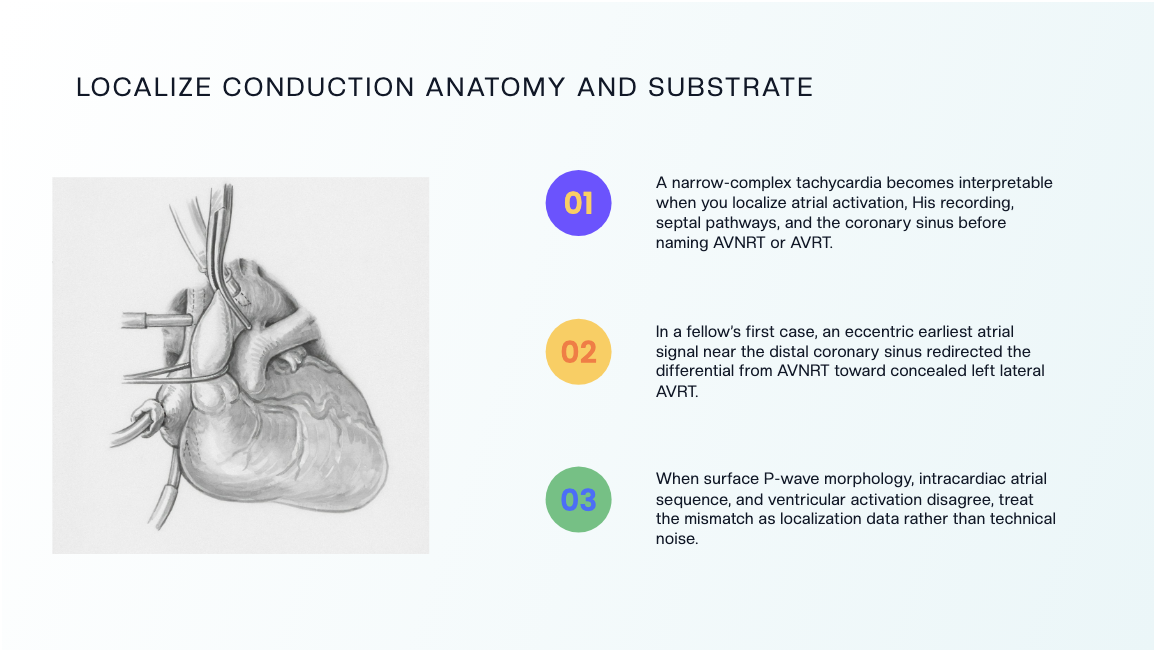
Anatomy before mechanism. The conduction system, the septal geography, the coronary sinus as a recording reference. A trainee who cannot place the His bundle cannot interpret the activation sequence you show three slides later.
One mechanism per slide. AVNRT and AVRT on the same slide is the most common structural error in SVT teaching. Separate them, then compare them explicitly on a later slide once both are understood.
The maneuver and its response together. Entrainment, ventricular overdrive pacing, premature stimuli — the teaching value is in the pairing. Show the maneuver, show the response, state the inference in the slide title.
A discriminating-features table. Trainees remember tables. Cycle length behavior, VA relationship, response to premature beats, effect of bundle branch block — one row per feature, one column per arrhythmia.
Localization logic, not just localization answers. Say why the earliest atrial signal points where it points, so the reasoning transfers to the next case.
Complications named honestly. AV block risk in septal ablation, phrenic nerve injury, tamponade, vascular access complications. A lecture that omits these is not a teaching deck; it is a marketing deck.
A case that tests the framework. End on one case where the obvious answer is wrong, and walk the audience through the data that corrected it.
Best Practices
Do
- De-identify every tracing before it enters a slide: remove patient name, MRN, date of birth, and any burned-in header from ECG, EGM, and fluoroscopic exports.
- State the audience in the prompt. "Pediatric EP fellows" and "device clinic nurses" produce genuinely different decks from the same topic.
- Keep the outline shorter than you think you need. EP lectures overrun because the mechanism sections expand during delivery.
- Cite the guideline version and year on the slide, not just in the speaker notes.
- Annotate tracings with arrows and labels before presenting. An unannotated electrogram teaches nobody in a lecture hall.
Don't
- Don't present an AI-generated image as a real electrogram or ECG. Use your own de-identified tracings for anything a trainee is meant to interpret.
- Don't leave burned-in dates or device serial numbers visible — they are identifiers even when the name is cropped.
- Don't compress a full SVT differential onto one slide because the section is running long. Cut a section instead.
- Don't quote success or complication rates without the source and the population they came from.
Frequently Asked Questions
Can ChatSlide generate ECGs or intracardiac electrograms? No, and it should not. It builds the slide, the teaching point, and the speaker notes, and leaves the image slot for your own de-identified tracings.
Can I build the lecture from a guideline PDF or my old deck? Yes. Upload the document and the outline is built from it rather than from a generic template.
Does it handle pediatric electrophysiology? Yes — state the audience and the population in the prompt, and the content, examples, and framing follow. Pediatric-specific decks are one of the more common EP requests we see.
How is this different from your general cardiology guide? The cardiology presentation guide covers heart failure, prevention, guideline talks, and general grand rounds. This page is the electrophysiology subspecialty: arrhythmia mechanisms, pathways, maneuvers, ablation, and devices. For imaging-led cardiac teaching, see the echocardiography guide.
Can I export to PowerPoint? Yes, editable PowerPoint and PDF export are available on paid plans.
Can it write the speaker notes? Yes, per slide, and they export with the deck.
Is it free? Free to start with no card required. Paid plans add editable PowerPoint export, larger uploads, and higher generation limits.
A Note on Patient Data
ChatSlide's standard plans are not a HIPAA-covered service — keep PHI out of slide content and uploads. For hospital systems, group practices, and clinics that need a Business Associate Agreement, our Enterprise plan offers HIPAA-compliant deployment options — contact us to discuss BAA terms, SSO, and on-prem / private-cloud hosting.
Get Started
Bring the topic, the audience, and your own tracings. Make your EP lecture with ChatSlide — free to start, no card required — and spend the evening on the teaching points instead of the slide layout.
Related: medical grand rounds, clinical case presentations, and pediatric medicine teaching.