
Quick Answer: ChatSlide is an AI presentation maker used by instructors and trainers at 750+ universities. Upload a textbook chapter, an agency policy, a court opinion, or a case file summary, and it returns a full criminal justice lecture — 25 to 60 slides with an objectives slide, discussion prompts, comparison tables, and per-slide speaker notes. Export to PowerPoint, PDF, or a narrated video for online sections. Free to start, no credit card.
The Criminal Justice Lecture Problem
A criminal justice course is a semester of slide decks. Intro to Criminal Justice runs fifteen weeks across policing, courts, and corrections. Police Ethics runs a chapter a week, each one needing scenarios the class can actually argue about. Add an academy block on use of force, a community college section on criminal procedure, and a department in-service on a policy that changed in July, and the slide-making is the job that never ends.
The publisher slides that ship with the textbook are usually the starting point, and they are usually thin — chapter headings restated as bullets, a stock photo, no discussion questions, and nothing tied to the statute or agency policy your students will actually work under. Rebuilding a 60-minute lecture from them takes most of an evening, every week.
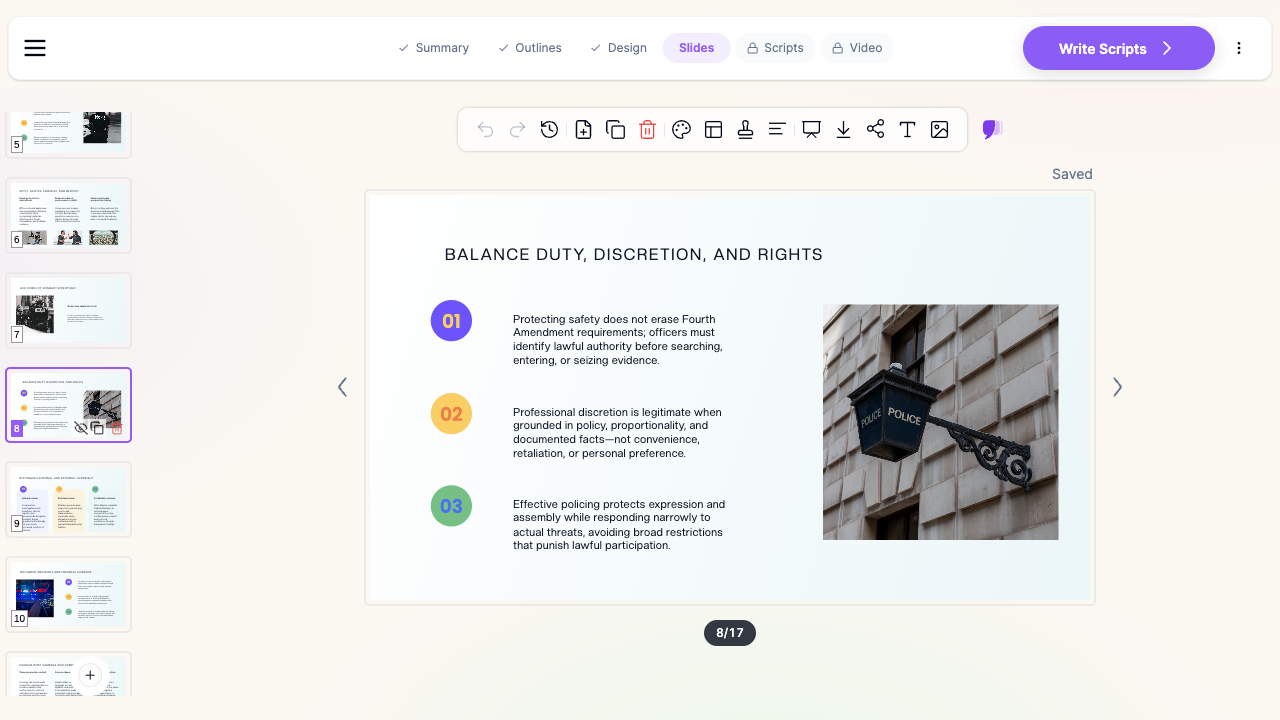

What Makes ChatSlide Powerful for Criminal Justice Teaching
Three Ways to Start a Deck
Start from a topic prompt ("60-minute undergraduate lecture on police discretion and the Fourth Amendment"), from an uploaded file (the publisher deck, a chapter PDF, your own lecture notes, an agency general order), or from a URL. Most instructors start from what they already have — the existing deck becomes the source, not something to be copied slide by slide.
Scanned Policies and Opinions Read Correctly
Agency policy manuals, consent decrees, and older court opinions circulate as scanned PDFs. ChatSlide runs OCR on uploads, so a scanned use-of-force policy or a photocopied appellate decision becomes usable source material instead of an unreadable image.
Objectives-Driven Outlines
The outline appears before any slides are written, with sections you can reorder, split, merge, or delete. For a course with stated learning outcomes — the ones on your syllabus and in your program assessment — this is where you force the deck to match them rather than discovering the mismatch at slide 40.
Full-Length Lecture Decks
A single pass produces a full class session, not a ten-slide summary. Set the section count to the number of blocks in your 50, 75, or 110-minute period; each section becomes a teachable unit with its own transition.
Scenario and Discussion Slides
Criminal justice teaching runs on cases and hypotheticals. Ask for discussion prompts and the deck gets slides that pose a situation and stop — a traffic stop that escalates, a plea offer with a weak evidentiary record, a disciplinary decision after a policy violation — so the room has something to argue rather than something to copy down.
Comparison Tables and Data Charts
Much of the curriculum is structural comparison: adversarial versus inquisitorial systems, felony versus misdemeanor process, jail versus prison, probation versus parole, the Wickersham Commission versus the President's Task Force. ChatSlide builds these as tables rather than parallel bullet lists. Paste in real numbers — clearance rates, incarceration trends from your state's corrections department — and it renders them as charts you can defend.
Per-Slide Speaker Notes
Every slide gets notes you can teach from, adapt, or hand to an adjunct covering your section. Academy trainers use them as the lesson-plan skeleton their accreditation file needs.
Narrated Video Export
For online and hybrid sections, export the deck as a narrated video with an AI voice or your own. A department can send the same fifteen-minute policy update to every shift instead of scheduling roll-call briefings three times over.
How ChatSlide Builds Your Criminal Justice Deck
- Upload or describe the session. Drop in the chapter, the policy, the opinion, or your notes — or just type the lecture topic, audience, and length.
- Review the outline. Check it against your learning outcomes and the week's reading, then reorder or cut before anything is generated.
- Generate the slides. A full session is drafted in a couple of minutes with layouts, visuals, and speaker notes.
- Edit and export. Rewrite any slide, place your own jurisdiction's statute language and charts, then export to PowerPoint, PDF, or narrated video.
Use Cases Across Criminal Justice
Intro to Criminal Justice survey lectures. Fifteen weeks covering the whole system, each week a different subsystem. Upload the chapter, get a session that tracks the reading with a consistent structure, and keep the visual identity constant across the semester. Typically turns an evening of deck-building into an hour of editing.
Police ethics and professional accountability. Ethics teaches badly as principles and well as scenarios. Build each session around two or three dilemmas — a gratuity, a colleague's report that does not match the video, a discretionary decision under pressure — with the professional standards on the slide and the analysis in the notes.
Police academy and in-service training. Recruit blocks on use of force, de-escalation, report writing, and constitutional limits need a documented lesson plan and consistent delivery across cohorts. Generate from the agency's own policy so the training matches the policy officers are held to, and export the notes as the lesson-plan record.
Corrections and community supervision. Classification, disciplinary process, reentry planning, and supervision conditions all present well as process flows and comparison tables — the formats that are slowest to build by hand.
Criminology theory and research methods. Strain, social learning, routine activities, labeling: theory sessions need a clean visual for each model and a slide applying it to a concrete offense pattern. Methods sessions need real charts, which ChatSlide builds from data you paste in.
Departments and training academies. Where a program or agency standardizes on one deck format, shared brand templates, team workspaces, SSO, and centralized billing keep every instructor and every cohort on the same materials — contact us for the Enterprise plan.
Criminal Justice AI Presentation Tools Compared (2026)
| Capability | ChatSlide | Gamma | Beautiful.ai |
|---|---|---|---|
40–60 slide lecture in one pass | Yes | Yes (paid) | Limited |
Upload textbook chapter / agency policy as source | Yes | Yes | Yes |
OCR on scanned policies and opinions | Yes | Limited | No |
Per-slide speaker notes | Yes | Yes | Yes |
Discussion-prompt and scenario slides | Yes | Yes (by prompt) | Yes (by prompt) |
Charts from your own crime or corrections data | Yes | Yes | Yes |
Narrated video export for online sections | Yes | No | No |
Editable PowerPoint export | Yes (paid) | Yes | Yes |
Free tier | Yes | Yes | Limited |
Time Comparison: Manual vs. AI-Assisted
The figures below are illustrative estimates for a typical 50-minute session built from a chapter, not measured benchmarks; your times will vary with the source material and how much you rewrite.
| Task | Manual | With ChatSlide |
|---|---|---|
Structure a session against learning outcomes | 30–45 min | 5 min (editable outline) |
Draft 40–55 slides from the chapter | 3–5 hours | 10–15 min |
Build comparison tables and process flows | 45–60 min | Generated |
Write discussion prompts and scenarios | 30–45 min | Generated, then edited |
Write speaker notes / lesson plan | 60 min | Generated |
Verify statutes, policy citations, jurisdiction details | 30–45 min | 30–45 min (still yours to do) |
Total | 6–9 hours | ~1.5 hours |
What a Strong Criminal Justice Lecture Includes
Jurisdiction stated explicitly. Criminal procedure, sentencing ranges, and use-of-force standards differ by state and by agency. A slide that says "the standard is objective reasonableness" without naming the controlling authority and the jurisdiction teaches a generality students will misapply on their first shift.
Cases with facts, not just holdings. Terry, Graham, Miranda, Gideon — the holding fits on a line, but the teaching happens in the facts. Give each landmark case a slide with the situation, the question, and the rule in that order.
Scenarios that can go either way. A hypothetical with an obvious answer produces silence. The ones that generate a real discussion are those where reasonable officers, prosecutors, or supervisors would split, and where the students have to name what would change their answer.
System-level data over anecdote. Clearance rates, case processing times, incarceration and community supervision counts, recidivism measures — with the source and year on the slide. Criminal justice is a field where a single viral incident can crowd out base rates; the charts are how you restore proportion.
Process flows for anything procedural. Arrest through arraignment, grand jury versus preliminary hearing, the disciplinary process inside a facility: these are graphs, and drawing them as graphs is what makes them stick.
A defensible position on contested questions. Policing, sentencing, and corrections carry live political arguments. Strong decks present the strongest version of each position with its evidence, and are explicit about which questions are empirical and which are normative.
Best Practices
Do:
- Name the jurisdiction and the controlling authority on any slide stating a legal standard.
- Build each ethics or procedure session around two or three scenarios with real tension.
- Use your own state's or agency's current data, with the source and year visible.
- Keep one consistent structure across the semester so students know where they are.
- Export speaker notes as the lesson-plan record when training accreditation requires one.
Don't:
- Don't put real case files, arrest records, juvenile information, or identifiable victim or officer details into slides or uploads — teach from de-identified or published facts.
- Don't present a policy from memory; upload the current general order, because these change.
- Don't rely on crime statistics without their year and source; the numbers move.
- Don't leave AI-drafted legal language unverified — the tool drafts the structure, the instructor owns the law.
Frequently Asked Questions
Can ChatSlide build a lecture from my textbook chapter? Yes. Upload the chapter as a PDF and the deck is generated from that content, including OCR for scanned pages. Respect your publisher's license for the material you upload and distribute.
Can it work from an agency policy or a court opinion? Yes. Uploaded general orders, policy manuals, consent decrees, and opinions are read directly, which is the reliable way to keep training aligned with the policy officers are actually evaluated against.
Is it suitable for police academy and in-service training, not just college courses? Yes. Academy blocks and in-service updates use the same flow, and the generated speaker notes serve as the lesson-plan documentation most training files require.
How long a lecture can it generate at once? A full class session — commonly 40 to 60 slides. Set the section count to your period length and the outline is structured into teachable blocks.
Does it cover criminology theory as well as practice? Yes. Theory sessions (strain, social learning, routine activities, labeling, deterrence) generate cleanly, with a visual for each model and an application slide. For Portuguese-language criminology and criminal law courses, see our guia de apresentação de criminologia.
Can I keep my department's or university's branding? Yes. Set colors, fonts, and logo once; Enterprise plans add shared templates so an entire program or academy uses the same deck format.
Can students use it for their own presentations? Yes, on the free tier. Capstone presentations, mock trial summaries, and internship reports are common student uses.
Is my uploaded material used to train AI models? Your uploads and generated decks stay in your workspace. Agencies and departments that need contractual guarantees on data handling — including training exclusions, SSO, team controls, and private deployment — get them in writing with the Enterprise plan: contact us.
Get Started
Take the chapter, policy, or opinion you are teaching from this week, upload it, and see the session ChatSlide builds. Editing a full draft is a different evening than building from a publisher deck.
Make your criminal justice presentation with ChatSlide — free to start, no credit card required.