
Why Compliance Training Presentations Are Different
Every organization needs compliance training — BSCI audits, ISO certification prep, workplace safety, data privacy, anti-harassment policies. The challenge is not the content itself. The regulations exist. The policies are written. The challenge is turning dense regulatory documents into training materials that employees actually absorb.
Compliance officers and HR managers face a specific set of problems:
- Dense source material — regulatory documents, ISO standards, and legal policies are written for auditors, not for training audiences
- Frequent updates — regulations change, and training decks need to reflect current requirements
- Multiple audiences — the same BSCI standard needs different presentations for factory floor workers vs. management vs. auditors
- Mandatory documentation — training materials often need to demonstrate coverage of specific regulatory requirements
- Visual clarity — flowcharts, checklists, and process diagrams are more effective than walls of regulatory text
Generic AI presentation tools produce slides that look polished but miss the structural requirements of compliance training. A slide about "workplace safety best practices" is not the same as a training module that maps to specific OSHA sections or ISO 45001 clauses.
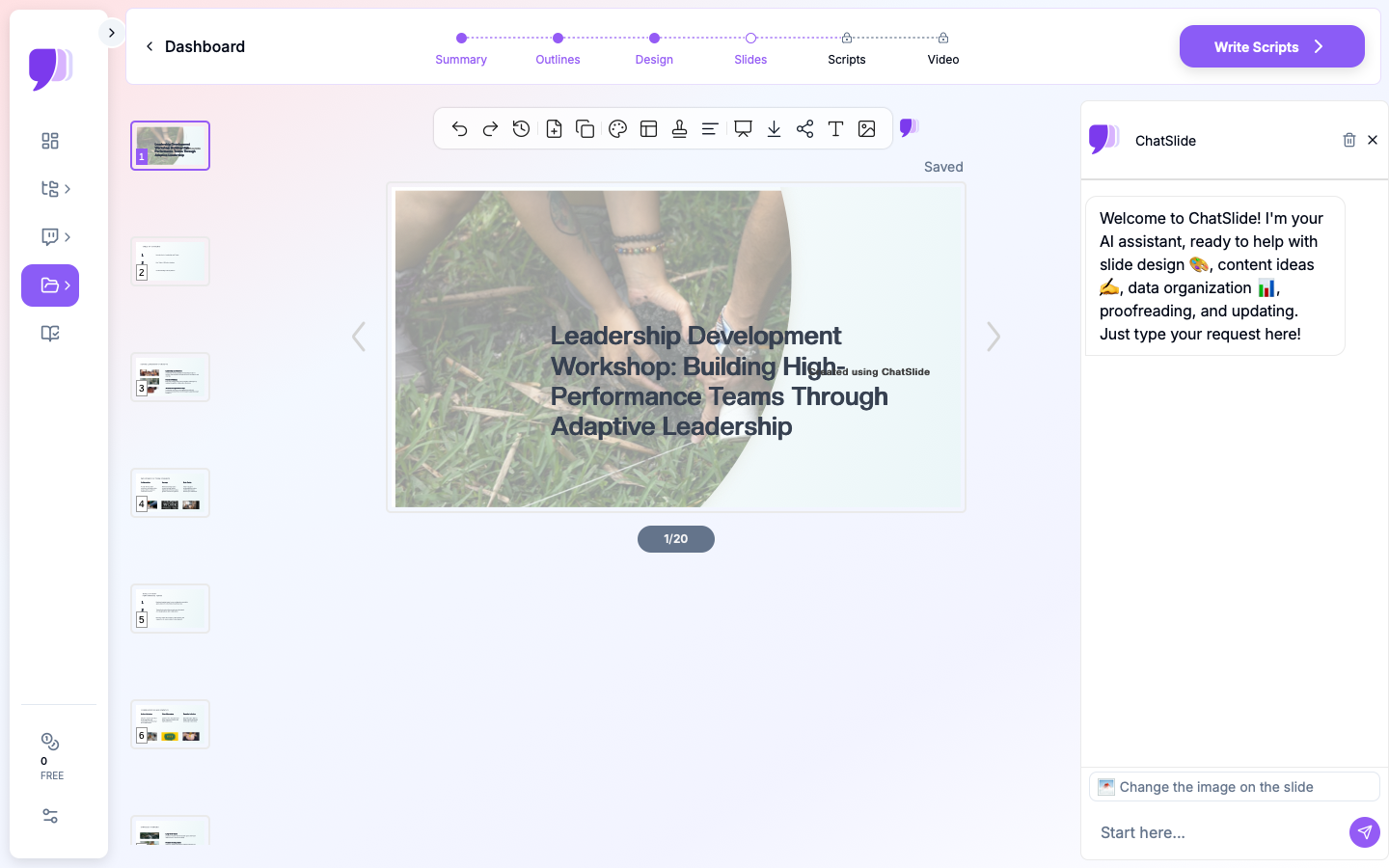
How ChatSlide Works for Compliance Training
Upload Your Regulatory Documents Directly
ChatSlide accepts compliance source material in multiple formats:
- PDF uploads — Drop your ISO standards, BSCI code of conduct, OSHA guidelines, or internal policy documents directly. The AI extracts key requirements, definitions, and procedures.
- Scanned documents with OCR — Older printed policies, signed compliance certificates, or handwritten audit notes get digitized automatically.
- Web URLs — Paste links to online regulatory resources, government safety pages, or industry association guidelines.
The AI preserves the source structure — section numbers, clause references, and regulatory language — while reformatting the content into digestible training slides.
Automatic Data Visualization
When your compliance documents contain metrics — incident rates, audit scores, compliance percentages, training completion rates — ChatSlide generates real charts from the data. Bar graphs comparing quarterly safety metrics, pie charts showing compliance coverage, trend lines tracking improvement over time.
These are not decorative graphics. They are data visualizations built from the numbers in your documents.
Structured for Training Delivery
ChatSlide understands training presentation structure. When you select a training scenario, the AI organizes content into:
- Context and objectives — why this training matters and what attendees will learn
- Key requirements — specific regulatory clauses or standards being covered
- Procedures and processes — step-by-step workflows with visual diagrams
- Case examples — scenarios illustrating compliance vs. non-compliance
- Assessment checkpoints — summary slides for knowledge verification
- Reference and resources — where to find additional information
Common Compliance Training Use Cases
BSCI and Social Compliance
Organizations in global supply chains need BSCI (Business Social Compliance Initiative) training for suppliers, factory managers, and audit teams. The BSCI code of conduct covers labor rights, health and safety, environmental protection, and ethical business practices.
With ChatSlide, you can upload the BSCI code of conduct PDF and generate training slides that break down each principle into actionable requirements with clear visual summaries.
ISO Certification Training
Whether you are preparing for ISO 9001 (quality management), ISO 14001 (environmental), ISO 27001 (information security), or ISO 45001 (occupational health and safety), the certification process requires staff training on specific standard requirements.
Upload your ISO standard documentation, and ChatSlide creates training modules organized by clause — making it straightforward to track which requirements have been covered in training.
Workplace Safety and OSHA Compliance
Safety officers need to deliver regular training on hazard communication, PPE requirements, emergency procedures, and incident reporting. These presentations require clear visual instructions, process flowcharts, and reference to specific regulatory sections.
ChatSlide converts safety manuals and OSHA guidelines into visually clear training slides with process diagrams and checklist formats that workers can follow on the job.
Data Privacy and Information Security
GDPR, CCPA, HIPAA — data privacy regulations require employee training on data handling procedures, breach reporting, and access controls. These topics involve complex policy language that needs to be simplified for non-technical audiences.
Upload your privacy policy documents, and ChatSlide generates training slides that translate legal requirements into practical do-and-don't guidelines.
Step-by-Step: Creating Compliance Training Slides
Step 1: Gather Your Source Material
Collect the regulatory documents, policy PDFs, or standard references that define what your training must cover. This is your content foundation — the AI works with what you provide, not generic knowledge.
Step 2: Upload and Configure
Go to app.chatslide.ai and upload your documents. Select:
- Scenario: Training > Compliance
- Audience: Describe your specific audience (e.g., "warehouse team leads responsible for safety compliance")
- Language: Choose from 50+ supported languages
- Slide count: 8-15 slides for a typical 30-minute training session
Step 3: Review the Generated Outline
ChatSlide produces an outline based on your documents. Check that:
- All required regulatory sections are represented
- The flow matches your training delivery plan
- Key definitions and procedures are included
Edit the outline before generating slides — it is easier to restructure at this stage.
Step 4: Generate and Customize Slides
The AI generates slides with formatted content, data visualizations, and images. Review each slide for:
- Accuracy of regulatory references
- Clarity of process diagrams
- Completeness of checklist items
Edit any slide individually. Add your organization's logo, adjust colors to match brand guidelines, or insert additional content.
Step 5: Export and Distribute
Download as PowerPoint for in-person sessions, or share the online link for remote training. The PowerPoint export preserves all formatting, charts, and images for offline use.
Tips for Compliance Training Presentations
Map slides to regulatory clauses. When auditors review your training documentation, they look for evidence that specific requirements were covered. Structure your slides so each section clearly maps to a regulation or standard clause.
Use visual checklists over dense text. Compliance requirements are easier to retain when presented as actionable checklists rather than paragraphs of regulatory language. ChatSlide converts procedural text into structured lists automatically.
Update regularly. Regulations change. Instead of rebuilding slides from scratch, upload the updated regulation alongside your existing deck. ChatSlide can generate refreshed content while maintaining your preferred structure.
Tailor to the audience. A BSCI training for factory workers needs different depth and language than the same training for compliance managers. Create separate versions by adjusting the audience description when generating slides.
Get Started
Compliance training does not need to be a quarterly scramble of copying regulatory text into slide templates. ChatSlide turns your compliance documents into professional training presentations — with real data visualizations, clear structure, and accurate regulatory references.
Start free at app.chatslide.ai. Upload your first compliance document and see your training slides ready in minutes.