Quick Answer: ChatSlide is the AI presentation maker for organizations that need to standardize how their teams build decks — without losing control of brand, security, or data. Used across 750+ universities and companies, it lets teams generate on-brand, evidence-backed presentations in minutes, then layers on the enterprise controls IT and procurement require: single sign-on (SSO), centralized billing and admin, shared brand templates, team collaboration, private-cloud or on-prem deployment, and a Business Associate Agreement (BAA) with HIPAA-compliant options for regulated industries. Individuals can start free; for an org-wide rollout, talk to our team.
The Enterprise Presentation Problem
Inside most organizations, slide-making is quietly out of control. Sales reps each keep their own version of "the deck." Marketing ships a brand template that nobody uses because it's faster to start from a teammate's old file. Employees paste confidential numbers into whatever free AI tool they found last week — shadow AI that IT never approved and can't see. Every team reinvents the same charts, and the brand drifts a little further with each new file.
The cost shows up in three places: wasted time (skilled people spend hours dragging text boxes instead of doing the work), brand inconsistency (customer-facing decks that look like they came from five different companies), and risk (sensitive data leaving the building through unmanaged tools). None of these get solved by another standalone app — they get solved by a tool that combines fast generation with the governance an organization can actually administer.
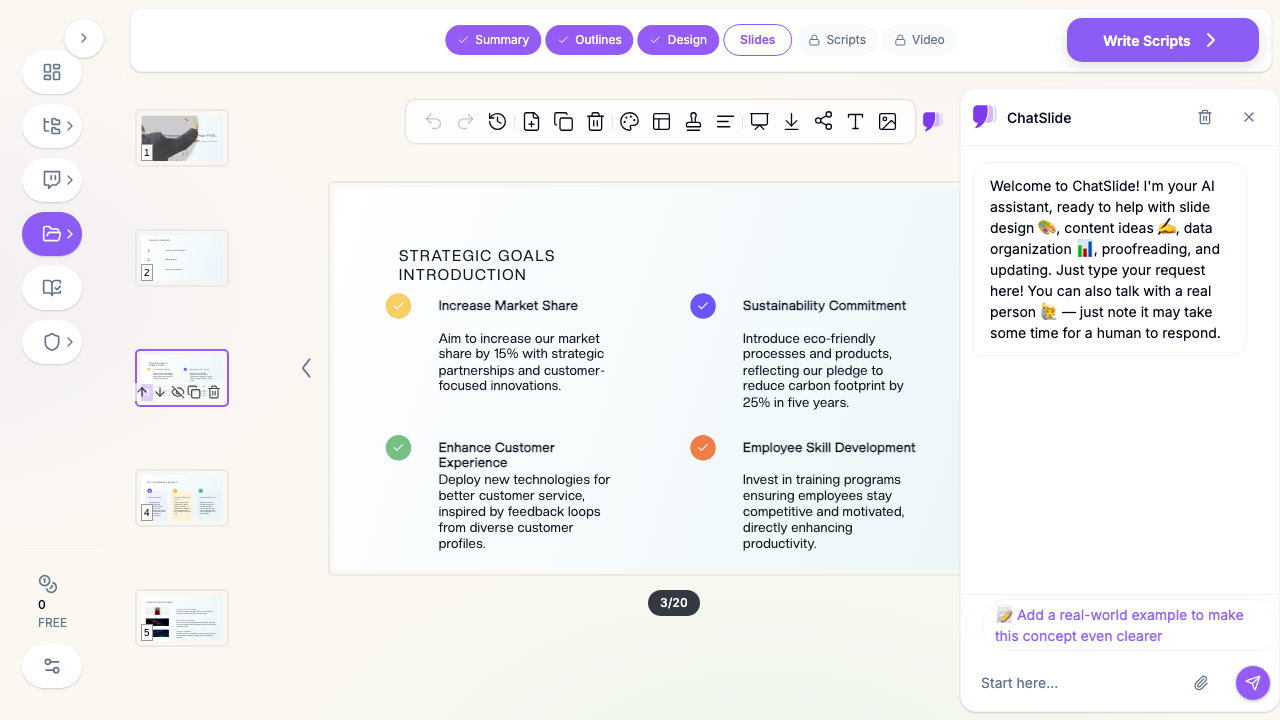

That's the gap ChatSlide is built for: give every team the speed of AI generation, and give the organization the controls to keep it on-brand, secure, and centrally managed.
What Makes ChatSlide Work for Enterprises
Brand Consistency at Scale
Set up shared, on-brand templates so every deck a team produces — sales proposals, board briefings, training, all-hands — matches your identity automatically. Instead of policing brand compliance file by file, the brand becomes the default starting point.
Security and Deployment Controls
For organizations with stricter requirements, ChatSlide offers single sign-on (SSO), private-cloud or on-prem deployment, and a Business Associate Agreement (BAA) with HIPAA-compliant deployment options for healthcare and other regulated industries. If your security team needs documentation to evaluate the tool, contact us and we'll walk through deployment and data-handling details.
Team Collaboration
Teams work on shared projects rather than emailing files back and forth — communications, subject-matter experts, and reviewers can build one deck together, so the version everyone presents is the version everyone approved.
Document and Data Import
Turn the assets your teams already have into slides: upload a strategy PDF, a Word brief, or an exported report, or paste raw text. ChatSlide reads it — including scanned, image-based PDFs via OCR — and structures a deck around it, then builds clean charts from your numbers.
Multi-Format Export
One deck exports to PowerPoint (PPTX), Google Slides, and PDF, so it drops into whatever your teams, clients, and partners already use — no lock-in, no "which tool do I open this in" friction.
Centralized Administration
Manage your organization on one plan with centralized billing and user management, so adding a team or a field office doesn't mean chasing down individual subscriptions.
How ChatSlide Rolls Out Across Your Organization
- Pilot with one team. Start with a single high-volume team — sales, L&D, or comms — on a free or trial basis to prove the time savings on real decks.
- Set up your brand. Configure shared templates so the pilot team's output is on-brand from the first slide.
- Connect SSO and provision users. Roll out single sign-on and centralized user management so access follows your existing identity system.
- Scale and standardize. Expand to other teams on one centrally managed plan, with private-cloud, on-prem, or BAA-backed deployment if your industry requires it.
Use Cases for Enterprise Teams
Sales enablement. Reps generate tailored, on-brand proposal and pitch decks per prospect in minutes instead of recycling a stale master deck — while the brand and core messaging stay locked.
Learning and development. L&D teams turn course materials, SOPs, and compliance content into consistent training decks with speaker notes the whole team can deliver.
Internal communications. All-hands, town halls, and project updates get built faster and look consistent across departments, so internal messaging reflects one company, not twelve.
Consulting and client work. Firms produce client-ready analyses and reports from their data with a reliable export path, keeping every deliverable on the firm's brand.
Regulated industries. Healthcare systems, financial services, and government teams that need a BAA, private-cloud/on-prem hosting, or HIPAA-compliant deployment can standardize on one tool instead of banning AI outright and pushing staff to shadow tools.
Enterprise AI Presentation Tools Compared (2026)
| Feature | ChatSlide | Gamma | Tome | Beautiful.ai |
|---|---|---|---|---|
Single sign-on (SSO) | Yes | Enterprise tier | Limited | Enterprise tier |
Private-cloud / on-prem deployment | Yes | No | No | No |
BAA / HIPAA-compliant options | Yes | No | No | No |
Shared brand templates | Yes | Limited | Limited | Yes |
Team collaboration | Yes | Yes | Yes | Yes |
Document / PDF / OCR import | Yes | Limited | Limited | No |
PowerPoint + Google Slides + PDF export | Yes | Limited | Limited | Limited |
What to Evaluate in an Enterprise Presentation Tool
When your team compares options, weigh the controls that matter at scale, not just the demo's polish:
- Identity and access: Does it support SSO and centralized user management that fit your existing identity provider?
- Deployment and data residency: Can it run in a private cloud or on-prem if your policy requires it, and will the vendor sign a BAA for regulated data?
- Brand governance: Can you enforce shared templates so output stays on-brand without manual review?
- Interoperability: Does it export cleanly to the formats your teams and clients already use?
- Support and onboarding: Is there a real contact for rollout, security review, and ongoing help — not just a help center?
A Note on Security and Compliance
Enterprise requirements vary by industry, and the right answer depends on your policies. ChatSlide offers SSO, private-cloud and on-prem deployment options, and a BAA with HIPAA-compliant deployment for regulated workloads. Rather than make blanket claims here, we'd rather show your security team the specifics — contact us for deployment, data-handling, and compliance documentation relevant to your environment. As a baseline, keep regulated data (PHI, PCI, etc.) out of standard plans and uploads, and use the Enterprise deployment path for anything covered by a BAA.
Frequently Asked Questions
Does ChatSlide support single sign-on (SSO)? Yes — SSO is available for Enterprise deployments. Contact us to connect it to your identity provider.
Can we self-host or use a private cloud? Yes. ChatSlide offers private-cloud and on-prem deployment options for organizations with data-residency or isolation requirements.
Do you sign a BAA? Yes — for healthcare and other regulated industries, the Enterprise plan includes a Business Associate Agreement with HIPAA-compliant deployment options.
Can our whole team work on the same deck? Yes. Teams collaborate on shared projects, so multiple contributors and reviewers build one deck together.
How do we keep every deck on-brand? Set up shared brand templates so on-brand structure and styling are the default starting point for every team.
What can we export to? PowerPoint (PPTX), Google Slides, and PDF — so decks drop into the tools your teams, clients, and partners already use.
How do we get started as an organization? Pilot with one team for free, then talk to our team about SSO, brand setup, deployment, and centralized billing for a wider rollout.
Get Started
Individuals can start building on ChatSlide for free today — but the real win for an organization is standardization: every team producing on-brand, evidence-backed decks in minutes, under controls IT and procurement can administer.
For the full platform capabilities — SSO/SCIM, role-based access, locked brand templates, and audit logs — see the enterprise AI presentation platform overview.
If you're evaluating ChatSlide for your company, talk to our team about SSO, a BAA and HIPAA-compliant deployment, private-cloud or on-prem hosting, shared brand templates, and centralized billing — or start a free pilot with one team first.