
Quick Answer: ChatSlide is an AI presentation maker for interventional cardiologists, cath lab teams, and cardiology fellows. Describe the case — a left main bifurcation PCI, a chronic total occlusion, a drug-coated balloon strategy, a TAVR workup — or upload your angiographic report, abstract, or existing deck, and it generates a structured, citable case presentation in under two minutes. It searches PubMed, Google Scholar, and ClinicalTrials.gov while you build, renders charts from your own registry numbers, writes speaker notes, works in 40+ languages, and exports to PowerPoint, PDF, or narrated video. Used by professionals at 750+ universities and research institutions. Free to start, no credit card.
The Cath Lab Case Presentation Problem
An interventional case talk is not a case report with pictures. The audience is a room of operators who will interrupt you about wire choice, about whether you should have imaged before stenting, about why you went retrograde when you did. Every decision point on every slide has to survive that, and the slot is usually ten minutes.
Building it by hand means moving between the hemodynamics report, the angiographic runs, a guideline PDF, the trial you want to quote, and PowerPoint — for an evening, often the evening before the meeting. The clinical thinking takes twenty minutes. The deck takes five hours.
Then the same case gets presented again at a different altitude: once to a bifurcation forum of specialists, once to the fellows, once in the morning conference where half the room are not interventionalists. Three decks, one case, three different depths — and if the case is good enough to travel, sometimes a second language too.
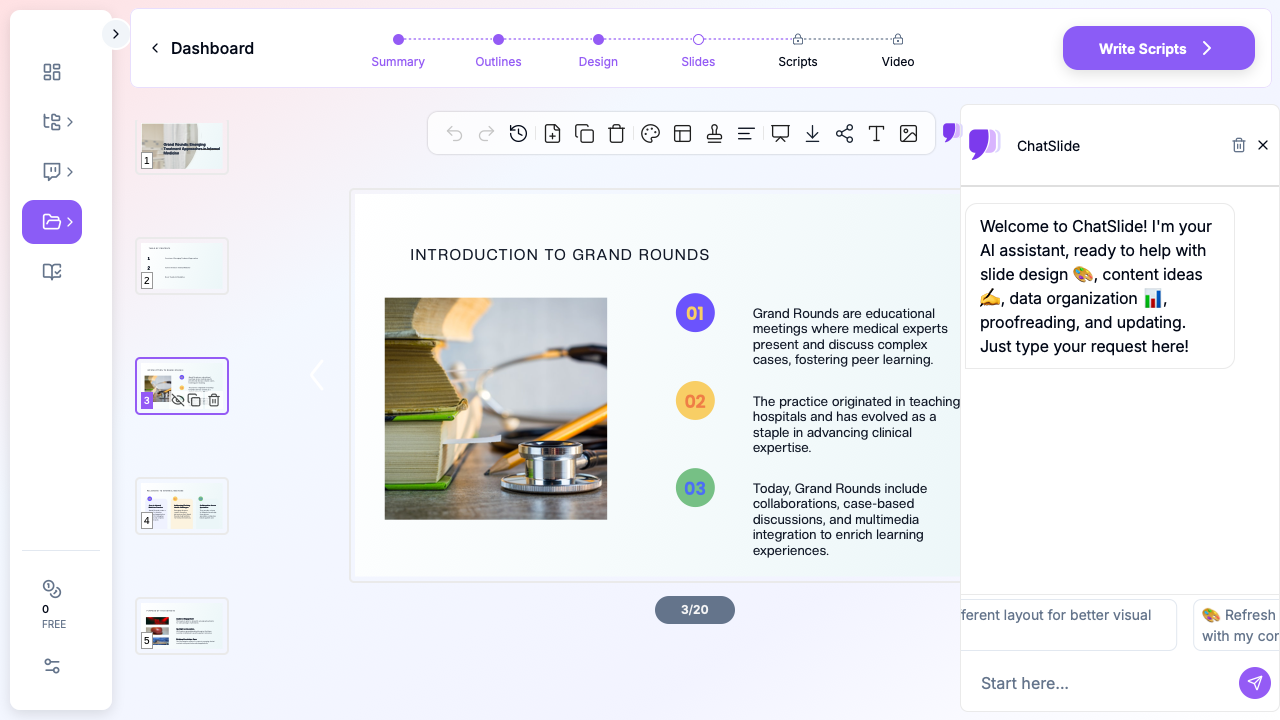

What Makes ChatSlide Powerful for Interventional Cardiology
Three ways in
Start from a topic prompt ("10-minute case presentation: 85-year-old with Medina 1-1-1 left main bifurcation disease and an LAD CTO, hybrid DES plus drug-coated balloon, for an audience of interventional cardiologists"), from an uploaded document (your abstract, a procedure report, a guideline chapter, a manuscript draft), or from an existing deck you want restructured for a new audience or a shorter slot. The more procedural context you give — lesion, strategy, audience, time limit — the more usable the first draft.
Tell it the time limit and the deck fits the slot
Ten minutes is the dominant format for case presentations, and it is the single constraint most hand-built decks violate. Put the limit in the prompt and the outline comes back sized for it, so you cut sections rather than rushing slides on the podium.
PubMed, Scholar, and trial registry built in
The Research tab searches the literature while you build. Pull the trial your strategy rests on, the current revascularisation guideline, or the ongoing study someone in the room will raise, and the generated slides carry the citation with the claim.
Real charts from your own numbers
Paste or upload your data — lab volumes, radial versus femoral access rates, door-to-balloon times, complication rates, follow-up outcomes by strategy — and ChatSlide renders a clean chart instead of a bulleted approximation. For a quality-improvement talk or a new-programme business case, your own figures are the argument.
Your angiographic images, placed properly
Upload de-identified angiographic stills, intravascular imaging captures, ECGs, or hemodynamic tracings, and they are laid out at a size an auditorium can read. Keep patient identifiers out of what you upload.
Speaker notes written with the slide
Each slide can come with notes in your voice — useful when you are narrating a sequence of runs and need the decision rationale, not the description, to come out of your mouth.
40+ languages, including right-to-left
A lot of interventional teaching happens outside English, and international faculty frequently present the same case twice. Generate in Spanish, Portuguese, Czech, Slovak, Italian, Arabic, or Chinese, or generate once and produce a second-language version of the same deck.
Export where you need it
PowerPoint for the conference laptop, PDF for the handout, or a narrated video for the fellows and referrers who will not be in the room.
How ChatSlide Builds Your Case Presentation
- Describe the case or upload the source. Name the lesion, the strategy, the audience, and the slot. "10-minute case presentation on DCB in bifurcation disease for interventional cardiologists" produces a markedly better outline than "coronary case."
- Review and reshape the outline. You get a section structure before any slide renders. This is where a 10-minute forum talk and a 40-minute fellows' teaching session diverge — reorder, cut, or deepen.
- Add evidence and data. Search PubMed, Scholar, or ClinicalTrials.gov from the Research tab; drop in your own tables for charts; upload your de-identified imaging.
- Generate, edit, export. Slides render in about two minutes. Refine any slide with the editing tools, then export to PPTX, PDF, or video.
Direct Research Database Access
ChatSlide's Research tab connects to the databases physicians use daily:
- PubMed: Search by keyword, PMID, or DOI. Find the landmark trials, recent publications, and clinical guidelines relevant to your case. The AI reads abstracts and incorporates key findings into your slides with citations.
- Google Scholar: When your topic spans disciplines — say, the intersection of genetics and oncology — Scholar captures the broader academic literature that PubMed alone might miss.
- Clinical Trials (NCT): Presenting on a treatment where pivotal trials are ongoing? Search by NCT number or condition to pull trial design, endpoints, and status into your slides.

Use Cases in the Cath Lab
Complex PCI case presentation at a forum or live course. Left main bifurcation, calcified lesions needing atherectomy or lithotripsy, CTO with a retrograde bailout, a hybrid stent-and-balloon strategy. The structure is always the same — anatomy, strategy, decision points, result, teaching points — and that structure is what the outline step gives you in seconds. Typical saving: a full evening.
Fellows' teaching session. Wire escalation, bifurcation algorithms, when intravascular imaging changes the plan, how to recognise and manage a perforation. Build the session once, then regenerate variants as technique and guidance move.
Morning conference and complication review. The case that did not go to plan needs a deck that is honest, fast to build, and focused on the decision sequence rather than on the images. Speaker notes carry the parts you do not want on a slide.
Structural heart and valve clinic talks. TAVR workup, annular sizing, access assessment, post-procedure conduction monitoring — material shared across cardiology, imaging, and surgery, often presented to a mixed room.
Quality improvement and programme business cases. Door-to-balloon performance, radial conversion rates, contrast and radiation dose, a proposal for a new CTO or DCB programme. Charts from your own registry numbers do more work here than any amount of prose. Typical saving: half a day.
Cath lab teams and cardiology departments. Groups running shared teaching across sites can work from one set of brand-consistent templates instead of a folder of divergent decks. See the Enterprise note below.
Interventional Cardiology Presentation Tools Compared (2026)
| ChatSlide | Gamma | Tome | Beautiful.ai | |
|---|---|---|---|---|
PubMed / Scholar / trial-registry search | Yes, built in | No | No | No |
Citations attached to generated claims | Yes | No | No | No |
Charts from your own data | Yes | Limited | Limited | Yes |
Upload angiographic captures and documents | Yes | Partial | Partial | Partial |
Generate from an existing deck | Yes | Limited | No | No |
Speaker notes generated | Yes | Partial | No | No |
Narrated video export | Yes | No | No | No |
Languages | 40+ | Limited | Limited | Limited |
PowerPoint export | Yes | Yes | Yes | Yes |
Free tier | Yes | Yes | Limited | Limited |
Time Comparison: Manual vs. AI-Assisted
| Task | Manual | With ChatSlide |
|---|---|---|
Literature and trial lookup | 2–3 hours | 20–30 minutes |
Outline and narrative structure | 1 hour | 5–10 minutes |
Drafting a 15-slide case deck | 3–4 hours | ~2 minutes to first draft |
Charts from your lab data | 1 hour | 10 minutes |
Speaker notes | 1–2 hours | Generated, then edited |
Second-language version | Rebuild from scratch | Regenerate |
What a Strong Interventional Case Presentation Includes
Open with the clinical question, not the angiogram. Why this patient, why now, and what the revascularisation decision had to resolve. Anatomy without the question is a slideshow.
Show the anatomy the way you assessed it. Lesion classification, calcification, vessel size, collateral supply, and what the intravascular imaging added — or state plainly that imaging was unavailable and what you used instead. An audience of operators forgives a constraint; it does not forgive a gap.
Make the decision points explicit. Provisional versus upfront two-stent, antegrade versus retrograde, which lesion-preparation tool and why, when you changed plan. The teaching value of a case lives entirely in the points where it could have gone another way.
Pair the strategy with the evidence behind it. A drug-coated balloon in a side branch, atherectomy before stenting, a hybrid approach — each has a literature position. Cite it on the slide where you claim it.
Show the result honestly, including what you could not measure. Final flow, residual stenosis, and the parameters you did not have. A result presented without its limits invites the question you did not prepare for.
Separate the complication from the error. Complication review talks fail when they blur the two. Say which was inherent to the lesion and which was a decision you would change.
Close with what changes on Monday. Protocol change, equipment request, imaging policy, referral pathway. A specialist audience wants the operational consequence, not a summary slide.
Best Practices
Do:
- Name the lesion, the strategy, the audience, and the time limit in your prompt
- Pull citations from the Research tab as you build, so claims and sources stay attached
- Use your own lab data for the charts that carry an argument
- Upload de-identified angiographic stills rather than describing findings in text
- Generate speaker notes, then rewrite them in your own voice
- Verify every device size, dose, and guideline figure against the primary source before presenting
Don't:
- Put patient identifiers, dates of procedure, or accession numbers in prompts, uploads, or slide content
- Present outcome figures without the denominator and the time window
- Let an AI-generated numeric or device claim reach an audience unverified — you are the clinical authority in the room, not the tool
- Reuse an old case deck for a new audience without re-checking current revascularisation guidance
For Cath Lab Teams and Departments
Cath labs, cardiology departments, and hospital systems can standardise on shared brand templates, centralised team billing, SSO, and collaborative editing so case conferences and fellow teaching stay consistent across sites. For organisations that need a Business Associate Agreement or private deployment, contact us.
Note on patient data: ChatSlide's standard plans are not a HIPAA-covered service — keep PHI out of slide content and uploads. For hospital systems, group practices, and clinics that need a Business Associate Agreement, our Enterprise plan offers HIPAA-compliant deployment options — contact us to discuss BAA terms, SSO, and on-prem / private-cloud hosting.
Frequently Asked Questions
Can ChatSlide build a case presentation from my procedure report or abstract? Yes. Upload the document and it extracts the structure and key content into a deck. This is the fastest route when you already wrote the abstract and need the slides by the morning.
Can I tell it my talk is only ten minutes? Yes, and you should. The time limit in the prompt shapes the outline and the slide count, which is the difference between finishing on time and being cut off mid-case.
Does it cite the sources it uses? Slides built from Research-tab results carry their citations. Always verify figures against the primary source before presenting — the tool assembles evidence, it does not replace your review of it.
How is this different from your general cardiology guide? Cardiology presentations covers the specialty broadly — heart failure lectures, guideline-directed therapy, grand rounds. This guide is for the cath lab: case presentations, procedural strategy, device and lesion-preparation decisions, and complication review. Echocardiography covers imaging teaching, and clinical case presentations covers case format across all specialties.
Can I upload angiographic images? Yes, as de-identified image files. Remove patient identifiers before uploading and follow your institution's policy for teaching use.
Can it build the deck in a language other than English? Yes — 40+ languages, including right-to-left scripts. You can also generate a second-language version of a deck you already built, which is common for faculty presenting the same case at a national and an international meeting.
Can it make a narrated video instead of slides? Yes. Export as a narrated video for fellow teaching, referring-physician education, or colleagues who miss the live session.
Is it free? There is a free tier with no credit card required. Paid plans add capacity and advanced features — see pricing.
Get Started
Describe the case — the lesion, the strategy, the audience, the slot — or upload the abstract you already wrote, and have a structured, cited draft in about two minutes. Then spend the evening rehearsing the decision points instead of resizing images.
Make your cath lab case presentation with ChatSlide — free to start, no credit card required.
Related: cardiology presentations · clinical case presentations · echocardiography presentations