
Quick Answer: ChatSlide is an AI presentation maker for CRM trainers, sales enablement teams, and business-school instructors, used by 280,000+ people and across 750+ universities. It turns a course chapter, a CRM playbook PDF, or a one-line prompt into a structured training deck in under two minutes — with drafted speaker notes, charts built from your real pipeline numbers, narrated-video export for asynchronous onboarding, and PowerPoint or PDF download. Free to start, no credit card.
The CRM Training Problem
CRM is taught in chapters. Whether it is a university module on eCRM, a sales-enablement curriculum, or the internal training that has to land before a new platform goes live, the material always breaks into the same arc: what a customer relationship actually is, how the customer journey is structured, how acquisition works, how retention and development work, and how you manage a portfolio of customers by value rather than by gut feel.
Each of those chapters is a deck. Each deck needs a definition slide, a process diagram, a worked example, and something the room can act on Monday. Multiply that by six or eight chapters and the slide-building becomes the course, which is not what anyone signed up to do.
The other problem is that CRM material goes stale fast. Segments change, the funnel definitions change, the platform screenshots change, and a deck built two quarters ago quietly starts teaching the wrong process. Rebuilding by hand is expensive enough that most teams just keep presenting the old version.
This guide covers CRM education and enablement specifically — course chapters, platform-rollout training, and customer-lifecycle material. If you are building a deck to pitch a prospect rather than to teach a process, our sales presentation guide is the closer fit; for frontline service standards and complaint handling, see the customer service training guide.
What Makes ChatSlide Powerful for CRM Training
Three Input Modes That Match How CRM Course Material Already Exists
You are almost never starting from a blank page. ChatSlide takes content three ways, and they combine:
- File upload — a chapter PDF, the CRM playbook, a process document, last year's PowerPoint, or a scanned handout. Scanned pages and images are read with OCR.
- Web and video URLs — link a vendor's documentation page, a published framework, or a recorded enablement session and ChatSlide extracts the content.
- Text prompt — "chapter 3: customer acquisition strategies, for a postgraduate eCRM module, 20 slides" is enough for a full first draft.
Outline-First, Because the Chapter Sequence Is the Teaching
ChatSlide drafts the outline before it renders any slides. For a course, that is exactly the level you want to work at: reorder the arc — definition, model, process, example, metric, action — while it is still a list, then generate. Restructuring an outline takes a minute; restructuring twenty finished slides takes an afternoon.
Charts Built From Your Actual Numbers
Retention curves, cohort revenue, funnel conversion by stage, and customer-value distributions are the slides that make CRM training concrete. Provide the numbers and ChatSlide builds real charts from them instead of dropping in a decorative placeholder that means nothing.
Speaker Notes Drafted for Every Slide
Enablement decks get handed off constantly — to a regional trainer, a new manager, an adjunct instructor. ChatSlide drafts per-slide notes, so the deck carries its own facilitation guidance rather than depending on the person who built it being in the room.
Narrated Video Export for Asynchronous Onboarding
The same project exports as a narrated video with an AI voice or an avatar presenter. For a distributed sales team or an online cohort, that converts a training deck into a self-serve module without booking a recording session.
Editing in Plain Language
Refine with instructions instead of formatting: "add a slide comparing acquisition cost to retention cost", "turn slide 7 into a two-column table of journey stage and exit criteria", "rewrite every slide for a non-technical audience", "cut this to a 30-minute session". Batch edits apply across the whole deck.
One Look Across a Whole Curriculum
Chapters built weeks apart drift visually. Applying one design across a deck and reusing it for the next chapter keeps a course looking like a course — which matters when a cohort or a review committee sees all eight modules in sequence.
How ChatSlide Builds Your CRM Training Deck
1. Bring your source material or your topic. Upload the chapter document or the playbook, or describe the session and its audience.
2. Shape the outline. Put the chapter in teaching order before anything renders.
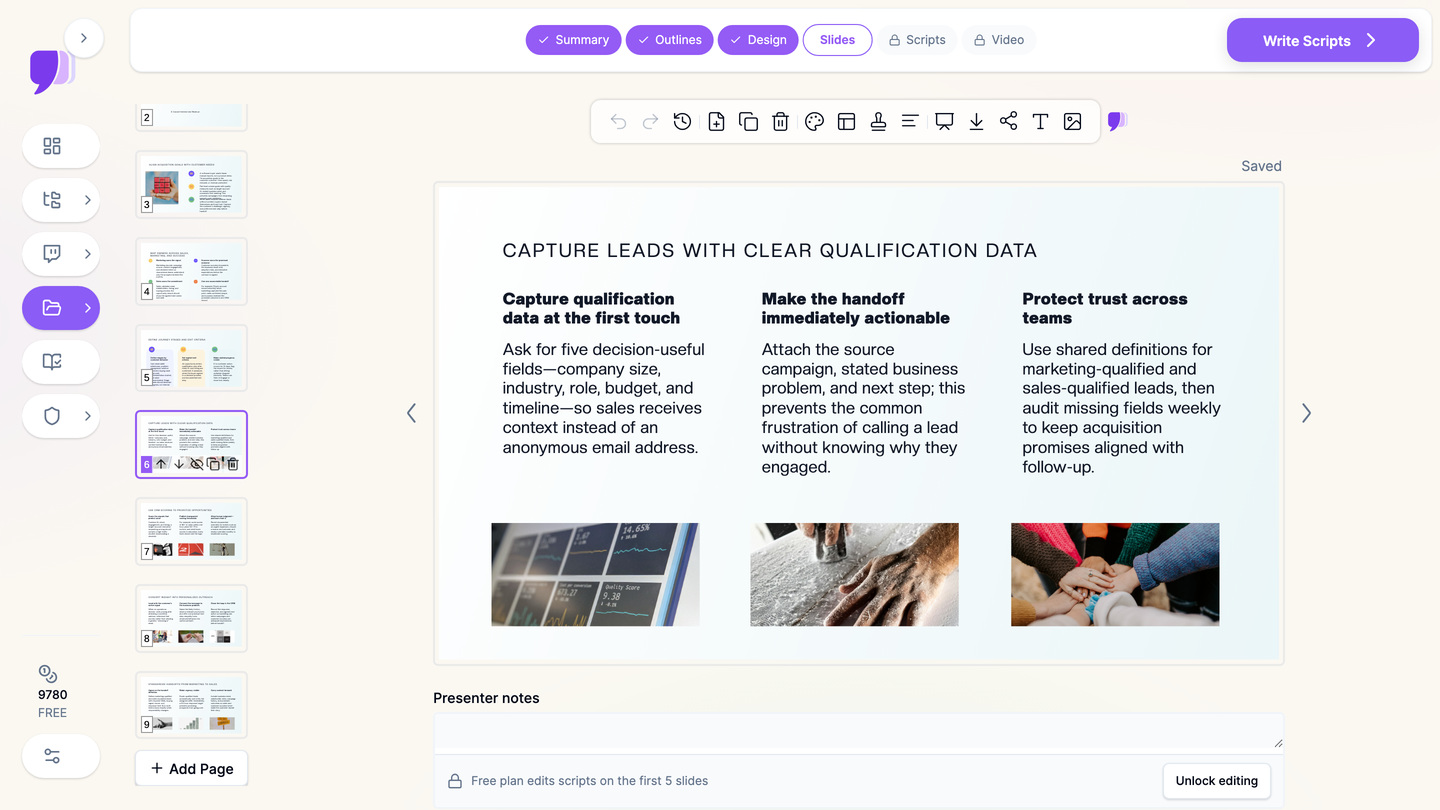
3. Generate slides with imagery, charts, and notes. Each slide arrives laid out, with supporting visuals and drafted facilitation notes.
4. Export the way the program needs it. PowerPoint for the LMS, PDF for the participant handout, narrated video for the asynchronous cohort.
Use Cases for CRM Trainers and Enablement Teams
1. Course Chapters on the Customer Journey
The challenge: A module on managing the customer journey has to cover acquisition, retention, and development as distinct chapters that still hang together.
How ChatSlide helps: Generate each chapter from its source document, reuse one design across all of them, and keep the terminology consistent with plain-language batch edits.
Time saved: From most of a day per chapter to about half an hour.
2. CRM Platform Rollout Training
The challenge: A new CRM goes live and every team needs the same story — what changed, which fields are now required, who owns the handoff, and what the response-time expectation is.
How ChatSlide helps: Turn the configuration document and the process map into a rollout deck, then export it as a narrated video so people who miss the live session get the same version.
Time saved: From 4-6 hours to under an hour.
3. Customer Portfolio and Value Management
The challenge: Teaching value-based segmentation means showing distributions, not asserting them.
How ChatSlide helps: Supply the segment or cohort numbers and ChatSlide builds the charts, so the argument for prioritizing one segment over another is visible on the slide.
Time saved: From 2-3 hours of chart wrangling to minutes.
4. Business-School and Postgraduate eCRM Modules
The challenge: eCRM and relationship-marketing courses assign weekly deliverables that are themselves presentations, on top of the lecture decks the instructor has to prepare.
How ChatSlide helps: Turn readings, a case, and the assignment brief into a structured deck so the effort goes into the argument rather than the formatting.
Time saved: From an evening to under an hour.
5. Sales and Marketing Alignment Sessions
The challenge: Handoff disputes are usually definition disputes — what counts as qualified, who owns the follow-up, how fast.
How ChatSlide helps: Build the alignment deck around explicit definitions and an owner-per-stage table, and edit it live in the room as the two teams agree on wording.
6. CRM Training for Teams and Organizations
For an enablement function or a program office producing training across several trainers, ChatSlide's Enterprise plan adds SSO, centralized team billing, shared brand templates, and team collaboration, so a whole curriculum stays consistent regardless of who built which chapter — contact us.
CRM Training Presentation Tools Compared (2026)
| Feature | ChatSlide | Gamma | Tome | Beautiful.ai |
|---|---|---|---|---|
Input modes | 3 (file, URL, prompt) | Text prompt | Text prompt | Text prompt |
Upload a chapter PDF, playbook, or old PPTX | Yes | Limited | Limited | No |
OCR for scanned handouts | Yes | No | No | No |
Editable outline before generation | Yes | Limited | Limited | Template-based |
Charts from your real pipeline data | Yes | Basic | Basic | Template-based |
Speaker / facilitation notes drafted | Yes | Limited | Limited | Limited |
Narrated video export | Yes | No | No | No |
PowerPoint export for LMS upload | Yes | Yes | Limited | Yes |
Team templates and SSO | Enterprise | Limited | Limited | Limited |
Free tier | Yes | Yes | Yes | Yes |
Time Comparison: Manual vs. AI-Assisted
| Task | Manual | With ChatSlide |
|---|---|---|
Structuring a 20-slide chapter deck | 1 hour | 5 minutes |
Drafting slide content | 2-3 hours | 2 minutes |
Building charts from pipeline data | 1-2 hours | Generated from your numbers |
Sourcing and placing visuals | 1 hour | Included in generation |
Writing facilitation notes | 1-1.5 hours | Drafted automatically |
Producing a narrated version | 2-3 hours | Minutes via video export |
What a Strong CRM Training Presentation Includes
A definition slide that the room actually agrees with. Most CRM disagreements are vocabulary disagreements. Fix "qualified", "opportunity", "churn", and "active customer" on slide two and the rest of the session gets easier.
The journey drawn as stages with exit criteria. A journey diagram without exit criteria is decoration. Name what has to be true for a customer to move from one stage to the next, and who decides.
Ownership per stage. Marketing owns the signal, sales owns the commitment, customer success owns the promised outcome. Putting owners on the diagram prevents the handoff argument before it starts.
Acquisition and retention costed side by side. The single most persuasive CRM slide is the one comparing what it costs to win a customer against what it costs to keep one. Use your own figures.
Segmentation by value, shown as a distribution. Portfolio management is a claim about where value concentrates. Show the distribution rather than asserting the 80/20.
A worked example that runs through the whole deck. One account followed from first touch to renewal teaches more than six abstract frameworks.
Metrics the audience can actually influence. Retention rate, time-to-first-value, response time on a qualified lead. Vanity metrics teach nothing because nobody can move them.
One action per section. The test of a training deck is what changes on Monday, not what was covered.
Best Practices
Do's
- Fix the vocabulary first — definitions before models, models before process.
- Use your own numbers even when they are unflattering; a real retention curve teaches more than a clean invented one.
- Put owners on every stage of the journey diagram.
- Keep facilitation guidance in the speaker notes so the deck survives a handoff to another trainer.
- Reuse one design across the curriculum so chapter eight matches chapter one.
Don'ts
- Don't teach the platform's menus when you meant to teach the process — the menus change, the process is the lesson.
- Don't ship the first draft; the plain-language editing pass is what makes it yours.
- Don't put the frameworks up without a worked example underneath them.
- Don't upload customer records, contact lists, or CRM exports containing personal data to any cloud tool. Teach with anonymized or synthetic examples; if you need real figures, aggregate them first.
Frequently Asked Questions
Can I build a CRM chapter deck from just a prompt?
Yes. Naming the chapter, the audience, and the slide count produces a structured draft. Uploading the chapter document or your playbook makes the draft much closer to your actual course.
Can I upload last year's CRM deck and refresh it?
Yes. Upload the PowerPoint and ChatSlide reads it as source material, so you can restructure and update an inherited course rather than rebuild it from scratch.
Can it build charts from our pipeline numbers?
Yes. Provide the figures and ChatSlide generates real charts — retention curves, funnel conversion, cohort value — rather than decorative placeholders.
Does it produce speaker notes I can hand to another trainer?
Yes, notes are drafted per slide, which is what makes a deck usable by someone who was not in the design meeting.
Can I turn a training module into an asynchronous video?
Yes. The same project exports as a narrated video with an AI voice or avatar presenter, which suits distributed teams and online cohorts.
Is it suitable for a university eCRM or relationship-marketing module?
Yes. Course chapters, case discussions, and student deliverables are all presentation-shaped, and drafting the structure quickly leaves the time for the teaching argument itself.
Can my enablement team share templates?
Yes. Enterprise adds shared brand templates, SSO, team billing, and collaboration so a whole curriculum stays consistent — contact us.
Is it free?
There is a free tier with no credit card required. Paid plans start at $14.90/month for higher limits and additional export options.
Get Started
CRM training is the work of turning a messy commercial reality into a process a team can follow. Formatting slides is not that work.
With ChatSlide, turn a chapter document, a CRM playbook, or a one-line brief into a structured training deck in minutes — with charts built from your real numbers, facilitation notes written, and a narrated version one export away.
Start building your CRM training presentation with ChatSlide. Free to start, no credit card required.